Close Menu
GeekBlog

    Subscribe to Updates

    Get the latest creative news from FooBar about art, design and business.

    What's Hot

    Why I use Apple’s and Google’s password managers – and don’t mind the chaos

    March 14, 2026

    How to Buy Used or Refurbished Electronics (2026)

    March 14, 2026

    Woman sneezes out maggots after fly larvae get trapped in her deviated septum

    March 14, 2026
    Facebook X (Twitter) Instagram Threads
    GeekBlog
    • Home
    • Mobile
    • Tech News
    • Blog
    • How-To Guides
    • AI & Software
    Facebook
    GeekBlog
    Home»Uncategorized»I changed 17 iPhone settings to instantly extend my battery life – it takes seconds
    Uncategorized

    I changed 17 iPhone settings to instantly extend my battery life – it takes seconds

    Michael ComaousBy Michael ComaousAugust 7, 20252 Mins Read
    Share Facebook Twitter Pinterest LinkedIn Tumblr Email Copy Link
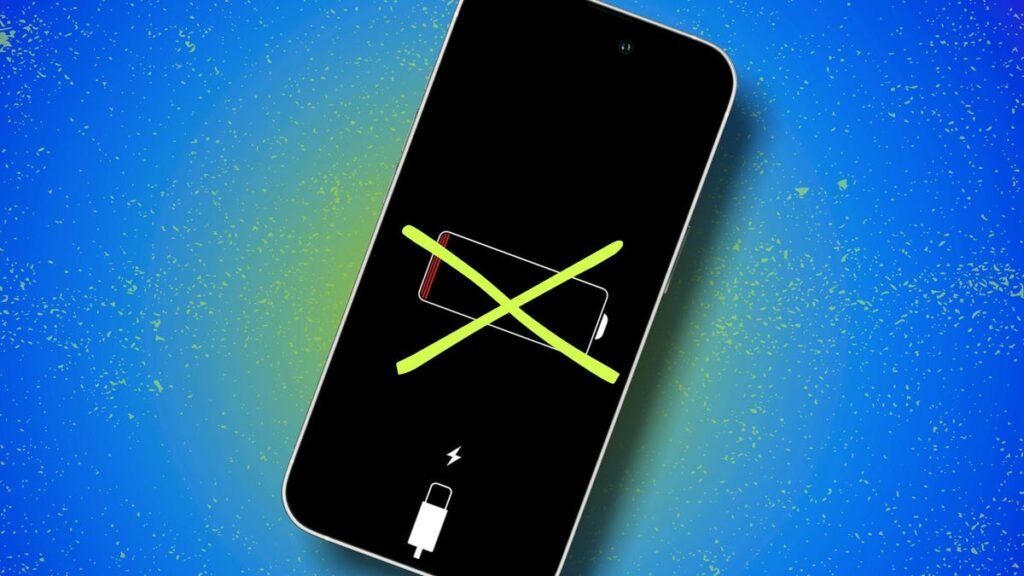
    I changed 17 iPhone settings to instantly extend my battery life - it takes seconds
    Share
    Facebook Twitter LinkedIn Pinterest Email Copy Link

    What about Focus Modes – do they help battery life?

    Yes. Focus Modes help by letting you whitelist specific apps and contacts; during “Work” or “Sleep,” only critical alerts light up your display. That means fewer wake-ups and less background processing. I already mentioned disabling notifications above, but you can take it a step further with Focus Modes.

    Also: The best Apple deals right now: Save on MacBooks, iPhones, and more

    How to set up a Focus Mode:

    1. Open Settings > Focus > tap + to create a profile.
    2. Under Allowed Notifications, choose People and Apps.
    3. Optionally schedule it by time, location, or app.

    How do I identify the biggest battery hogs on iPhone?

    To see what might be draining your iPhone’s battery, go to Settings > Battery. There, you’ll see usage by app and how much time each spent on screen or in background.

    Also: How to fix an iPhone alarm that’s not going off – and why it might be happening

    Can removing my case while charging help?

    Possibly — mainly if your device gets hot while charging. Removing the case can improve heat dissipation, which might speed up charging and protect your iPhone’s battery health.

    Should I try a battery pack or a power bank?

    Yes! I always travel with one. All the settings tweaks in the world won’t help if you’re stranded somewhere, staring at a red battery icon, far from an outlet. Here are the top picks ZDNET’s editors recommend:

    Get the morning’s top stories in your inbox each day with our Tech Today newsletter.

    battery changed Extend instantly iPhone Life seconds settings takes
    Share. Facebook Twitter Pinterest LinkedIn Tumblr Telegram Email Copy Link
    Previous ArticleDiversity Think Tank: Stepping back? A look at DEI in the current climate
    Next Article AI Sucks at Sudoku. Much More Troubling Is That It Can’t Explain Why
    Michael Comaous
    • Website

    Michael Comaous is a dedicated professional with a passion for technology, innovation, and creative problem-solving. Over the years, he has built experience across multiple industries, combining strategic thinking with hands-on expertise to deliver meaningful results. Michael is known for his curiosity, attention to detail, and ability to explain complex topics in a clear and approachable way. Whether he’s working on new projects, writing, or collaborating with others, he brings energy and a forward-thinking mindset to everything he does.

    Related Posts

    5 Mins Read

    How to diagnose your slow-booting Linux PC in seconds – without spending a dime

    4 Mins Read

    Group14 opens factory to produce battery materials for flash charging EVs

    2 Mins Read

    iPhone Fold rumor: iPad-like multitasking, but no iPad apps and no Face ID

    3 Mins Read

    Do You Have What It Takes to Be ‘Future Chief of Police’ of Starbase, Texas?

    9 Mins Read

    How to free up your iPhone storage almost immediately – 8 easy ways

    2 Mins Read

    A New ‘Godzilla Minus One’ Figure Brings Its Early Form to Life

    Top Posts

    Discord will require a face scan or ID for full access next month

    February 9, 2026761 Views

    The Mesh Router Placement Strategy That Finally Gave Me Full Home Coverage

    August 4, 2025612 Views

    Trade in your old phone and get up to $1,100 off a new iPhone 17 at AT&T – here’s how

    September 10, 2025310 Views
    Stay In Touch
    • Facebook

    Subscribe to Updates

    Get the latest tech news from FooBar about tech, design and biz.

    Most Popular

    Discord will require a face scan or ID for full access next month

    February 9, 2026761 Views

    The Mesh Router Placement Strategy That Finally Gave Me Full Home Coverage

    August 4, 2025612 Views

    Trade in your old phone and get up to $1,100 off a new iPhone 17 at AT&T – here’s how

    September 10, 2025310 Views
    Our Picks

    Why I use Apple’s and Google’s password managers – and don’t mind the chaos

    March 14, 2026

    How to Buy Used or Refurbished Electronics (2026)

    March 14, 2026

    Woman sneezes out maggots after fly larvae get trapped in her deviated septum

    March 14, 2026

    Subscribe to Updates

    Get the latest creative news from FooBar about art, design and business.

    Facebook
    • About Us
    • Contact us
    • Privacy Policy
    • Disclaimer
    • Terms and Conditions
    © 2026 GeekBlog

    Type above and press Enter to search. Press Esc to cancel.

    Ad Blocker Enabled!
    Ad Blocker Enabled!
    Our website is made possible by displaying online advertisements to our visitors. Please support us by disabling your Ad Blocker.