


It should come as no surprise that students the world over are using ChatGPT and other artificial intelligence chatbots to cheat. On homework, on tests, and on anything else you care to mention. After all, why work something out yourself when there’s an AI chatbot waiting and willing to do the hard work for you?
This is obviously a problem in need of fixing, and OpenAI’s answer is a Study Mode that’s now baked into ChatGPT. The idea is to stop students from simply asking ChatGPT to tell them the answer to a question, and to have ChatGPT teach them how to answer the question for themselves.
Will this work? Possibly. Maybe. Probably not. Either way, I gave ChatGPT’s Study Mode a spin for ourselves to find out what it’s capable of – and I wound up utterly loving it.
How to enable ChatGPT’s Study Mode
Dave Parrack/Foundry
First things first. In order to use Study Mode, you’ll need to be logged into ChatGPT. Then, under the invitation to “Ask Anything,” click Tools > Study and Learn. This will put ChatGPT into Study Mode, forcing the AI chatbot to respond in a very different way than it usually does.
ChatGPT offers three default prompts in Study Mode: “Help me with my homework,” “Explain a topic to me,” and “Create a practice quiz.” You can either select one of these or provide ChatGPT with another prompt to deal with. I initially asked it to explain a topic to me, forcing it to ask for more details as to what I was studying and what grade I am in.
I answered truthfully that I was a mature adult learning purely for the sake of learning. That way, ChatGPT knew exactly who and what it was dealing with. It then offered up some fascinating topics we could explore together, from ancient empires through to quantum physics. I chose the latter because it’s a fascinating subject. I then got a basic explanation of quantum physics before ChatGPT paused to throw a question back at me. Namely, how do I picture an electron in an atom? The point was to force me to actively think about the subject and what I think I know about it rather than just passively absorb whatever information ChatGPT offered up.
Why I love ChatGPT’s Study Mode
Dave Parrack/Foundry
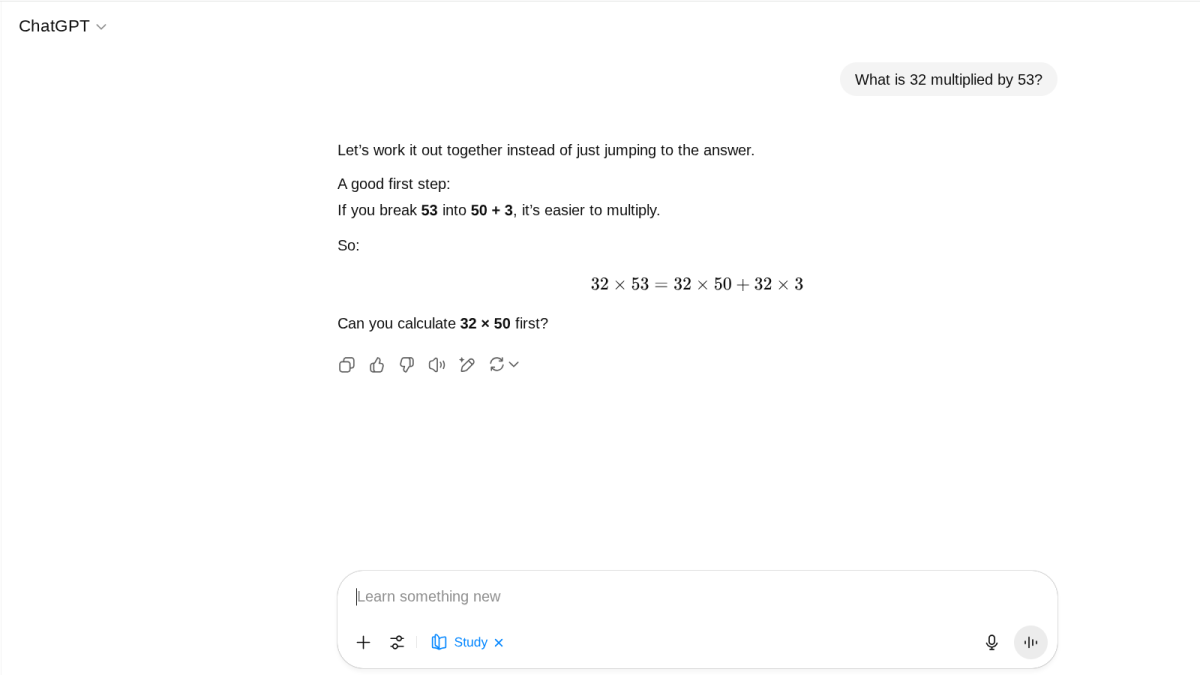
This is, in a nutshell, why I love ChatGPT’s Study Mode. It forces ChatGPT to teach you, and forces you to learn. I find the interactions regarding a specific subject matter much more useful when in Study Mode than in the AI chatbot’s regular mode. It’s the old adage about teaching a man to fish writ large. Sure, just like a calculator would, ChatGPT could just tell me what 32 multiplied by 53 is, but that only helps me once. Explain the easiest way to multiple 32 by 53, however, and that helps me for life.
Beyond that essential raison d’etre, I love the way ChatGPT’s Study Mode seeks to continue the conversation at all costs. While the regular ChatGPT mode is also good at encouraging follow-ups, Study Mode ramps things up a notch — leading to me having a long, ranging conversation about the Heisenberg Uncertainty Principle, for example. ChatGPT has taught me something, I have learned something, and it was a collaborative effort.
I also love the way that ChatGPT’s Study Mode changes the essence of what generative AI is and does. So far, AI has been seen as a quick fix for problems. From managing mundane chores for you, to achieving everyday tasks with single, one-line prompts, generative AI has taken the lead. Whereas, once ChatGPT has been switched into Study Mode, it forces you to do the work yourself. Turning it from a lecturer to a teacher, from a servant to an assistant.
ChatGPT’s Study Mode: Room for improvement
Dave Parrack/Foundry
Is ChatGPT’s Study Mode perfect? No. But then this is just the first iteration, with OpenAI committed to improving it. One obvious way of doing so would be to have an option to lock ChatGPT into Study Mode. That would prevent students (or just curious adults such as myself) from getting so far before simply giving up and asking for the answer. However, regardless of how Study Mode evolves, it has already given me a new way of interacting with ChatGPT.
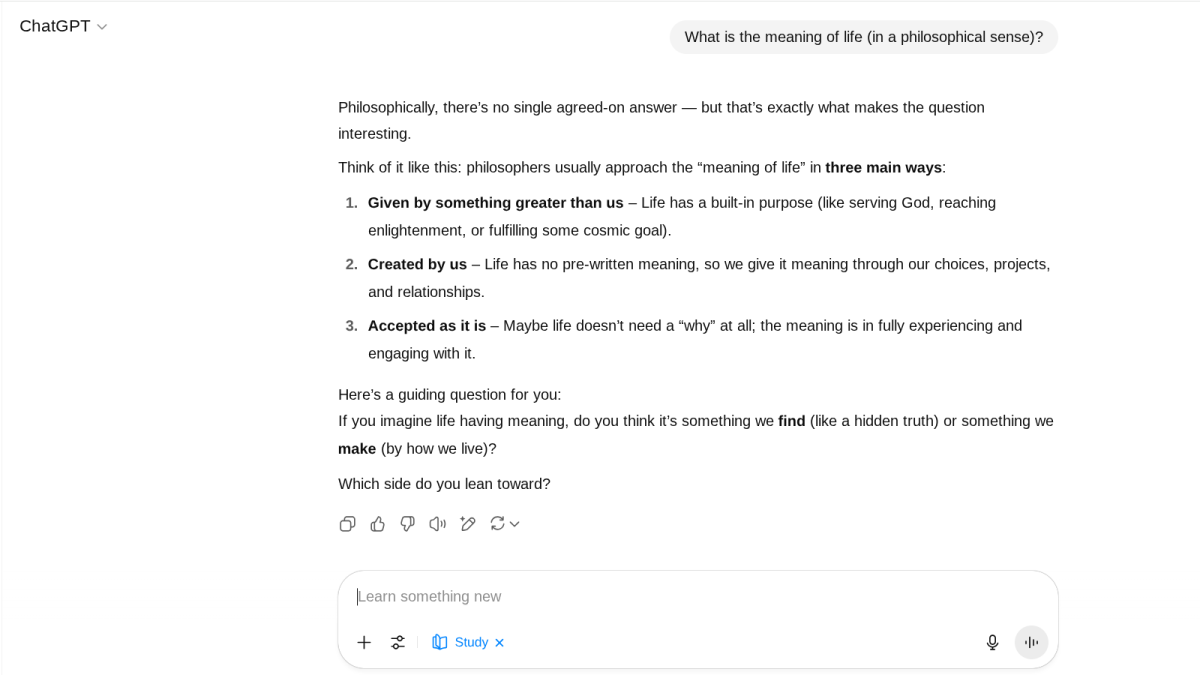
If you try ChatGPT’s Study Mode for yourself, I recommend pushing beyond the default options, and experimenting with prompts. Options range from questions as simple as, “What are the three states of matter?” to questions a lot deeper and likely to force a longer back-and-forth discussion, such as “What is the meaning of life?”
I asked the latter in both ChatGPT’s Regular Mode and Study Mode, and the responses were very different. In Regular Mode, ChatGPT simply offered up some possible answers based on different interpretations of the question. However, while in Study Mode, ChatGPT asked me what I myself thought the meaning of life was.
Which is 42, obviously. Thanks for all the fish, ChatGPT Study Mode.
