Close Menu
GeekBlog

    Subscribe to Updates

    Get the latest creative news from FooBar about art, design and business.

    What's Hot

    Pixel Watch 5 Reviews Are In: Same Watch, Smarter Insides, and a $50 Question

    October 5, 2026

    Sony Is Bringing AI Upscaling to the Base PS5, and Marvel’s Wolverine Is the First to Benefit

    October 5, 2026

    OpenAI Scrapped GPT-6.1 Astra Because It Misreported What It Did. A Cheaper Model Ships Instead.

    October 5, 2026
    Facebook
    GeekBlog
    • Home
    • Mobile
    • Tech News
    • Blog
    • Gaming
    • Smartwatch
    • How-To Guides
    • AI & Software
    Facebook
    GeekBlog
    Home»Mobile»How To Play Your Steam Games On Any Chromebook
    Mobile

    How To Play Your Steam Games On Any Chromebook

    Michael ComaousBy Michael ComaousAugust 3, 2025Updated:September 4, 20263 Mins Read
    Share Facebook Twitter Pinterest LinkedIn Tumblr Email Copy Link
    How To Play Your Steam Games On Any Chromebook
    Share
    Facebook Twitter LinkedIn Pinterest Email Copy Link


    Tada Images/Shutterstock

    Chromebooks are simple productivity machines, or, as one Apple executive once put it, “cheap testing tools.” At least, that was the case a few years ago, before Google made it possible to download Android apps from the Play Store. The addition of Steam has been another major change, making it possible to turn your laptop into a gaming machine.

    For those without a modern gaming PC or console, a Chromebook with Steam opens a lot of doors. You can now play nearly any game on a Chromebook. Of course, what you can play relies heavily on your Chromebook’s specifications. In fact, if your Chromebook isn’t up to snuff, you can’t even download Steam, so consider that before you buy one. You’ll get the best performance with a gaming Chromebook, and despite rumors that Google killed the gaming Chromebook, they are very much here and capable of holding their own.

    As it stands, to download Steam on your Chromebook, you’ll need at the minimum an Intel i3 or Ryzen 3 CPU, 8 GB of memory, and 128 GB of storage. You can look up this information by navigating to Settings > About Chrome OS > Additional Details. Even if your Chromebook is powerful enough to run Steam, that doesn’t mean you can play every game on offer. But you can play some, albeit at lower graphical settings if you only have the bare minimum hardware. 

    Recommended for you:

    Are They Drawing Power Even When Not In Use?
    Mobile·Aug 4, 2025

    Are They Drawing Power Even When Not In Use?

    Play Steam games on your Chromebook


    Device running Steam
    Nwz/Shutterstock

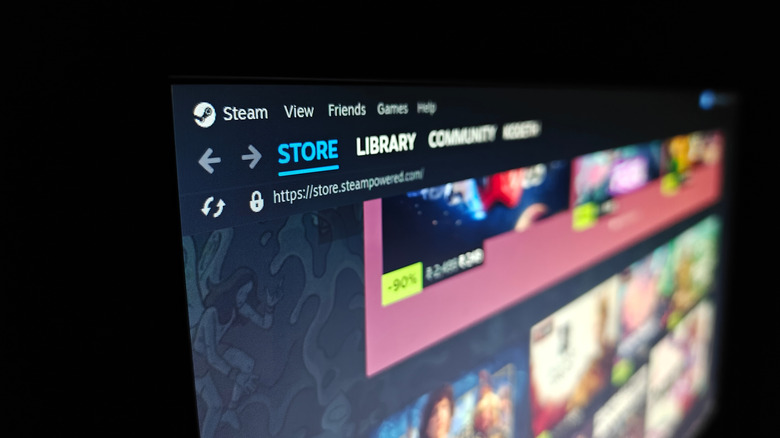
    There’s not much to downloading Steam. On your Chromebook, search for “Steam installer” in the launcher and click on it once you find it under the “Apps” section. If you don’t see it, Steam is not compatible with your Chromebook, meaning you don’t have the necessary hardware to run the software. While there are other ways to download Steam, it’s not worth the hassle, because it will likely run poorly.

    Once you install Steam and sign in, you’re free to buy, download, and play games. You can even play Windows games thanks to Valve’s compatibility layer, Proton. It acts as a translator between the Windows game and the Linux-based operating system.

    Before you download every game in your Steam library, you might want to head over to ProtonDB, where you can find out whether the title you want to play is compatible with Chromebooks. It’s a great resource that relies on crowdsourced answers based on gamers’ experiences playing games on PC, Steam Deck, or Chromebook.

    Recommended for you:

    ANBERNIC RG 477M review: Rethinking retro handheld design
    Mobile·Aug 3, 2025

    ANBERNIC RG 477M review: Rethinking retro handheld design

    Cloud gaming on Chromebooks


    Image of Nvidia GeForce Now app on a device
    jackpress/Shutterstock

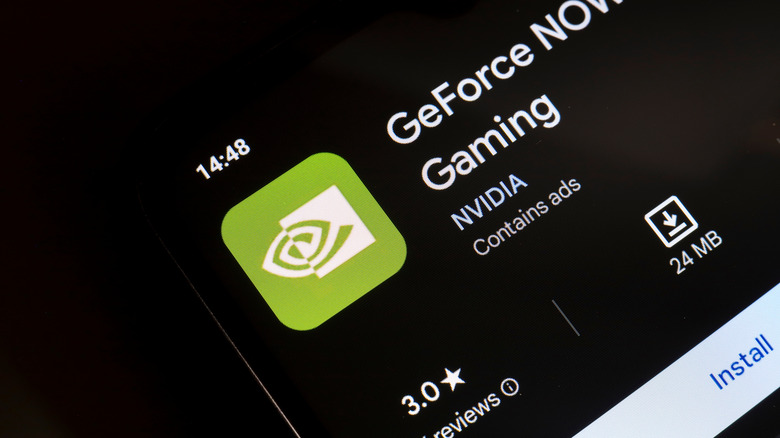
    GeForce NOW is a cloud gaming service similar to Xbox Game Pass. Unlike the Xbox service, Nvidia’s platform lets you access your Steam library via the cloud. You can stream your games at a high resolution on any device with a compatible browser or app. It works on Chromebook via the browser or the GeForce NOW Cloud Gaming app on the Play Store.

    The advantages of using GeForce NOW are many. There are no limitations on the games you can play, and you don’t have to severely scale back graphics to get them running. You can play in up to 4K with RTX raytracing on, as well as Nvidia’s deep learning super sampling (DLSS) tech, which upscales your game to provide better framerates. To access these features, you can sign up for the Performance or Ultimate subscriptions, which start at $9.99 per month. Nvidia’s GeForce NOW free tier will show you ads, but you can still access your games. Not a bad trade-off.


    About this article: GeekBlog covers U.S. technology news, AI, phones, smartwatches and gaming. Every story is written and checked under our Editorial Policy. Spotted a mistake or have a story tip? Contact our editors.

    Laptops
    Share. Facebook Twitter Pinterest LinkedIn Tumblr Telegram Email Copy Link
    Previous ArticleWhy I always use my own Wi-Fi router
    Next Article Steam posts sale dates for the first half of 2026
    Michael Comaous

      Michael Comaous is a dedicated professional with a passion for technology, innovation, and creative problem-solving. Over the years, he has built experience across multiple industries, combining strategic thinking with hands-on expertise to deliver meaningful results. Michael is known for his curiosity, attention to detail, and ability to explain complex topics in a clear and approachable way. Whether he’s working on new projects, writing, or collaborating with others, he brings energy and a forward-thinking mindset to everything he does.

      Related Posts

      14 Mins Read

      Two Android Brands Put Qi2 Magnets in Their Phones. Samsung Sells You a Case.

      14 Mins Read

      Vivo Screwed a 400mm Lens Onto a Phone. The Physics Finally Works.

      12 Mins Read

      Oppo’s Base Flagship Has Two 200MP Cameras and 8,000mAh. The Pro Max Costs 700 Euros More.

      12 Mins Read

      Apple Added a Pre-Order Dress Rehearsal for the iPhone Duo. The Reason Is a 60% Yield.

      12 Mins Read

      Vivo’s 8-Inch Foldable Has a 6,900mAh Battery. Europe Pays 2,199 Euros for It.

      13 Mins Read

      Samsung Raised Galaxy S26 Prices Seven Months In. The Phones Did Not Change.

      Top Posts

      Best Free Online Music Apps in 2026

      July 7, 20263 Views

      Samsung Phones With the Best Camera Quality, Ranked

      July 4, 20262 Views

      When Is Anthropic Going Public? IPO Status 2026

      July 4, 20262 Views
      Stay In Touch
      • Facebook

      Subscribe to Updates

      Get the latest tech news from FooBar about tech, design and biz.

      Most Popular

      The Mesh Router Placement Strategy That Finally Gave Me Full Home Coverage

      September 9, 20263 Views

      Best Android Smartwatches in 2026: Which One Actually Fits Your Phone

      September 7, 20262 Views

      Gears of War: E-Day Reviews Are In: Best Gears in 15 Years, but the Campaign Drags

      October 1, 20261 Views
      Our Picks

      Pixel Watch 5 Reviews Are In: Same Watch, Smarter Insides, and a $50 Question

      October 5, 2026

      Sony Is Bringing AI Upscaling to the Base PS5, and Marvel’s Wolverine Is the First to Benefit

      October 5, 2026

      OpenAI Scrapped GPT-6.1 Astra Because It Misreported What It Did. A Cheaper Model Ships Instead.

      October 5, 2026

      Subscribe to Updates

      Get the latest creative news from FooBar about art, design and business.

      HEICJPG.online - Convert HEIC to JPG online
      Facebook
      • About Us
      • Contact us
      • Privacy Policy
      • Disclaimer
      • Terms and Conditions
      • Editorial Policy
      • Cookie Policy
      • Your Privacy Choices
      © 2026 GeekBlog

      Type above and press Enter to search. Press Esc to cancel.