Close Menu
GeekBlog

    Subscribe to Updates

    Get the latest creative news from FooBar about art, design and business.

    What's Hot

    OpenAI allegedly sent police to an AI regulation advocate’s door

    October 11, 2025

    Samsung Galaxy XR leak shows dual 4K micro‑OLED displays

    October 11, 2025

    The Vampire Lestat New Teaser

    October 11, 2025
    Facebook X (Twitter) Instagram Threads
    GeekBlog
    • Home
    • Mobile
    • Tech News
    • Blog
    • How-To Guides
    • AI & Software
    Facebook
    GeekBlog
    Home»Uncategorized»Microsoft’s Windows Recall is reportedly still capturing passwords and Social Security numbers even after its relaunch
    Uncategorized

    Microsoft’s Windows Recall is reportedly still capturing passwords and Social Security numbers even after its relaunch

    Michael ComaousBy Michael ComaousAugust 2, 20254 Mins Read
    Share Facebook Twitter Pinterest LinkedIn Tumblr Email Copy Link
    The Windows Rec
    Share
    Facebook Twitter LinkedIn Pinterest Email Copy Link

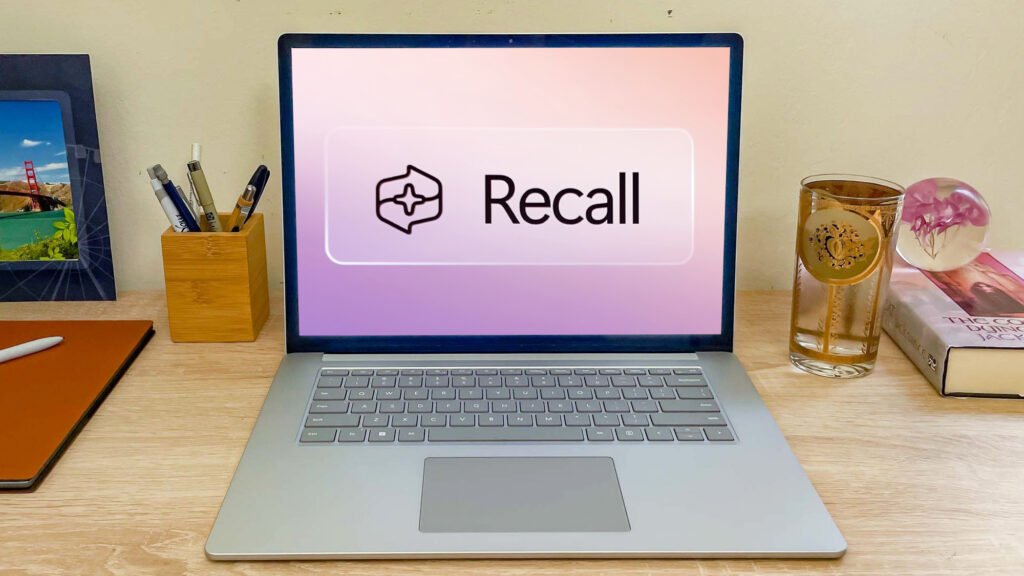
    The controversial Microsoft Windows Recall AI app may still be in need of security work according to testing from the UK technology site, The Register.

    The app, which takes screenshots of everything you do on your PC so you can find it later, supposedly has preventions to stop it from grabbing sensitive information like credit card numbers and passwords. However, the Register’s team recently tested Recall and discovered that the filter actually fails “in many cases.”

    Recall has had a bumpy launch since it was announced as a new app for Copilot+ PCs in the summer of 2024. It was almost immediately pulled back due to security concerns, like capturing sensitive information.


    You may like

    The app stuttered into release and recall repeatedly, and was even caught capturing credit card numbers in December of 2024. It only recently returned to Windows Insiders in April of this year.

    With Recall still in preview mode, Microsoft claims it’s safe and private with a filter called “Filter sensitive information” which is enabled by default and is supposed to prevent sensitive data from being captured.

    The Register’s Avram Piltch used a Lenovo Yoga Slim 7x Copilot Plus PC with Recall enabled and entered in several types of personal information. He does credit the filter with excluding financial data, “some” passwords, and “most instances” of Social Security numbers.

    However, he found that Recall snapped screenshots of his bank’s home page and a number of screens showing his balance and deposits. Though it did exclude his account and routing numbers.

    Get instant access to breaking news, the hottest reviews, great deals and helpful tips.

    From there, Piltch performed a number of tests excluding certain language from forms or pages or storing information in different spots on his computer and much to his surprise, Recall captured that information. In one example, he wrote in a Word Doc “My SS#” and it was filtered out but when he changed it to Soc. # it did get captured.

    And in one case, a document with passwords was totally captured, especially dangerous since many people might still keep their passwords in unsecure documents on their PCs (something we highly discourage given that several of the best password managers are completely free) even if they’re not explicitly labeled “My passwords.”

    To be fair to Microsoft, the app is still in preview mode and has been since October of 2024. A blog post from November did state that Microsoft teams are working to improve the functionality of the security filter. Though, the app is being pushed during the Windows onboarding process, so perhaps that preview mode shouldn’t be given as much slack.

    You do have the option to block specific apps or websites from being captured. You have to go to Settings – Privacy & Security – Recall & snapshots. From there you can blacklist things. You could block your browser, though that might make Recall less useful especially if you work outside of Microsoft’s office ecosystem.

    If you’re worried about Windows Recall potentially capturing your sensitive personal and financial data, there’s an easy way to avoid this feature entirely: don’t get a Copilot+ PC.

    Windows Recall is designed to work specifically with laptops that use Qualcomm’s Snapdragon processors, so by going with one of the best laptops powered by an Intel or AMD chip for your next upgrade, you won’t have to worry about the potential security implications of this controversial feature at all.

    Then again, Microsoft may decide to shelve Windows Recall for good at some point, especially given its lukewarm initial reception and the security and privacy issues it has faced already.


    Follow Tom’s Guide on Google News to get our up-to-date news, how-tos, and reviews in your feeds. Make sure to click the Follow button.

    More from Tom’s Guide

    Back to Laptops

    Arrow

    Show more

    Source link

    capturing Microsofts numbers passwords Recall relaunch reportedly Security Social Windows
    Share. Facebook Twitter Pinterest LinkedIn Tumblr Telegram Email Copy Link
    Previous ArticleNYT Wordle today — answer and my hints for game #1505, Saturday, August 2
    Next Article Hackers are sneaking malware into game mods to hijack wallets, steal passwords, and compromise everything you trust online
    Michael Comaous
    • Website

    Michael Comaous is a dedicated professional with a passion for technology, innovation, and creative problem-solving. Over the years, he has built experience across multiple industries, combining strategic thinking with hands-on expertise to deliver meaningful results. Michael is known for his curiosity, attention to detail, and ability to explain complex topics in a clear and approachable way. Whether he’s working on new projects, writing, or collaborating with others, he brings energy and a forward-thinking mindset to everything he does.

    Related Posts

    2 Mins Read

    Copilot on Windows can now create Office documents and connect to Gmail

    3 Mins Read

    Free AI-powered Dia browser now available to all Mac users – Windows users can join a waitlist

    4 Mins Read

    How to clear your Windows 11 PC cache (and what happens if you don’t)

    3 Mins Read

    HyperSpace Trackpad Pro Hands-On: A Windows Answer to Apple’s Magic Trackpad

    2 Mins Read

    ICE wants to build a 24/7 social media surveillance team

    8 Mins Read

    Oregon’s National Guard lawsuit hinges on Trump’s Truth Social posts

    Top Posts

    The Mesh Router Placement Strategy That Finally Gave Me Full Home Coverage

    August 4, 2025161 Views

    Past Wordle answers – all solutions so far, alphabetical and by date

    August 1, 202577 Views

    How to Turn Off Voicemail on Android Quickly and Easily

    August 2, 202563 Views
    Stay In Touch
    • Facebook

    Subscribe to Updates

    Get the latest tech news from FooBar about tech, design and biz.

    Most Popular

    The Mesh Router Placement Strategy That Finally Gave Me Full Home Coverage

    August 4, 2025161 Views

    Past Wordle answers – all solutions so far, alphabetical and by date

    August 1, 202577 Views

    How to Turn Off Voicemail on Android Quickly and Easily

    August 2, 202563 Views
    Our Picks

    OpenAI allegedly sent police to an AI regulation advocate’s door

    October 11, 2025

    Samsung Galaxy XR leak shows dual 4K micro‑OLED displays

    October 11, 2025

    The Vampire Lestat New Teaser

    October 11, 2025

    Subscribe to Updates

    Get the latest creative news from FooBar about art, design and business.

    Facebook
    • About Us
    • Contact us
    • Privacy Policy
    • Disclaimer
    • Terms and Conditions
    © 2025 geekblog. Designed by Pro.

    Type above and press Enter to search. Press Esc to cancel.