

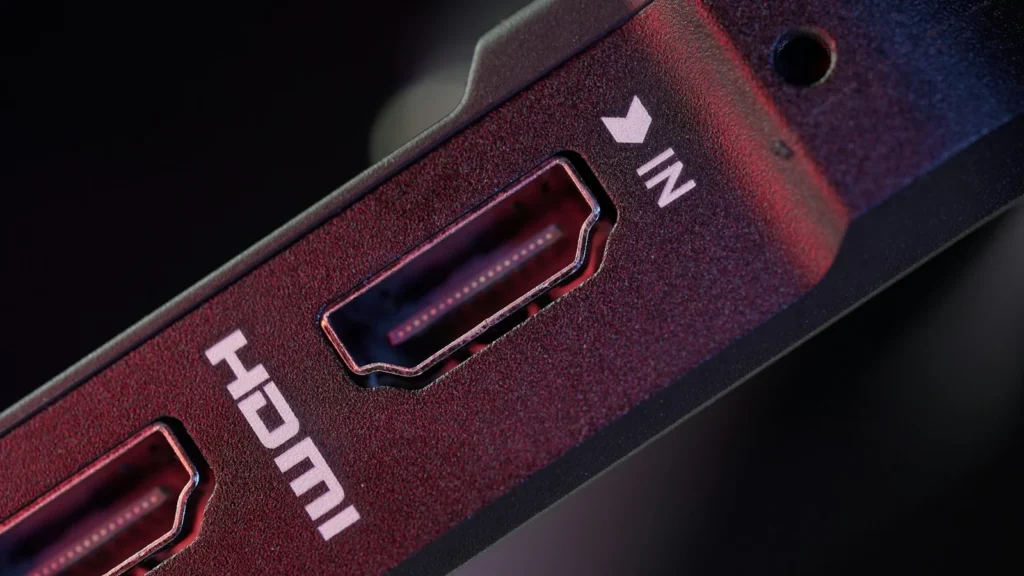
Yes, it often matters which HDMI port you use. The ports on the back of your TV look identical, but on many sets they do not all support the same features. Plug a game console into the wrong one and you may be stuck at 60Hz, plug a soundbar into the wrong one and you lose Dolby Atmos. Here is how to tell the ports apart and what to connect where.
Why HDMI ports are not all equal
Every HDMI port carries video and audio, but each one is wired to the TV’s processor with a certain amount of bandwidth and a certain set of features. Older HDMI 2.0 class ports top out at 18Gbps, which covers 4K at 60Hz with HDR. That is plenty for streaming apps, Blu ray players and cable boxes.
HDMI 2.1 raised the ceiling to 48Gbps and added gaming and audio features. To use it fully you need an Ultra High Speed HDMI cable, which the HDMI Licensing Administrator certifies for systems up to 48Gbps. Many TVs, especially budget and midrange models, only give these extra capabilities to one or two of their ports. Nothing breaks if you choose the wrong one, but you will not get everything your devices can do.
The features that depend on the port
| Feature | What it does | Who needs it |
|---|---|---|
| 4K at 120Hz or 144Hz | Doubles the frame rate for smoother motion and lower input lag | PS5, Xbox Series X, gaming PCs |
| VRR | Variable refresh rate syncs the screen to the game’s frame rate to prevent tearing | Consoles and PCs |
| ALLM | Auto low latency mode switches the TV to game mode automatically | Consoles |
| eARC | Sends full quality audio, including lossless Dolby Atmos, from the TV to a soundbar or receiver | Soundbars and AV receivers |
| ARC | The older audio return channel, limited to compressed formats | Older soundbars |
Note that only one port on a TV supports ARC or eARC. Audio return works only through that specific input, so a soundbar plugged into any other HDMI port will not receive the TV’s sound.
How major TV brands label their ports
Recent OLED models such as the C5 support 4K 120Hz, VRR and ALLM across all four HDMI inputs. LG lists eARC on HDMI 2.
Higher end Neo QLED sets like the QN90F list four inputs that accept high refresh rates. The eARC port is marked on the back panel, and eARC must be enabled in the sound settings.
On 2024 and 2025 BRAVIA models, only HDMI 3 and HDMI 4 handle 4K at 120Hz, and you must switch the HDMI signal format to an Enhanced option.
Port features differ by series and model year. Check the labels on the panel or the spec sheet before plugging in a console.
Many TVs print short labels next to each input, such as eARC, ARC or a refresh rate marking like 4K 120Hz. If yours has no labels, search for your exact model number on the manufacturer’s support site and look for the connectivity section of the specifications.
Settings you may need to change
Using the right port is only half the job. Some TVs keep the fast mode switched off by default to avoid compatibility issues with older devices:
- Sony: set the HDMI signal format for HDMI 3 or HDMI 4 to an Enhanced format.
- Samsung: turn on Input Signal Plus for the port your console uses, and for a soundbar set HDMI eARC Mode to Auto under Sound, Expert Settings. Anynet+ (Samsung’s name for HDMI CEC) must also be on for eARC.
- LG: check that HDMI Deep Color is enabled for the input in the device connection settings.
- Consoles: on PS5 and Xbox Series X, enable 120Hz output and VRR in the video settings after connecting.
Do you need a new HDMI cable?
For 4K at 120Hz, use a certified Ultra High Speed HDMI cable. Certified cables carry a label on the packaging that you can scan with a standard QR code app to confirm the certification. The cable that came with your PS5 or Xbox Series X is already Ultra High Speed. A newer HDMI 2.2 specification, announced in January 2025, raises bandwidth to 96Gbps with a new Ultra96 cable, but today’s TVs and consoles do not need it to reach 4K at 120Hz.
FAQ
Will using the wrong HDMI port damage anything?
No. Any HDMI port will show a picture. You simply lose features such as 120Hz, VRR or soundbar audio if the port does not support them.
Which HDMI port should a streaming stick use?
Any free port. Streaming devices output 4K at 60Hz at most, which every modern 4K TV port supports.
Why is my soundbar silent when connected by HDMI?
It is probably not on the ARC or eARC port, or HDMI CEC is turned off. Move the cable to the port labeled eARC or ARC and enable CEC in the TV settings.
Can I tell if my TV supports HDMI 2.1?
Look for 4K 120Hz, VRR or ALLM in the TV’s specifications. Manufacturers often list these features rather than a version number.
The verdict
The port does matter. Give your console a port that handles 4K at 120Hz, give your soundbar the eARC port, and let everything else take whatever is left. Check the labels or spec sheet, flip on the enhanced signal setting, and use a certified cable to get every feature you paid for.
Updated October 2026: explains HDMI 2.1 and HDMI 2.0 ports, eARC, VRR and cables, with port guidance for LG, Samsung, Sony and TCL TVs.
Featured photo: TheRegisti on Unsplash.
About this article: GeekBlog covers U.S. technology news, AI, phones, smartwatches and gaming. Every story is written and checked under our Editorial Policy. Spotted a mistake or have a story tip? Contact our editors.
