Close Menu
GeekBlog

    Subscribe to Updates

    Get the latest creative news from FooBar about art, design and business.

    What's Hot

    Patrick Stewart Chose Aquamation Over Cremation. Here’s How Water Cremation Works.

    November 21, 2026

    Garmin Gives Your Dog a Profile: New Watch Update Adds Dog Workouts, Badges and Better Swim Tracking

    November 21, 2026

    Ashton Kutcher Turned $435 Million Into a $7 Billion Anthropic Stake. His Track Record Goes Back to Skype.

    November 21, 2026
    Facebook
    GeekBlog
    • Home
    • Mobile
    • Tech News
    • Blog
    • Gaming
    • Smartwatch
    • How-To Guides
    • AI & Software
    Facebook
    GeekBlog
    Home»How-To Guides»Easy Ways to Back Up Your Data Without an External Drive
    How-To Guides

    Easy Ways to Back Up Your Data Without an External Drive

    Ethan CaldwellBy Ethan CaldwellAugust 7, 2025Updated:November 3, 20266 Mins Read
    Share Facebook Twitter Pinterest LinkedIn Tumblr Email Copy Link
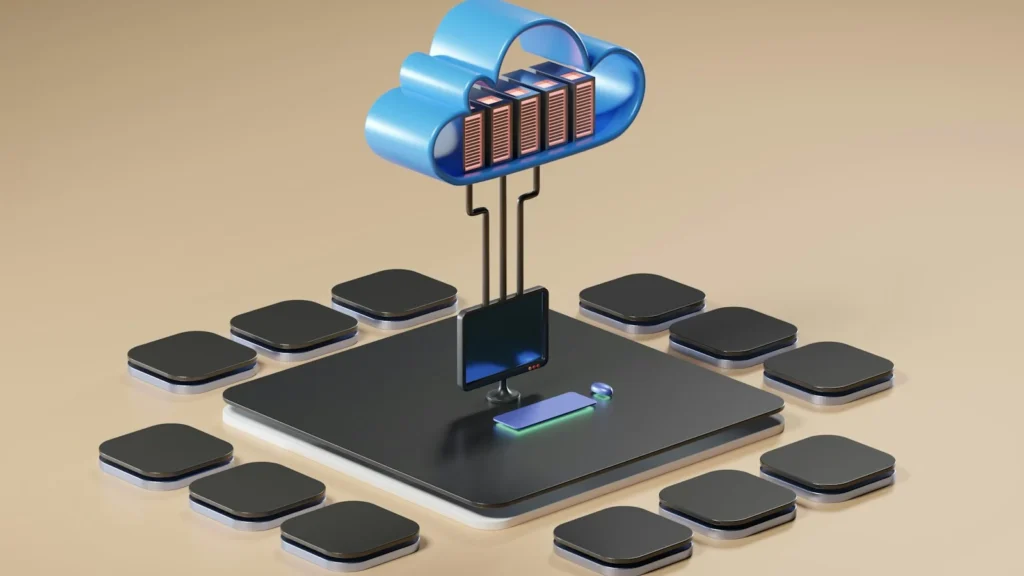
    Easy Ways to Back Up Your Data Without an External Drive
    Photo: Growtika on Unsplash
    Share
    Facebook Twitter LinkedIn Pinterest Email Copy Link

    You do not need an external hard drive to keep your files safe. Cloud storage, online backup services, a home NAS, another computer on your network and the backup tools already built into Windows and macOS can all protect your data, often automatically. Here are the best ways to back up without an external drive, with the free storage limits and prices that apply in October 2026.

    Quick answer: For most people, the easiest option is the cloud backup built into your system: Windows Backup with OneDrive on a PC, or iCloud Drive on a Mac and iPhone. If your files outgrow the free tiers, an unlimited online backup service or a NAS at home is the next step. Ideally, combine two of these methods so one failure never wipes out everything.

    1. Use the backup built into your operating system

    Both major desktop systems ship with backup tools that need no extra hardware.

    • Windows 11: the Windows Backup app can save your Desktop, Documents and Pictures folders, along with settings, app lists and WiFi credentials, to your Microsoft account and OneDrive. When you set up a new PC with the same account, you can restore almost everything in one step.
    • macOS: turn on Desktop and Documents Folders in iCloud Drive settings and your main work folders sync to iCloud automatically. Time Machine can also back up to a NAS on your network instead of a USB drive.
    • Phones: iPhones back up to iCloud and Android phones back up to Google, which covers photos, messages and settings with the switches turned on.

    The limit is space. The free tiers are small, so a big photo library will push you toward a paid plan or one of the other methods below.

    2. Cloud storage services

    Cloud storage keeps a copy of your files on a provider’s servers, available from any device with an internet connection. Every big provider offers a free tier:

    Recommended for you:

    Nintendo Switch 2 Restock Tracker: Where to Buy in October 2026
    How-To Guides·Aug 6, 2025

    Nintendo Switch 2 Restock Tracker: Where to Buy in October 2026

    ServiceFree storagePaid upgrades (US)
    Google Drive and Google PhotosUp to 15 GB, shared with GmailGoogle One paid plans
    Microsoft OneDrive5 GBMicrosoft 365 Basic with 100 GB and up
    Apple iCloud5 GB50 GB for $0.99, 200 GB for $2.99, 2 TB for $9.99 a month
    Dropbox2 GB on Dropbox BasicPaid plans with far more space

    Pick the service that matches your phone and computer. Apple users get the smoothest experience with iCloud, Windows users with OneDrive and Android users with Google. Most services also keep older versions of files, so you can roll back an accidental edit.

    Watch out: sync is not the same as backup. If you delete a file or ransomware encrypts it on your PC, the synced cloud copy changes too. Learn where your service keeps deleted files and version history, and act quickly, because those safety nets only last a limited time.

    3. An online backup service

    Dedicated backup services work differently from cloud storage. Instead of syncing a few folders, they copy your whole computer in the background and keep the copies even after you delete the originals. Backblaze Personal Backup, for example, costs $99 a year for unlimited backup of one computer and lets you restore files from anywhere. It is the closest thing to a set and forget backup, and it is ideal if you have a large photo or video collection that would be expensive on regular cloud plans.

    4. A NAS or another computer at home

    A network attached storage box, or NAS, is a small always on computer with its own drives that sits on your home network. Every PC, Mac and phone in the house can back up to it automatically, and it holds far more data for the money than cloud plans over the long run. Most NAS makers include backup apps and can even copy the NAS itself to the cloud.

    No NAS? An old laptop or desktop can do the same job. Share a folder on it over your network, or use a free sync tool such as Syncthing to copy files between machines automatically. Just keep the second computer powered on and updated.

    Tip: follow the 3 2 1 rule. Keep three copies of important data, on two different types of storage, with one copy offsite. A NAS at home plus a cloud backup meets that rule with no external drive at all.

    5. Quick fixes for a few important files

    Sometimes you only need to protect a handful of documents right now. Emailing a file to yourself works in a pinch, since Gmail accepts attachments up to 25 MB and keeps them searchable for years. Saving a single file into a cloud folder from your phone or browser works just as well. Treat these as stopgaps, not a backup plan, because they depend on you remembering to do them.

    Easiest
    Built in OS backup to OneDrive or iCloud
    Most complete
    Unlimited online backup service
    Most storage per dollar
    NAS or a spare PC at home

    Related reading

    Backups are your last line of defense against encryption attacks, and we cover the other ransomware protection steps that still work in 2026 in our Sophos and Halcyon explainer.

    FAQ

    Is cloud storage safe for backups?

    For most people, yes. Turn on two factor authentication for the account, since a stolen password is a bigger risk than the provider losing your files. Apple users can also turn on Advanced Data Protection, which adds end to end encryption to most iCloud data.

    Recommended for you:

    uBlock Origin Lite on Safari: How to Install It on iPhone, iPad, Mac
    How-To Guides·Aug 6, 2025

    uBlock Origin Lite on Safari: How to Install It on iPhone, iPad, Mac

    How much free cloud storage can I get?

    Google offers up to 15 GB, Microsoft and Apple 5 GB each, and Dropbox 2 GB. Using more than one free account spreads the load, but it gets messy fast.

    Does Time Machine work without an external drive?

    Yes. Time Machine can back up to a supported NAS or to a shared folder on another Mac on your network.

    How often should I back up?

    Continuously if possible. Cloud sync and online backup services run in the background, which is why they beat manual copies.

    The verdict

    An external drive is just one way to back up. Turn on the backup your operating system already includes, add an online backup service or a NAS once you run out of free space, and keep at least one copy away from home. You will be better protected than most people with a drive in a drawer.

    Updated October 2026: rewritten with current free storage tiers, cloud and NAS options, and the 3 2 1 backup rule.

    Featured photo: Growtika on Unsplash.

    About this article: GeekBlog covers U.S. technology news, AI, phones, smartwatches and gaming. Every story is written and checked under our Editorial Policy. Spotted a mistake or have a story tip? Contact our editors.

    Share. Facebook Twitter Pinterest LinkedIn Tumblr Telegram Email Copy Link
    Previous ArticleOne Poisoned Document Could Leak Secret Data via ChatGPT: What to Know
    Next Article AI Still Struggles With Sudoku, and It Cannot Explain Why
    Ethan Caldwell

      Ethan Caldwell is GeekBlog's resident Apple specialist, covering the entire Apple ecosystem: iPhone, iPad, Mac, Apple Watch, AirPods and the software that ties them together. A longtime iOS user and gadget collector, Ethan tracks Cupertino's every move, breaking down Apple keynotes, A- and M-series chip benchmarks, iOS feature updates and the rumor mill into clear, practical takes that help readers decide whether the latest Apple hardware is worth the upgrade.

      Related Posts

      9 Mins Read

      How to Fix Switch 2 Joy Con Drift: Calibrate, Update or Repair

      9 Mins Read

      How to Open Gaming Copilot in Xbox Game Bar on Windows 11

      9 Mins Read

      How to Fix Xbox Controller Stick Drift: 8 Fixes That Work

      11 Mins Read

      How to Back Up Your iPhone: iCloud, Mac and Windows Guide

      9 Mins Read

      Best Offline Music App in 2026: Free and Paid Picks

      9 Mins Read

      Music App Without Ads: Every Free and Paid Option in 2026

      Top Posts

      Every iPhone Camera Ranked in 2026 (Best to Worst)

      July 6, 2026393 Views

      Apple Watch Black Friday 2026: Early Deals, Prices to Beat and When to Buy

      November 8, 2026219 Views

      Best Browser for Android in 2026: Top Picks Ranked

      July 7, 2026188 Views
      Stay In Touch
      • Facebook

      Subscribe to Updates

      Get the latest tech news from FooBar about tech, design and biz.

      Most Popular

      Apple Watch Black Friday 2026: Early Deals, Prices to Beat and When to Buy

      November 8, 2026422 Views

      One UI 9 Watch: Which Galaxy Watches Get Wear OS 7, and Who Gets Left Behind

      November 6, 2026208 Views

      Garmin Lily 2 Review: Lily 2 vs Active vs Classic in 2026

      November 6, 2026118 Views
      Our Picks

      Patrick Stewart Chose Aquamation Over Cremation. Here’s How Water Cremation Works.

      November 21, 2026

      Garmin Gives Your Dog a Profile: New Watch Update Adds Dog Workouts, Badges and Better Swim Tracking

      November 21, 2026

      Ashton Kutcher Turned $435 Million Into a $7 Billion Anthropic Stake. His Track Record Goes Back to Skype.

      November 21, 2026

      Subscribe to Updates

      Get the latest creative news from FooBar about art, design and business.

      HEICJPG.online - Convert HEIC to JPG online
      Facebook
      • About GeekBlog: Our Mission, Team and Editorial Standards
      • Contact us
      • Privacy Policy
      • Disclaimer
      • Terms and Conditions
      • Editorial Policy
      • Cookie Policy
      • Your Privacy Choices
      © 2026 GeekBlog

      Type above and press Enter to search. Press Esc to cancel.