Close Menu
GeekBlog

    Subscribe to Updates

    Get the latest creative news from FooBar about art, design and business.

    What's Hot

    Stop falling for scams when Norton’s antivirus software is 70% off right now

    March 28, 2026

    Acer Promo Codes and Deals: Save 40% on Bundles

    March 28, 2026

    Playing Wolfenstein 3D with one hand in 2026

    March 28, 2026
    Facebook X (Twitter) Instagram Threads
    GeekBlog
    • Home
    • Mobile
    • Tech News
    • Blog
    • How-To Guides
    • AI & Software
    Facebook
    GeekBlog
    Home»Mobile»Are They Drawing Power Even When Not In Use?
    Mobile

    Are They Drawing Power Even When Not In Use?

    Michael ComaousBy Michael ComaousAugust 4, 20253 Mins Read
    Share Facebook Twitter Pinterest LinkedIn Tumblr Email Copy Link
    Are They Drawing Power Even When Not In Use?
    Share
    Facebook Twitter LinkedIn Pinterest Email Copy Link


    Photovs/Getty Images

    We may receive a commission on purchases made from links.

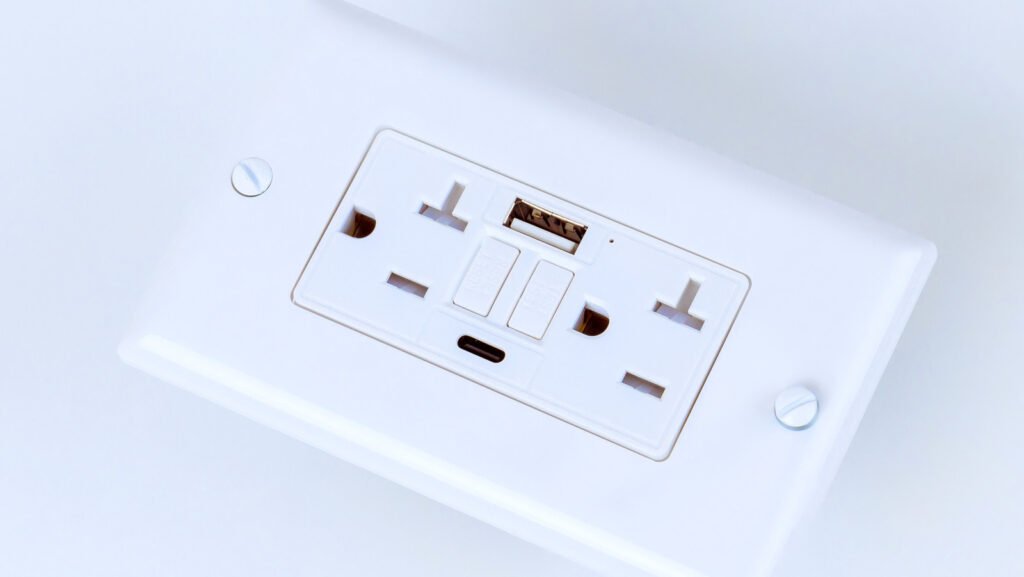
    USB charging is everywhere, and if you have a newly built apartment or home, you may have a USB wall socket. It makes life convenient for those of us with several gadgets, eliminating the need for multiple power adapters. While providing a great way to charge devices such as smartphones, tablets, smartwatches, and other gadgets, these outlets don’t typically have on/off switches. As a result, it’s understandable to wonder if these outlets are consuming power even when nothing is plugged in.

    While USB outlets do draw a bit of power even when nothing is plugged in, it’s only 0.05 watts typically. This is a marginal power draw and should have next to no impact on your household energy. If you consider that some light bulbs will use 60W of electricity while turned on, by comparison, the 0.05W used by USB outlets in standby mode amounts to barely anything on your electrical bill.

    Should you unplug USB cables when they’re not in use?
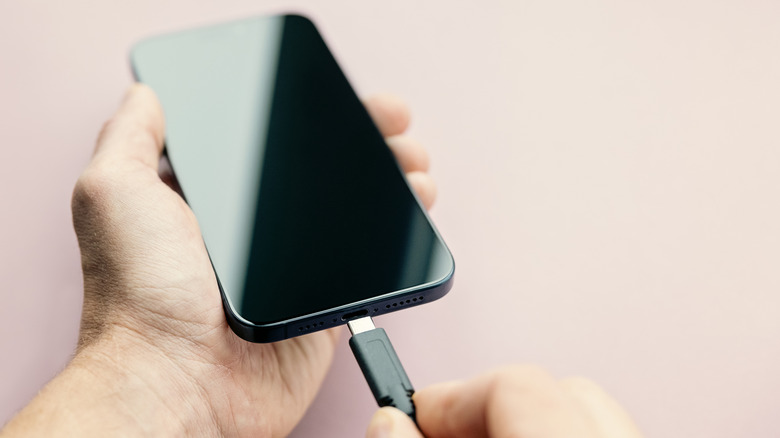

    A USB Type-C being plugged into an iphone.
    Mrs/Getty Images

    Ultimately, the power draw of both USB Type-A and USB Type-C wall sockets is tiny. Even with a USB cable plugged in and no device connected, the power draw should remain at 0.05W.

    When connected, the power your USB outlets draw depends on the device that is plugged in. Laptops, game consoles, or smartphones draw the most power, while earbuds or smartwatches draw less. For example, a MacBook Pro requires between 60 and 140-watts of power, whereas smartwatches such as the Apple Watch Series 10 only need a minimum of 5-watts to charge.  

    If you’re worried about high energy costs and using too much power, it’s always best practice to unplug any devices that aren’t needing a charge. Unplugging your device after it’s fully charged can also help prolong your device’s battery. Lithium-ion batteries can only be charged from 0% to maximum charge so many hundred times, and when the battery is kept at a high charge voltage, this will accelerate this chemical aging process. 

    USB best charging practices


    A smartphone being charged.
    Tero Vesalainen/Shutterstock

    Leaving a fully charged device on its charger can run up your electrical bill and alter the lifecycle of the battery, so it’s a good idea to unplug it once it’s fully charged. Additionally, you should know that not all USB cables are made equally. It’s best to shop for high-quality cables from reputable brands, or buy cables directly from the manufacturer of the device in question; if you’re buying a cable for your iPhone, try to buy your cable directly from Apple. 

    Reliable brands like Belkin and Anker are worthwhile options too. For example, Belkin offers this USB Type-A to USB Type-C 15W Charger – which is ideal for smartphones — for only $10, or even less in certain deals. It has an average 4.7 out of 5.0 rating on Amazon, with over 4,400 reviews. For high-powered devices like laptops, the Anker 100W USB-C Charging Cable is a top pick. Priced around $16, or less, it also boasts a 4.7 average star rating with more than 20,000 reviews.


    drawing power
    Share. Facebook Twitter Pinterest LinkedIn Tumblr Telegram Email Copy Link
    Previous ArticleWindows 11 can’t find your printer? The instant solution!
    Next Article Vivobarefoot’s camel leather boot is made for deserts, but I’d wear it anywhere
    Michael Comaous
    • Website

    Michael Comaous is a dedicated professional with a passion for technology, innovation, and creative problem-solving. Over the years, he has built experience across multiple industries, combining strategic thinking with hands-on expertise to deliver meaningful results. Michael is known for his curiosity, attention to detail, and ability to explain complex topics in a clear and approachable way. Whether he’s working on new projects, writing, or collaborating with others, he brings energy and a forward-thinking mindset to everything he does.

    Related Posts

    3 Mins Read

    DOGE goes nuclear: How trump invited silicon valley into America’s nuclear power regulator

    1 Min Read

    Amazon is clearing out these popular DeWalt power tools by up to $190 off

    3 Mins Read

    Brompton Electric T-Line Folding Electric Bicycle Review: Pocket-Sized Pedal Power

    6 Mins Read

    I set up smart switches to power my home, and they’ve made this lazy man into a genius

    3 Mins Read

    Anker’s Discounted Power Station Can Power Your Next Camping Trip

    2 Mins Read

    Quad Cortex mini amp modeler: All the power, half the size

    Top Posts

    The Mesh Router Placement Strategy That Finally Gave Me Full Home Coverage

    August 4, 2025891 Views

    Discord will require a face scan or ID for full access next month

    February 9, 2026767 Views

    Trade in your old phone and get up to $1,100 off a new iPhone 17 at AT&T – here’s how

    September 10, 2025335 Views
    Stay In Touch
    • Facebook

    Subscribe to Updates

    Get the latest tech news from FooBar about tech, design and biz.

    Most Popular

    The Mesh Router Placement Strategy That Finally Gave Me Full Home Coverage

    August 4, 2025891 Views

    Discord will require a face scan or ID for full access next month

    February 9, 2026767 Views

    Trade in your old phone and get up to $1,100 off a new iPhone 17 at AT&T – here’s how

    September 10, 2025335 Views
    Our Picks

    Stop falling for scams when Norton’s antivirus software is 70% off right now

    March 28, 2026

    Acer Promo Codes and Deals: Save 40% on Bundles

    March 28, 2026

    Playing Wolfenstein 3D with one hand in 2026

    March 28, 2026

    Subscribe to Updates

    Get the latest creative news from FooBar about art, design and business.

    Facebook
    • About Us
    • Contact us
    • Privacy Policy
    • Disclaimer
    • Terms and Conditions
    © 2026 GeekBlog

    Type above and press Enter to search. Press Esc to cancel.

    Ad Blocker Enabled!
    Ad Blocker Enabled!
    Our website is made possible by displaying online advertisements to our visitors. Please support us by disabling your Ad Blocker.