

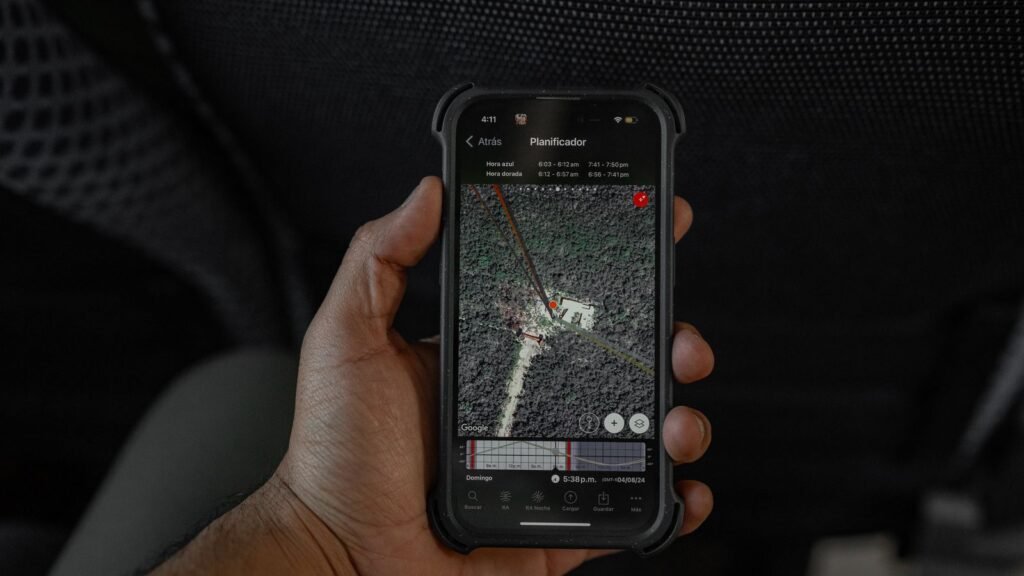
The right phone is arguably the most useful thing you can pack, but only because of what is on it. The best travel apps in 2026 handle everything from finding a flight and staying connected abroad to turning a scroll through social media into a ready-made itinerary. The category has matured well beyond simple maps and booking sites, and a couple of genuinely clever newcomers have changed how people plan trips at all.
This is our shortlist of the apps worth a place on your home screen before your next trip, covering the essentials everyone needs and a few fresh ideas that solve problems you did not realise you had. We have grouped them by category, flagged what is free versus paid, and noted which platforms each one runs on, so you can build a toolkit that fits your trip rather than downloading ten apps you will never open.
Quick Answer
For most trips in 2026, four free apps cover the essentials: Google Maps for offline navigation, Google Translate for language barriers, WhatsApp for staying in touch, and an eSIM app like Airalo to get online the moment you land. Add booking apps (Google Flights, Booking.com), an itinerary organiser (TripIt), and clever newcomers Yaay and NomadTable as your trip demands. Nearly all offer a capable free tier, with paid upgrades reserved for power users.
Key Takeaways
- The four non-negotiables are Google Maps, Google Translate, WhatsApp and an eSIM app, all free and available on iOS and Android.
- eSIMs like Airalo have largely replaced hunting for a local SIM, with USA data plans starting around $1.50 for 1GB and country plans from roughly $4.
- Most travel apps are freemium: the free tier does the job, and paid plans (TripIt Pro at $49/year, AllTrails+ for offline maps) target frequent travellers.
- Newcomers Yaay and NomadTable solve social-media-shaped problems, turning saved reels into a map and connecting solo travellers in real time.
- Download and set up offline access before you leave, especially for maps, translation and boarding passes.
The essentials you should not travel without
Some apps are non-negotiable, and Google Maps sits at the top of the list. Its offline maps feature alone justifies the download: save a city or region before you go and you can navigate without burning data or hunting for signal. For language barriers, Google Translate remains the workhorse, handling text, voice and even live camera translation of menus and signs, much of it offline once you download the relevant language pack. Both are free and run on iOS and Android, and both quietly do the heavy lifting on almost every trip.
Staying in touch is the next priority, and WhatsApp continues to be the default for messaging and calls over Wi-Fi or data, both with people back home and increasingly with hotels, tour operators and drivers around the world. These three rarely make headlines, but they are the quiet backbone of modern travel, and none of them will cost you a penny.
Booking flights and beds
For getting there, Google Flights is hard to beat for comparing fares quickly, tracking prices and spotting the cheapest days to fly, with Skyscanner a strong alternative for flexible or multi-stop searches across airlines with no hidden fees. Once you land, Booking.com and Airbnb between them cover most accommodation needs, from last-minute hotel rooms to longer apartment stays, with the kind of broad inventory and review depth that smaller apps cannot match.
None of these will surprise seasoned travellers, but their reliability is the point. The apps themselves are free to use; you only pay for the flights and rooms you book. When a connection is cancelled or a plan falls through, the deepest databases and the most robust apps are what get you sorted fastest.
Staying connected: the rise of the eSIM
One of the biggest shifts in recent years has been the move away from hunting for a local SIM card on arrival. Airalo and similar eSIM services let you buy a destination data plan before you even leave home, then activate it the moment you land, with no physical card to swap and no roaming bill shock. Airalo offers data plans across more than 200 destinations, with single-country plans starting from around $4 and a 1GB US plan available for as little as $1.50, all bought and topped up from a free app on iOS or Android.
The clever part is dual-SIM flexibility: you can keep your home number active on your primary SIM for the occasional call or text while running all your data through the eSIM, sidestepping roaming charges entirely. For anyone with a modern, eSIM-capable phone it has quietly become one of the most valuable travel tools going, and it pairs neatly with the offline-first apps above. If you would rather commit to a single carrier that travels well, it is worth reading our guide on how to switch to Google Fi, which uses eSIM and is built for people who cross borders often.
Keeping it all organised
Once the bookings pile up, TripIt earns its place by pulling confirmation emails for flights, hotels and rentals into a single, coherent itinerary, so your whole trip lives on one screen in the right order. The free version handles this beautifully; TripIt Pro, at around $49 a year, layers on real-time flight alerts, fare-refund monitoring and seat tracking for people who fly constantly. For the outdoorsy, AllTrails is the standout for finding, filtering and navigating hiking routes, with reviews that make it genuinely useful on the trail rather than just at the planning stage. It is free to browse, but downloading trail maps for offline use sits behind the paid AllTrails+ membership, which is worth it if you hike where signal is patchy.
The money and packing tools that save the day
A couple of unglamorous apps punch well above their weight. For spending abroad, Wise offers a free multi-currency account that lets you hold and convert 40-plus currencies at close to the mid-market rate, which is a favourite of digital nomads and anyone tired of poor airport exchange rates. For quick conversions without an account, XE remains the go-to currency converter and even works offline using the last synced rate, handy when you are staring at a price tag with no signal. And for the perennial problem of what to bring, PackPoint builds a packing list based on your destination, trip length, weather and planned activities; it is free, works offline, and reserves custom lists and TripIt integration for a small one-time premium fee.
The newcomers worth knowing about
The most interesting developments in 2026 are the apps solving newer, social-media-shaped problems. The clearest example is Yaay, which tackles the familiar frustration of saving dozens of travel videos on Instagram and TikTok and then never being able to find that restaurant or viewpoint again. Save a clip into Yaay and its AI identifies the exact place featured and pins it to your personal map, then surfaces what friends and locals say about it. The more you save, the smarter it gets, suggesting routes, hotels and places to eat as a visual board you can edit or share. It is free to start, and currently strongest on iOS. Early users praise the concept while noting that location accuracy is not always perfect, so double-check a pin before you build a whole day around it.
The other newcomer worth a look is NomadTable, aimed squarely at solo travellers who want company. It connects like-minded travellers in real time, letting you see who is nearby, join or create activities from dinners to sightseeing, and get matched into a group chat with others heading to the same destination. Available free on iOS and Android with optional paid upgrades, it holds a strong user rating, though some reviewers flag occasional bugs and pushy paywalls. It turns the often-isolating parts of solo travel into something more social, without committing you to a rigid group tour.
Travel apps compared at a glance
| App | Category | Cost | Platform | Best for |
|---|---|---|---|---|
| Google Maps | Navigation | Free | iOS, Android | Offline maps and getting around |
| Google Translate | Language | Free | iOS, Android | Menus, signs and conversations |
| Messaging | Free | iOS, Android | Calls and chats over data | |
| Airalo | Connectivity (eSIM) | Free app; plans from ~$1.50 | iOS, Android | Data abroad without roaming |
| Google Flights | Flights | Free | iOS, Android, web | Comparing and tracking fares |
| Booking.com | Lodging | Free app | iOS, Android, web | Hotels and last-minute rooms |
| TripIt | Itinerary | Free; Pro ~$49/yr | iOS, Android | Keeping bookings organised |
| Wise | Money | Free account | iOS, Android | Multi-currency spending abroad |
| Yaay | Trip planning | Free (freemium) | iOS (Android limited) | Turning saved reels into a map |
| NomadTable | Social | Free (in-app upgrades) | iOS, Android | Meeting other solo travellers |
Prices and platform availability can change, so it is always worth a quick check on the App Store or Google Play before you rely on any single app for a trip.
How we picked these apps
We prioritised apps that are widely used, actively maintained and genuinely useful once you are on the road rather than just while daydreaming about a trip. Offline capability carried real weight, because the moment you need a map or a boarding pass is often the moment you have no signal. We favoured free or freemium tools with honest paid tiers over anything that locks basic functionality behind a subscription, and we balanced the tried-and-tested essentials against a couple of newcomers that solve problems the old guard never addressed. Where reviews flagged recurring issues, such as location accuracy or aggressive paywalls, we have said so rather than glossing over them.
Building your travel toolkit
You do not need every app for every trip. A weekend city break might call for little more than Google Maps, Translate, an eSIM and Yaay, while a multi-week adventure benefits from the full set. The smart approach is to install the essentials permanently, then add the situational tools, AllTrails for a hiking trip, NomadTable for a solo adventure, PackPoint the night before you pack, as each journey demands. If you are heading somewhere with heavy censorship or want to secure public Wi-Fi, it is also worth pairing these with a VPN you trust. Download what you need before you leave, set up offline access where you can, and your phone becomes the most capable travel companion you have ever carried.
The Bottom Line
The best travel setup in 2026 is not about downloading the most apps, it is about the right four. Google Maps, Google Translate, WhatsApp and an eSIM app like Airalo will carry you through almost any trip for free. Layer on booking and itinerary tools when you need them, and reach for Yaay or NomadTable when you want to plan from social media or meet fellow travellers. Set it all up before you leave, and your phone does the rest.
Frequently Asked Questions
What are the most essential travel apps for 2026?
The four essentials are Google Maps for offline navigation, Google Translate for language barriers, WhatsApp for messaging and calls, and an eSIM app such as Airalo for mobile data abroad. All four are free and available on iOS and Android, and together they handle the majority of what you need on a trip.
Is an eSIM better than buying a local SIM card?
For most travellers with an eSIM-capable phone, yes. eSIM apps like Airalo let you buy and activate a data plan before you leave home, avoid roaming charges, and keep your home number live on your physical SIM for calls and texts. You skip the queue at the airport kiosk and the hassle of swapping a physical card.
Are these travel apps free?
Most are free to download and use. Booking and navigation apps make money on the bookings themselves, while tools like TripIt, AllTrails, Yaay and NomadTable use a freemium model where the free tier covers the basics and paid upgrades add power-user features such as offline trail maps or real-time flight alerts.
How does the Yaay app work?
Yaay lets you save travel videos from Instagram and TikTok, then uses AI to identify the exact place featured and pin it to a personal map. As you save more spots it can suggest routes, hotels and restaurants as an editable visual board. Location accuracy is not always perfect, so it is wise to verify a pin before planning around it.
Which apps work offline while travelling?
Google Maps (with saved offline areas), Google Translate (with downloaded language packs), AllTrails (with a paid membership for offline trail maps), XE currency converter (using the last synced rate) and PackPoint all function without a connection. Download and set these up before you leave home so they are ready when signal disappears.
Featured image: Amar Preciado on Pexels.
About this article: GeekBlog covers U.S. technology news, AI, phones, smartwatches and gaming. Every story is written and checked under our Editorial Policy. Spotted a mistake or have a story tip? Contact our editors.
