Close Menu
GeekBlog

    Subscribe to Updates

    Get the latest creative news from FooBar about art, design and business.

    What's Hot

    Telecom Giants Form C2 ISAC to Fight the Next Salt Typhoon

    July 21, 2026

    Which iPhone Has the Best Camera Quality? (2026)

    July 21, 2026

    Windows 11 vs Windows 10: Should You Upgrade?

    July 21, 2026
    Facebook X (Twitter) Instagram Threads
    GeekBlog
    • Home
    • Mobile
    • Tech News
    • Blog
    • How-To Guides
    • AI & Software
    Facebook
    GeekBlog
    Home»Mobile»One UI 8 is getting a powerful Voice Captioning feature
    Mobile

    One UI 8 is getting a powerful Voice Captioning feature

    Michael ComaousBy Michael ComaousAugust 4, 20252 Mins Read
    Share Facebook Twitter Pinterest LinkedIn Tumblr Email Copy Link
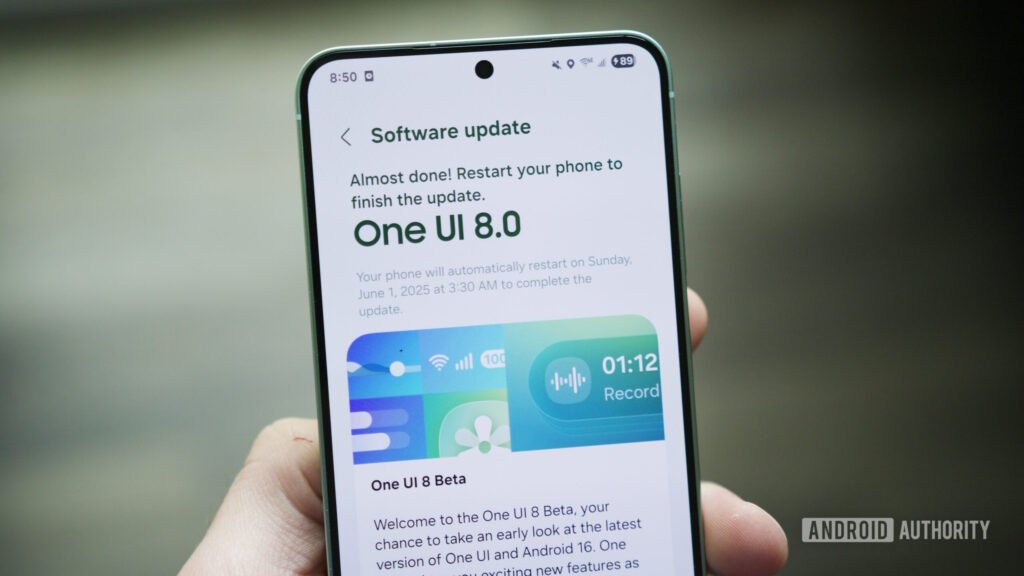
    A Galaxy S25 downloading the One UI 8 beta.
    Share
    Facebook Twitter LinkedIn Pinterest Email Copy Link

    Joe Maring / Android Authority

    TL;DR

    • Samsung has introduced a new Voice Captioning feature in One UI 8.
    • It’s part of Samsung’s Galaxy AI suite and goes beyond Live Captions to translate audio, summarize it, and help save the captioned text and audio file.
    • The catch is that the feature isn’t available officially yet, so you’ll have to download an APK to access it.

    Samsung has added a new feature called Voice Captioning to its suite of Galaxy AI tools on One UI 8. It allows users to convert speech to text in real time, whether it’s from a video, call, or live conversation. What makes it more powerful than Samsung’s existing Live Captions feature is its ability to also translate speech into different languages and summarize what was said.

    While the Live Captions in One UI only transcribes spoken words in the same language, Voice Captioning offers real-time translation of the captions across multiple languages, just like the Live Captions feature on Pixel phones with Live Translate enabled. Moreover, you also get summaries of the captioned media or conversations, along with the ability to save text and audio.

    The feature was spotted by GalaxyTechie on X, who confirmed that it’s officially only available in China for now. However, users can manually install the APK to try it on their Galaxy phones running One UI 8 or One UI 7.

    Once you install the APK, you’ll need to add the Voice Captioning shortcut to your Quick Settings panel and allow necessary permissions. You’ll also need to choose supported languages for translations.

    We tested the APK on our Galaxy Z Fold 7 running One UI 8. After installing the app, we were able to add the Voice Captioning shortcut in the Quick Settings panel, but the app kept stopping unexpectedly. Reports on Reddit also say it doesn’t work on beta versions of One UI 8, but some users have had success using it on One UI 8 and One UI 7.

    If you want to try Voice Captioning before it officially rolls out, you can install the APK, but be aware that it might not work properly on all devices. Otherwise, it might be best to wait for Samsung to release it globally.

    Thank you for being part of our community. Read our Comment Policy before posting.

    Share. Facebook Twitter Pinterest LinkedIn Tumblr Telegram Email Copy Link
    Previous ArticleWhy a thick mouse pad makes a big difference in comfort and control
    Next Article 4 video editing apps I swear by as a content creator
    Michael Comaous
    • Website

    Michael Comaous is a dedicated professional with a passion for technology, innovation, and creative problem-solving. Over the years, he has built experience across multiple industries, combining strategic thinking with hands-on expertise to deliver meaningful results. Michael is known for his curiosity, attention to detail, and ability to explain complex topics in a clear and approachable way. Whether he’s working on new projects, writing, or collaborating with others, he brings energy and a forward-thinking mindset to everything he does.

    Related Posts

    8 Mins Read

    Which iPhone Has the Best Camera Quality? (2026)

    8 Mins Read

    Best iPhone 17 Cases in 2026 (Pro & Pro Max)

    8 Mins Read

    iPhone 17 Pro Charger: Which One You Actually Need

    8 Mins Read

    iPhone 17 Battery Life: Real Numbers vs Apple’s Claims

    8 Mins Read

    Google Pixel 10 Battery: mAh & Real-Life Endurance

    8 Mins Read

    Best AirPods in 2026: Which Pair Should You Buy?

    Top Posts

    Best Stores for Buying MP3 and Digital Music You Can Keep Forever

    August 2, 202573 Views

    Best Free Online Music Apps in 2026

    July 7, 202653 Views

    Every iPhone Camera Ranked in 2026 (Best to Worst)

    July 6, 202645 Views
    Stay In Touch
    • Facebook

    Subscribe to Updates

    Get the latest tech news from FooBar about tech, design and biz.

    Most Popular

    Best Stores for Buying MP3 and Digital Music You Can Keep Forever

    August 2, 2025890 Views

    Discord will require a face scan or ID for full access next month

    February 9, 2026770 Views

    Trade in your old phone and get up to $1,100 off a new iPhone 17 at AT&T – here’s how

    September 10, 2025381 Views
    Our Picks

    Telecom Giants Form C2 ISAC to Fight the Next Salt Typhoon

    July 21, 2026

    Which iPhone Has the Best Camera Quality? (2026)

    July 21, 2026

    Windows 11 vs Windows 10: Should You Upgrade?

    July 21, 2026

    Subscribe to Updates

    Get the latest creative news from FooBar about art, design and business.

    Facebook
    • About Us
    • Contact us
    • Privacy Policy
    • Disclaimer
    • Terms and Conditions
    © 2026 GeekBlog

    Type above and press Enter to search. Press Esc to cancel.