

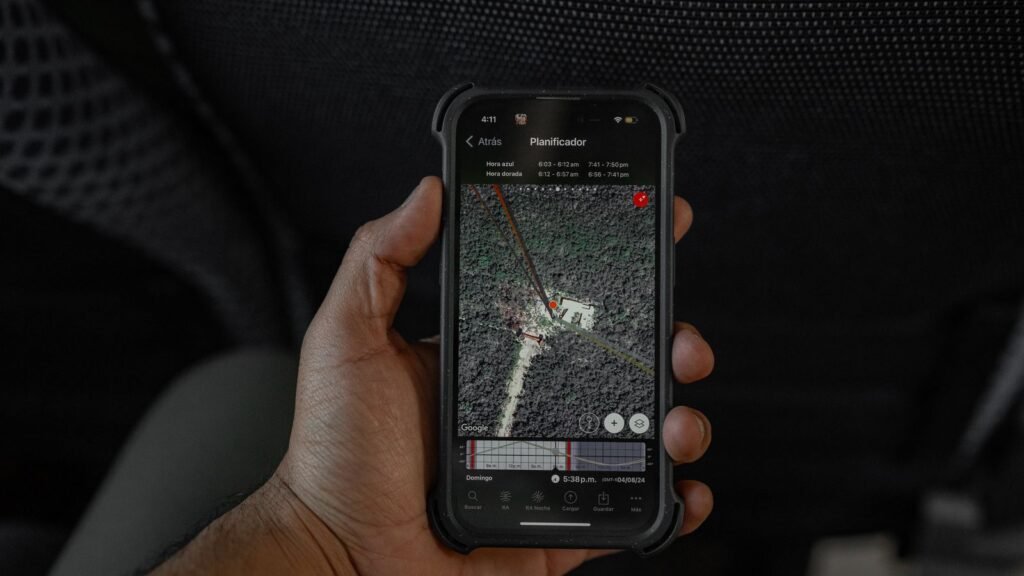
Imagine answering your front door and finding a stranger on the step, phone in hand, politely but firmly explaining that their stolen iPhone is inside your house. Now imagine that happening five or six times over four years, to the same door, with a different stranger each time.
That is the situation described in a Reddit thread that resurfaced this week, and it is one of the stranger recurring failures in consumer tech. The homeowner has never had any of those phones. They have never met any of the people who lost them. Apple’s Find My app simply keeps naming their address, and there is very little they can do about it.
The good news is that this is not a haunting or a glitch in the usual sense. It is a predictable side effect of how phones work out where they are when GPS is not available, and once you understand the mechanism, both sides of the doorstep encounter make a lot more sense.
⭐ The short version
- Find My does not always use GPS. When it cannot, it falls back to Wi-Fi and cell tower positioning.
- Wi-Fi positioning works by matching nearby routers against a database of known router locations.
- In areas with few routers, one home network can become the only anchor point for a wide area.
- The result is a “magnet house” that repeatedly gets named as the location of devices lost streets away.
- Apple has no public process for a homeowner to report and fix this, which is the real problem.
The Same Story Keeps Happening
The Reddit account is not an isolated one. The best documented version happened in Richmond, Texas, where software engineer Scott Schuster spent years opening his door to angry people demanding their Apple devices back. He had moved into the house in 2018. The visits started shortly after and never really stopped, and his doorbell camera eventually captured close to a dozen of them.
Some visitors accepted the explanation and left. Others did not. Schuster, who has two young children, put the concern bluntly to local reporters: it only takes one person arriving convinced they have found the thief. The case escalated far enough that Fort Bend County Sheriff Eric Fagan publicly called on Apple to fix the false pings, framing it as a safety issue rather than a software annoyance.
Schuster contacted Apple support through several channels. Nothing changed. That detail matters more than the individual anecdote, because it points at a gap that still has not been closed years later.
How Find My Actually Decides Where Your Phone Is
Most people picture Find My as a satellite locking onto a phone. It is nothing so tidy. Find My assembles a best guess from whatever positioning signals are available at the moment, and the quality of that guess varies enormously.
| Method | When it kicks in | Realistic accuracy |
|---|---|---|
| GPS | Powered on, outdoors, clear sky | A few meters |
| Wi-Fi positioning | Indoors, or GPS unavailable | Good in cities, poor where routers are sparse |
| Cell tower | No GPS and no usable Wi-Fi | Hundreds of meters to kilometers |
| Find My network | Device offline or powered down | Only as good as the passing Apple device that spotted it |
| Last known location | Battery dead, nothing reporting | Accurate for a moment that has passed |
The Find My network row deserves a note, because it is genuinely clever engineering. Over a billion Apple devices quietly listen for Bluetooth signals from lost hardware and relay encrypted location reports back to the owner. Nobody in that chain, including Apple, learns whose device they spotted. It is the same infrastructure that makes AirTags and rival Bluetooth trackers work at all, and on balance it has recovered an enormous amount of stolen property.
But every one of those methods except GPS produces an estimate. The Find My map draws a confident blue dot regardless.
Why One House Becomes a Magnet
Here is the part that explains the repeat visits, and it comes down to Wi-Fi positioning.
Your phone does not know where any router is. What it does is scan for nearby networks, collect their hardware identifiers, and ask Apple’s servers what location those identifiers are associated with. Apple built that database the same way everyone else did: by having devices that already had a GPS fix report which networks they could see from that spot. Enough reports, and a router gets pinned to a coordinate.
That system is excellent in a dense apartment block, where a phone might see forty networks and triangulate between them. It degrades badly in a low density neighborhood, on a rural road, or anywhere a single household router is the only mapped network for a considerable distance. A phone in that situation sees one anchor, so it reports that anchor’s coordinate. Which is somebody’s house.
The compounding problem: the database also goes stale. Routers get replaced, households move and take the hardware with them, and the recorded coordinate does not always follow. A router that was mapped at one address can keep resolving to that old address long after it has physically left, which quietly turns a completely uninvolved home into a permanent false positive.
None of this is unique to Apple. Google, and effectively every phone platform, runs a comparable Wi-Fi positioning database, and researchers have repeatedly shown these systems are both more powerful and more leaky than most users assume. Apple’s implementation drew academic scrutiny in 2024 for how readily its location database could be queried at scale. The accuracy failures and the privacy questions come from the same design decision.
Tech Has Done This Before, on a Much Bigger Scale
If the “magnet house” pattern sounds familiar, it should. In 2016 a farmhouse near Potwin, Kansas became the accidental default location for roughly 600 million IP addresses, because a geolocation company had chosen a rough geographic center of the United States as its fallback coordinate and rounded it to a point that happened to be somebody’s yard.
The consequences were considerably worse than a knock at the door. Over more than a decade, the residents fielded visits from police investigating serious crimes, federal marshals hunting fugitives, and emergency responders sent to intervene in suicides. The tenants eventually sued, seeking damages, and the company moved its default coordinate to the middle of a lake. The case settled in 2017.
| Case | Root cause | How it ended |
|---|---|---|
| Potwin, Kansas farmhouse | IP geolocation fallback coordinate | Fixed after a lawsuit |
| Richmond, Texas home | Find My Wi-Fi positioning | No published resolution |
The lesson from Kansas was that a positioning system needs a way for a wrongly named address to be reported and corrected by a human. That lesson has not really been applied to phone finding, which is why the same story keeps arriving with a new address attached.
If Find My Sends You Somewhere, Read This First
This is the half of the problem that turns dangerous. A person who has just lost an expensive phone is stressed, is looking at a map with a confident dot on a specific house, and is very inclined to believe it.
Do not knock on the door. Police forces have been consistent on this for years, and the reason is not liability. People have been killed confronting strangers over tracked phones, including an 18 year old shot dead after tracing his handset to an address and going in alone.
- Turn on Lost Mode immediately. It locks the device with your passcode, suspends Apple Pay cards, and puts a contact number on the lock screen.
- Check the accuracy circle, not the pin. A wide circle means an estimate, not an address.
- Check the timestamp. Find My shows when the location was last reported. Hours old is common and changes everything.
- Refresh and watch for movement. A genuinely tracked phone usually drifts. A phantom hit tends to sit perfectly still.
- Take it to the police. Give them the map, the serial number, and the timestamps, and let them handle the address.
If Your House Is the One on the Map
There is no button for this, which is genuinely frustrating, but a few things do help.
Practical steps:
- Add _nomap to your network name. Renaming your Wi-Fi so the name ends in
_nomapis the recognized opt out signal, and both Apple and Google honor it. Your devices will need to reconnect once. - Replace or reset the router. New networking hardware means a new identifier, which is not yet associated with your address in anyone’s database.
- Document the visits. A video doorbell gives you a record, lets you speak to someone without opening the door, and gives police something concrete if a visit turns hostile.
- Tell your local police proactively. If officers already know the address has a known false positive, a call about your house reads very differently.
- Keep a short explanation ready. Most visitors are not hostile, just wrong, and a calm sentence about Wi-Fi positioning defuses the majority of these encounters.
What Apple Should Actually Do
The engineering fix is not the hard part. Apple already knows the confidence level of every location estimate it produces, because the app draws that circle. What it does not do is let that uncertainty change the interface in any meaningful way.
A low confidence Wi-Fi estimate could render as a shaded neighborhood rather than a pin on a roof. The app could refuse to show a street address at all below a certain confidence threshold. And there could be a reporting path, the way map products have long accepted corrections, so that a homeowner collecting monthly doorstep visits has somewhere to send that information.
Apple has a busy fall ahead, with the iOS 27 Siri overhaul soaking up most of the attention. Find My accuracy is not on any published roadmap, and it is the kind of quiet, unglamorous fix that tends to lose out to features people can be shown on a stage.
Which leaves the current position roughly where it has been since 2018. The technology works remarkably well most of the time, fails in a specific and predictable way, and puts the cost of that failure entirely on whoever happens to live at the coordinate it picked. If you ever find yourself staring at a map that says your phone is in a stranger’s living room, the most useful thing to remember is that the map is guessing, and it does not tell you how hard.
About this article: GeekBlog covers U.S. technology news, AI, phones, smartwatches and gaming. Every story is written and checked under our Editorial Policy. Spotted a mistake or have a story tip? Contact our editors.
