Close Menu
GeekBlog

    Subscribe to Updates

    Get the latest creative news from FooBar about art, design and business.

    What's Hot

    OpenAI’s Astra Just Crossed a Line No AI Model Has Crossed Before. It Found Two Zero Days on Its Own.

    September 3, 2026

    The Pentagon Had to Confirm the Bombing Never Happened. The Video Came From the President’s Account.

    September 3, 2026

    Sonos Built Headphones You Can Actually Repair, and They Cost $100 Less Than AirPods Max

    September 3, 2026
    Facebook X (Twitter) Instagram Threads
    GeekBlog
    • Home
    • Mobile
    • Tech News
    • Blog
    • Gaming
    • Smartwatch
    • How-To Guides
    • AI & Software
    Facebook
    GeekBlog
    Home»Mobile»Say goodbye to tab overload with Samsung’s latest Browser feature
    Mobile

    Say goodbye to tab overload with Samsung’s latest Browser feature

    Michael ComaousBy Michael ComaousAugust 8, 20252 Mins Read
    Share Facebook Twitter Pinterest LinkedIn Tumblr Email Copy Link
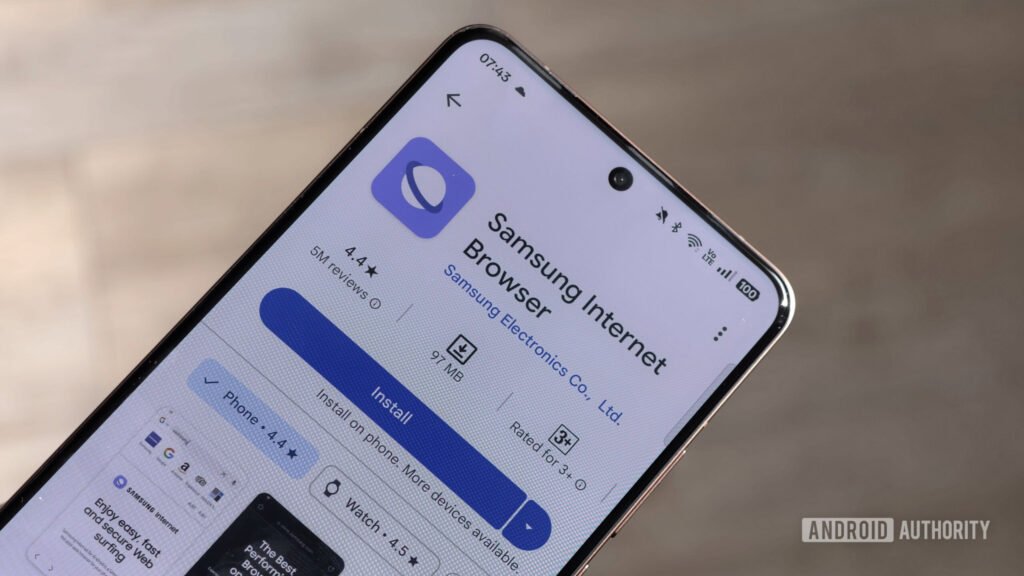
    Samsung Internet Browser stock image resized
    Share
    Facebook Twitter LinkedIn Pinterest Email Copy Link

    Recommended for you:

    T-Mobile 5G internet now suffers from the same curse as voice and tablet lines
    Mobile·Aug 8, 2025

    T-Mobile 5G internet now suffers from the same curse as voice and tablet lines

    Hadlee Simons / Android Authority

    TL;DR

    • The beta version of the Samsung Internet Browser app has gained a new feature called “Auto close settings.”
    • Turning this setting on allows the app to close unused tabs for you.
    • Users can choose to clear inactive tabs after a set number of days or have AI decide if a tab should be closed.

    When using a mobile browser, it’s easy to forget how many tabs you have open. And it’s even easier to forget to close those tabs. Having too many tabs open can lead to slower performance. To help users manage their tab situation more effectively, the Samsung Internet Browser app is getting a new feature.

    An update has rolled out for the beta version of the Samsung Internet Browser. Spotted by SammyGuru, this update (version 29.0.0.27) introduces a new setting in the tab management menu called “Auto close settings.” This feature allows the app to automatically close your unused tabs after a set amount of time.

    The browser will keep all of your tabs open by default, but if you want to use Auto close settings, you can choose to have inactive tabs close after seven or 30 days. Additionally, there’s a third option in this setting called “With smart tab management.” This option allows AI to decide whether to close a tab or not. According to the description, it closes tabs “as soon as it detects that you’re not using them.”

    The setting sounds like it could come in handy for people who often have trouble managing their tabs. At the moment, Auto close settings is only available in the beta version of the app. It’s unclear when Samsung plans to bring the setting to the stable version.

    Thank you for being part of our community. Read our Comment Policy before posting.

    Share. Facebook Twitter Pinterest LinkedIn Tumblr Telegram Email Copy Link
    Previous ArticleSoftBank reportedly bought Foxconn’s Ohio factory for the Stargate AI project
    Next Article 21 Best Festival Accessories and Gear (2025): The Essentials and the Fun Stuff
    Michael Comaous
    • Website

    Michael Comaous is a dedicated professional with a passion for technology, innovation, and creative problem-solving. Over the years, he has built experience across multiple industries, combining strategic thinking with hands-on expertise to deliver meaningful results. Michael is known for his curiosity, attention to detail, and ability to explain complex topics in a clear and approachable way. Whether he’s working on new projects, writing, or collaborating with others, he brings energy and a forward-thinking mindset to everything he does.

    Related Posts

    10 Mins Read

    Poco Reused Last Year’s Chip and Said Why Out Loud. The Answer Was RAM Prices.

    10 Mins Read

    A 16,000mAh Phone Showed Up at IFA. The Battery Is Not the Best Part.

    8 Mins Read

    Google Messages Copied iMessage Backgrounds. It Fixed the Part Apple Got Wrong.

    11 Mins Read

    Someone Is Building a Phone Smaller Than the iPhone 13 Mini. The Battery Pops Out.

    10 Mins Read

    Chinese Phones Last Two Days Now. Apple and Samsung Will Not Copy the Trick.

    10 Mins Read

    Google Assistant Starts Disappearing Friday. Here Is What to Check First.

    Top Posts

    How to Change HEIC to JPG on iPhone, Mac, Android and Windows (No Software Needed)

    September 3, 20263 Views

    How to Spot AI Generated Images in 2026 (The Old Tricks Stopped Working)

    September 3, 20262 Views

    Check Which Apps Can Read Your Gmail, and Cut Them Off in 60 Seconds

    September 3, 20262 Views
    Stay In Touch
    • Facebook

    Subscribe to Updates

    Get the latest tech news from FooBar about tech, design and biz.

    Most Popular

    A Toddler Needed a $20,000 Wheelchair. A High School Robotics Team Built Him One Instead.

    August 5, 20264 Views

    How to Change HEIC to JPG on iPhone, Mac, Android and Windows (No Software Needed)

    September 3, 20263 Views

    The EU AI Act Just Became Enforceable, and Most AI Companies Are Not Ready

    August 6, 20263 Views
    Our Picks

    OpenAI’s Astra Just Crossed a Line No AI Model Has Crossed Before. It Found Two Zero Days on Its Own.

    September 3, 2026

    The Pentagon Had to Confirm the Bombing Never Happened. The Video Came From the President’s Account.

    September 3, 2026

    Sonos Built Headphones You Can Actually Repair, and They Cost $100 Less Than AirPods Max

    September 3, 2026

    Subscribe to Updates

    Get the latest creative news from FooBar about art, design and business.

    HEICJPG.online - Convert HEIC to JPG online
    Facebook
    • About Us
    • Contact us
    • Privacy Policy
    • Disclaimer
    • Terms and Conditions
    © 2026 GeekBlog

    Type above and press Enter to search. Press Esc to cancel.