

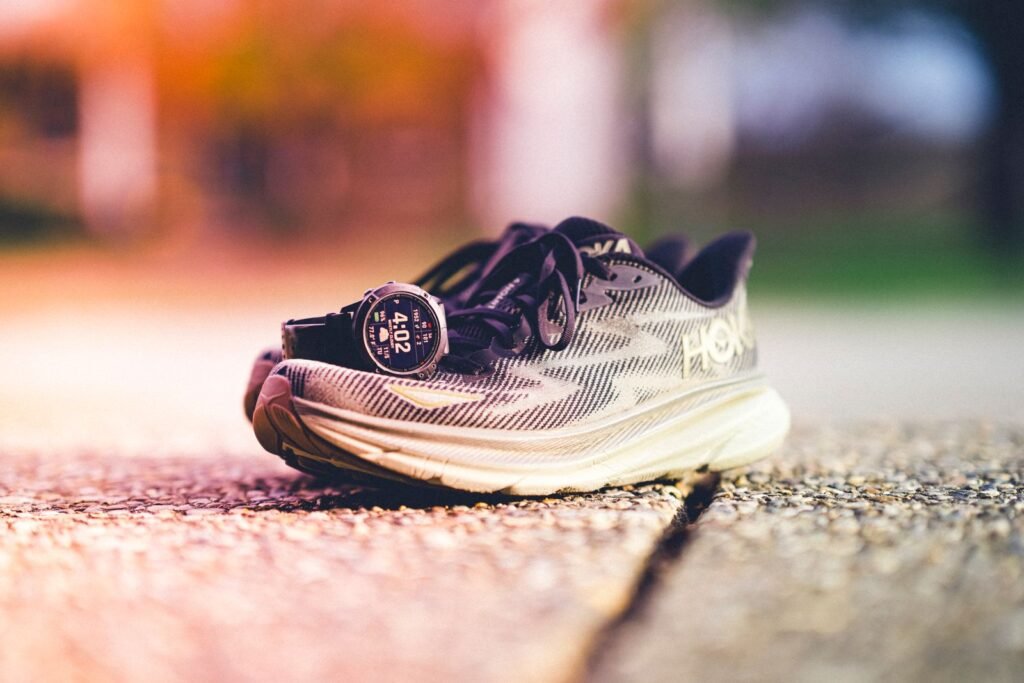
If you’ve ever watched your Wear OS watch drop from 60% to 20% over a long run, Google has a fix, and it lives in your phone, not your watch. The latest Google Play services update, version 26.45, lets a Wear OS smartwatch use the paired phone’s satellite positioning during outdoor workouts instead of firing up its own GPS chip.
The change appeared in Google’s official system release notes on November 16 and was first spotted by Android Authority. The wording is short: the update “lets your watch use your phone’s GNSS to track location during outdoor workouts and helps conserve watch battery life when your phone isn’t in Battery Saver mode.”
That last clause matters more than it looks. So does the fact that Apple, which used this exact approach for years, quietly abandoned it. Here’s how the feature works, who it helps and where it falls short.
- What changed: Wear OS watches can use your phone’s GNSS (GPS, Galileo and other satellite systems) to track outdoor workouts
- Why: GNSS is one of the biggest battery drains on a watch during a long workout
- Catches: you have to carry your phone, and it won’t kick in if the phone is in Battery Saver
- Which watches: Google hasn’t said, so it may not reach every model
- How to get it: update Google Play services on your phone (and let your watch update too)
Why GPS eats your watch battery
A satellite receiver has to stay awake and keep listening for signals the whole time you’re moving. On a phone, that’s a rounding error. On a watch, it’s a big share of a tiny battery. The gap between the two is huge, and that’s the whole logic behind Google’s change.
Your phone also tends to have better hardware for the job: a bigger antenna, dual-frequency support on most recent flagships and more processing headroom. The watch still does what only a wrist can do, like reading your heart rate, counting cadence and showing your pace. It just stops being the device that figures out where you are.
How the handoff works
Google hasn’t published a technical breakdown, but the release note gives us the important rules. The phone has to be with you, it has to be connected to the watch, and it can’t be in Battery Saver mode. That last condition makes sense: Battery Saver throttles location services, and Google clearly doesn’t want to drain a phone that’s already running low just to save a few percent on your wrist.
There’s no word yet on whether you get a toggle. TechRadar notes it’s unclear if every Wear OS watch supports the feature or only certain models, and Google’s note doesn’t list devices. Samsung also tends to test Play system updates before they reach Galaxy hardware, so Galaxy Watch owners may see it later than Pixel Watch owners.
Apple did this for years, then stopped
Here’s the twist. Borrowing the phone’s GPS isn’t new. It’s how the Apple Watch worked for most of its life. Apple’s own support documentation explained that older Apple Watch models use the GPS from your iPhone when it’s available, specifically to preserve battery life.
Then in 2022, Apple changed course. The Apple Watch Series 8, the second-generation SE and the original Apple Watch Ultra started using their own GPS even with an iPhone nearby. Apple didn’t make a big announcement about it, but runners noticed. The likely reasons are consistency and accuracy: a phone bouncing in a pocket or a belt pack can produce a different track from one on your wrist, and switching sources mid-run can cause small jumps. Newer Apple Watches also got dual-frequency GPS on the Ultra, which made the watch’s own fix good enough to rely on.
Google’s own Fitbit line sits somewhere in between. Several recent Fitbits offer Dynamic GPS, which can use the phone’s location when it’s nearby and fall back to the built-in chip otherwise, with options to force one or the other.
| Platform | Uses phone location in workouts? | Main trade-off |
|---|---|---|
| Wear OS (Play services v26.45) | Yes, when phone is nearby and not in Battery Saver | Phone has to come along, model support unclear |
| Wear OS (before the update) | No, watch GPS only | Big battery hit on long workouts |
| Older Apple Watch (pre-2022) | Yes, automatically | No user control over the source |
| Apple Watch Series 8, SE 2, Ultra and newer | No, uses its own GPS | Consistent tracks, more battery used |
| Fitbit with Dynamic GPS | Yes, with phone, auto or watch-only modes | Accuracy depends on where the phone sits |
This builds on August’s route accuracy fix
The phone GPS option isn’t Google’s only recent change to Wear OS workout tracking. In August, Play services v26.31 added server-side processing of raw location data to produce more accurate workout routes. That one has its own caveat: watches without LTE only get the cleaned-up route after they reconnect to Wi-Fi or your phone, so the map improves after you’ve finished.
Put together, the direction is clear. Google is moving more of the heavy location work off the wrist and onto devices with bigger batteries and more computing power. If you’ve been bitten by battery problems before, like the Pixel Watch drain bug Google confirmed in October, this is the kind of update that actually helps.
Who should use it and who shouldn’t
- Long runs, hikes and bike rides where you carry your phone anyway
- Smaller watches with 300 to 450mAh batteries
- Cyclists with a phone on the handlebars, where the sky view is excellent
- Anyone who records workouts and then forgets to charge overnight
- Runners who leave the phone at home, which is the whole point of an LTE watch
- Race day, if your phone is already on low battery
- Anyone chasing the most consistent track on a short loop
- Older phones with weak batteries that you need for the rest of the day
One more thing to keep in mind. Your phone’s battery doesn’t magically absorb the cost. TechRadar points out the obvious: the phone’s battery will take the hit instead. On a modern 5,000mAh phone, an hour of GNSS is a small dent, but on a marathon or an all-day hike, it adds up. If you’re also navigating with Google Maps or streaming music, plan for it.
How to get the update now
Play services updates normally install themselves in the background over a week or two. If you want to check manually:
Settings > Google > All services > System services > Google Play services
// Look for version 26.45 or later, then tap Update if offered
Menu names vary a little between Samsung, Pixel and other brands. Make sure your watch is up to date too, since the feature involves both devices. If you’re shopping for a watch with strong battery life on its own, our guide to the best GPS smartwatches of 2026 compares how long each one lasts with GPS running.
The bottom line
This is a small update with a big practical payoff for a lot of Wear OS owners. Watch batteries haven’t grown much in years, and GNSS is one of the heaviest things you can ask them to run. Handing that job to the phone in your pocket is a sensible fix, as long as you remember the trade-offs: bring the phone, keep it out of Battery Saver and don’t expect it on an LTE run where the phone stays home.
Apple’s decision to walk away from the same idea is a reminder that it’s not a free lunch. But Google’s version looks smarter on paper, because it only kicks in when your phone can spare the battery. Now Google just needs to say which watches get it, and ideally give us a switch.
About this article: GeekBlog covers U.S. technology news, AI, phones, smartwatches and gaming. Every story is written and checked under our Editorial Policy. Spotted a mistake or have a story tip? Contact our editors.
