

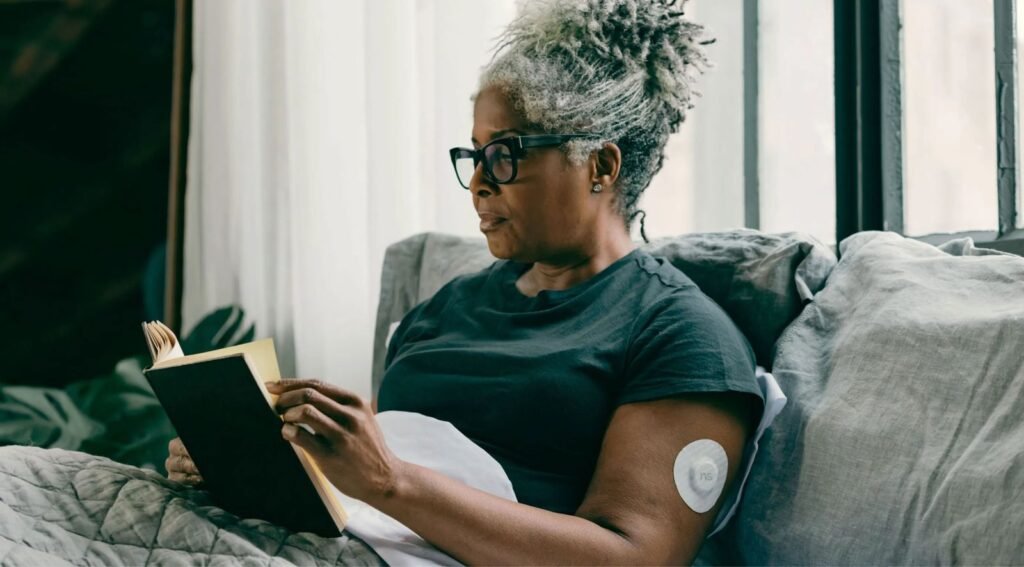
If you live with diabetes, a smartwatch can be genuinely useful. A glance at your wrist beats pulling out a phone at the gym, in a meeting or at 3 a.m. But there is a catch that most shopping guides gloss over: no smartwatch measures your blood sugar by itself. What a good watch does is show readings from a continuous glucose monitor (CGM) that you already wear, and how well it does that depends on your watch brand, your phone and your sensor.
This guide to the best smartwatch for diabetics in 2026 explains how the pairing works, which combinations are officially supported by Dexcom and Abbott, where you are stuck with third-party apps, and what features matter once the basics are covered. Compatibility details come from Dexcom, Abbott, the FDA and app store listings. Sources sometimes disagree and apps change fast, so always confirm your exact watch and sensor on the maker’s compatibility page before you buy.
Quick answer
If you use an iPhone, an Apple Watch is the smoothest choice: Dexcom G7 readings can stream straight to the watch, and Abbott has an official Libre app for it. If you want a sport watch that works with iPhone or Android, a Garmin with the Dexcom widget and data field is the best fit. On a Galaxy Watch or Pixel Watch, expect to rely on third-party apps. Whatever you pick, treat the watch as a second screen and keep your CGM app as the main source.
Can a Smartwatch Measure Blood Sugar?
Not on its own. On February 21, 2024, the FDA issued a safety communication warning people not to use smartwatches or smart rings that claim to measure blood glucose without piercing the skin. The agency said it has not authorized, cleared or approved any such device. Wrong readings can lead to the wrong insulin or medication dose, and the FDA noted that serious errors could cause confusion, coma or even death.
The warning does not apply to apps that display data from an FDA-authorized CGM. Those devices use a small sensor under the skin, and the watch only shows what the sensor reports. The major brands, including Apple, Fitbit, Samsung and Oura, do not claim to measure glucose without a sensor. If a listing promises needle-free glucose readings from a cheap watch, skip it.
Good to know
Dexcom describes its watch apps as secondary displays for passive monitoring. They are not meant to replace the CGM system or the self-checks your doctor recommends. If you get a low-glucose alert on your wrist, follow your care plan and confirm with your primary device when in doubt.
How a Smartwatch Gets Your CGM Data
There are three common routes, and knowing which one your setup uses explains most of the quirks people complain about, like a watch that goes quiet when the phone is left at home.
CGM and Smartwatch Compatibility at a Glance
Here is the practical summary for the two most common sensors, the Dexcom G7 and the FreeStyle Libre 3 Plus. “Official” means the sensor maker provides the watch app or integration. “Third-party” means an independent developer built it, so support and reliability can change without notice.
Best Smartwatch for Diabetics by Platform
Apple Watch: the best fit if you use an iPhone
Dexcom’s Direct to Watch feature sends G7 readings to an Apple Watch over its own Bluetooth link, so the watch keeps showing glucose even when your iPhone is in another room. Dexcom lists Apple Watch Series 6 or later running watchOS 10 or later, plus an iPhone on iOS 17 and the G7 app version 2.1 or later. Setup still starts on the iPhone, and Dexcom’s own FAQ says Direct to Watch currently works only with Apple Watch.
Abbott also has a Libre app for smartwatches, which currently supports Apple Watch only. It works with Libre 2 Plus and Libre 3 Plus sensors and shows glucose and notifications while the watch is near your paired phone and sensor. Abbott says the newest features are U.S. only for now. If you use a Libre sensor and want to leave your phone behind during a workout, third-party apps such as FLwatch say they can read Libre 3 sensors directly over Bluetooth, but those are unofficial.
Garmin: the best choice for workouts on any phone
Dexcom officially supports the G6 and G7 on Garmin watches and cycling computers. You install the Dexcom widget from the Connect IQ Store, and optionally the Dexcom data field, which lets you see glucose next to pace and heart rate during an activity. The catch is that your phone needs to stay connected over Bluetooth, because the watch does not talk to the sensor directly. A Garmin forum thread shows some users seeing “No Data” after switching to a G7, so check the compatibility page for your exact model first. If you are shopping, our roundup of the best Garmin smartwatch in 2026 is a good place to match a model to your sport.
For Libre 3 users, community data fields such as Sugar Sense read your data through LibreLinkUp sharing. Its listing says live watch readings need a paid subscription in the phone app, so factor that cost in.
Galaxy Watch and Pixel Watch: workable, but unofficial
This is where the marketing gets ahead of reality. As of mid-2026, a TechRepublic report says the Dexcom G6 has an official Wear OS watch face, while G7 users rely on phone alerts or third-party tools. Apps like Glucose Watch read Dexcom notifications from your phone and forward them to the watch. Its listing shows an August 2026 update, but one reviewer says it stopped working on their G7 setup. Cloud-based apps such as Blose and GlucoDataHandler log in with your Dexcom Share details instead. They can work well, yet they depend on a developer staying active and on a steady internet connection.
If you already love your Galaxy Watch or Pixel Watch, it is a perfectly good health watch. Just do not choose it because you expect a polished CGM display out of the box.
What to Look for in a Smartwatch for Diabetes
Once compatibility is sorted, these practical features decide whether the watch fits into daily diabetes management or becomes another gadget in a drawer.
| Feature | Why it matters | What to check |
|---|---|---|
| Official CGM support | Fewer dropouts and clearer alerts | Dexcom or Abbott compatibility page for your exact model |
| Strong vibration | You can feel a low alert while asleep or in a noisy room | Test in the store, or read hands-on reviews |
| Battery life | A dead watch means a blind spot overnight | Real-world battery, not the headline claim. Our guide to sleep tracking smartwatches covers overnight wear |
| Glanceable display | Quick reads without tapping | Always-on screen, readable in sunlight, customizable complications |
| Water resistance | Showers, swimming and sweaty workouts | Official water rating, not marketing wording |
| Comfortable band | You will wear it around the clock | Soft, hypoallergenic strap options |
Tips Before You Buy
- Start with your sensor and phone. Your CGM and your phone platform narrow the field faster than any spec sheet.
- Check the watch model, not just the brand. Dexcom lists minimum Apple Watch and software versions, and Garmin support varies by model.
- Test the alerts before you rely on them. Set a high and low alert, then confirm the watch actually buzzes, including when your phone is across the room.
- Keep your primary device within reach. Treat the watch as a convenience, in line with Dexcom’s guidance on secondary displays.
- Use the watch for the rest of your health picture too. Heart rate, sleep and activity trends can help you spot patterns. For a broader look at what wearables can and cannot do, read our explainer on smartwatch glucose monitoring.
- Buy where returns are easy. App support is the part you only learn after a week of real use.
Frequently Asked Questions
What is the best smartwatch for diabetics?
For iPhone users, an Apple Watch Series 6 or later is the easiest option, especially with a Dexcom G7. For workouts on iPhone or Android, a Garmin with the Dexcom widget and data field is the better pick. Android users on Galaxy Watch or Pixel Watch should expect third-party apps.
Can a smartwatch check blood sugar without a sensor?
No. The FDA has warned against smartwatches and smart rings that claim to measure glucose without piercing the skin, and says it has not authorized any such device.
Does the Dexcom G7 work with an Apple Watch without an iPhone?
Yes, with limits. Dexcom’s Direct to Watch feature streams G7 readings to a compatible Apple Watch without the iPhone nearby, but you set it up on an iPhone first. It requires Apple Watch Series 6 or later with watchOS 10 or later.
Does FreeStyle Libre work with a smartwatch?
Abbott offers a Libre app for Apple Watch that works with Libre 2 Plus and Libre 3 Plus sensors while the watch is near your phone. Garmin and Wear OS rely on third-party apps.
Do I need a cellular smartwatch for CGM readings?
Usually not. Dexcom says Direct to Watch does not need a cellular plan, because the watch connects to the sensor over Bluetooth. Cellular helps only for things like Share and Follow alerts for caregivers when you are away from Wi-Fi.
Can I use a cheap smartwatch for diabetes?
Budget watches from brands like Amazfit or Fitbit usually offer manual logging rather than a live CGM display. They can still track activity and sleep, but check compatibility before assuming they will show sensor readings.
Final Verdict
The Bottom Line
The best smartwatch for diabetics is the one your CGM officially supports. Apple Watch leads for iPhone users, Garmin is the strongest all-rounder for active people on any phone, and Wear OS watches work but lean on third-party apps. Skip any watch that promises needle-free glucose readings, and keep your CGM app as your main source of truth.
This article is for general information and is not medical advice. Talk to your care team before changing how you monitor your glucose.
Sources and Further Reading
- Fierce Biotech: Dexcom connects its G7 sensor directly to the Apple Watch
- Dexcom FAQ: Which smartwatches have Direct to Watch compatibility?
- Dexcom: Connect with Garmin and Dexcom
- Abbott: FreeStyle Libre apps
- TechRepublic: Samsung Galaxy Watch glucose monitoring apps
- Diabetotech: How to sync your CGM to any smartwatch
- Garmin Connect IQ: Sugar Sense glucose data field
- AARP: FDA warning on smartwatches and smart rings for glucose monitoring
Featured image: Pexels.
About this article: GeekBlog covers U.S. technology news, AI, phones, smartwatches and gaming. Every story is written and checked under our Editorial Policy. Spotted a mistake or have a story tip? Contact our editors.
