

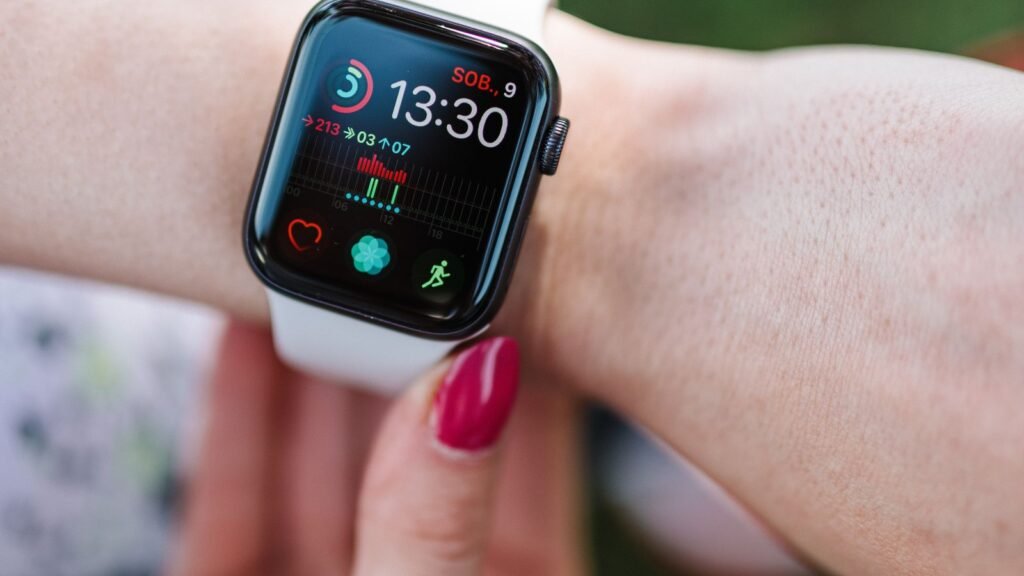
High blood pressure has a nasty reputation for a reason. It usually doesn’t hurt, it doesn’t make you feel sick until something goes badly wrong, and millions of people walk around with it for years without knowing. So when an Apple Watch owner posted that a single notification on their wrist “saved my life,” it struck a nerve.
The story, picked up by UNILAD Tech, comes from a Reddit user wearing an Apple Watch Series 9. They had nearly given up on smartwatches and were drifting back to a regular watch. Then the hypertension alert arrived. A home cuff confirmed the bad news, and one night their reading climbed past 200/110, high enough that they called paramedics. They’re now on medication.
It’s a great outcome. But it’s also a good moment to look at what this feature really does, how often it gets things right, and the part most people miss: how often it stays quiet when it shouldn’t.
The short version
- Apple Watch hypertension notifications look for a 30-day pattern using the optical heart sensor. They never show you a blood pressure number.
- The FDA cleared the feature in September 2025. It works on Series 9 or later and Ultra 2 or later, paired with an iPhone 11 or newer.
- In Apple’s own study, it flagged about 41% of people with undiagnosed high blood pressure. Most cases were missed.
- When it does alert you, a 2026 JAMA analysis estimates about a 7 in 10 chance you really have hypertension.
- An alert is a reason to grab a proper cuff and call your doctor, not a diagnosis.
What happened to the Reddit user
The poster described themselves as one of the “worried well.” No fitness tracker had ever told them anything useful, and the Watch’s health features “looked fancy but never added up to anything.” Then they started feeling a persistent unease, and around the same time the watch pushed a warning to their phone.
They happened to own a blood pressure monitor with a proper cuff, measured the recommended way, and saw readings that were “well above the normal threshold, consistently.” When the numbers passed 200/110 one night, they knew it was an emergency.
“Without the alert, I’m not sure I would have understood what was happening or called anyone. High blood pressure causes no pain. You can just drop dead.”
What they did next is basically the textbook response. They contacted their doctor, did 24-hour monitoring, and brought along a 7-day log of home readings. Blood tests also turned up high cholesterol. That 7-day log matters, because it’s exactly what Apple tells people to do after an alert.
How the Apple Watch spots hypertension without a cuff
There’s no inflatable cuff in an Apple Watch, so it can’t measure blood pressure the way your doctor does. Instead, the optical heart sensor on the back tracks how your blood vessels respond to each heartbeat. A machine learning model reviews that data passively in the background over rolling 30-day windows. If it sees a pattern consistent with hypertension, you get one notification.
You never see a systolic or diastolic number, and you can’t do spot checks. The feature is only cleared for people who haven’t been diagnosed with hypertension, are 22 or older and aren’t pregnant. If you want the bigger picture on wrist-based readings from Samsung, Omron and the cheap knockoffs, we covered it in our guide to smartwatch blood pressure monitoring in 2026.
STEP 1
The optical sensor reads blood flow with every heartbeat, all day, in the background.
STEP 2
An algorithm reviews the data over a 30-day window, looking for a consistent pattern.
STEP 3
If the pattern looks like hypertension, you get a single alert on your iPhone and Watch.
STEP 4
Apple asks you to log cuff readings for 7 days and share them with your doctor.
How accurate is it, really?
This is where the “saved my life” headline needs some context. Apple’s validation study, which included more than 2,000 participants and compared the watch with weeks of home cuff readings, produced two key numbers. Specificity was high, so false alarms are fairly rare. Sensitivity was low, so a lot of people with high blood pressure never get pinged.
Apple’s validation study at a glance
Source: Apple pivotal study used for FDA clearance, 2025
People with undiagnosed hypertension who got an alert (sensitivity): 41.2%
Alert rate for people with stage 2 hypertension: 53.7%
People with normal blood pressure correctly left alone (specificity): 92.3%
Put simply, in that study the watch caught 214 out of 585 people whose blood pressure was at or above 130/80. It does better with more severe cases, which is good news for someone like the Reddit poster, but stage 1 hypertension slips through most of the time.
A modeling study published in JAMA in February 2026 took Apple’s numbers and applied them to real US population data from the NHANES health survey. The results show why your age changes what an alert, or the lack of one, actually means.
| Age group | Chance of hypertension before any alert | If you get an alert | If you get no alert |
|---|---|---|---|
| 30 or younger | 14% | 47% | 10% |
| 60 or older | 45% | 81% | 34% |
Overall, the JAMA team estimated that about 69% of people who get an alert really have hypertension. But about 21% of people who never get one still do. For someone over 60, a silent watch still leaves roughly a one in three chance of high blood pressure. That’s not an all-clear.
Worth knowing
“Wearables cannot be used and should not be used for diagnostic purposes,” Dr. Eleonora Avenatti, a cardiac prevention specialist at Houston Methodist, said earlier this year. Her advice: treat a notification as a red flag that deserves a real cuff reading, and don’t treat silence as proof you’re fine.
Why a “maybe” alert is still a big deal
If the feature misses more than half of cases, why do doctors still like it? Because the baseline is so bad. In the US, nearly half of adults have high blood pressure under current guidelines, and a big share of them don’t know it. Globally, the World Health Organization puts the number at about 1.4 billion people, with fewer than one in four keeping it under control.
Apple has said it expects the feature to notify more than one million people with undiagnosed hypertension in its first year. Even a tool that catches 41% of cases is a huge improvement over a tool that catches none, and most people don’t check their blood pressure between annual checkups, if they even have those. When the alert launched in Australia earlier this year, Dr. Ramya Raman of the Royal Australian College of General Practitioners called it “a starting point” for diagnosis rather than an endpoint.
What your cuff numbers mean
Once you have a proper cuff, here’s how the American Heart Association categories break down. The Reddit user’s 200/110 reading sits firmly in the top row.
| Category | Top number (systolic) | Bottom number (diastolic) |
|---|---|---|
| Normal | Under 120 | and under 80 |
| Elevated | 120 to 129 | and under 80 |
| Stage 1 hypertension | 130 to 139 | or 80 to 89 |
| Stage 2 hypertension | 140 or higher | or 90 or higher |
| Severe (get help) | Higher than 180 | and/or higher than 120 |
If you see a reading above 180/120 along with chest pain, shortness of breath, back pain, numbness, weakness, vision changes or trouble speaking, call 911. If there are no symptoms, wait a few minutes, measure again and call your doctor right away if it’s still that high.
How to turn on hypertension notifications
You’ll need an Apple Watch Series 9 or later, or an Ultra 2 or later, running the latest watchOS, plus an iPhone 11 or newer on the latest iOS. Then:
- Open the Health app on your iPhone.
- Tap your profile picture in the top corner, then tap Features.
- Open the Health Checklist and tap Hypertension Notifications.
- Confirm your age and whether you’ve been diagnosed with hypertension, then tap Continue.
- Follow the prompts that explain how alerts work, then tap Done.
The first evaluation takes 30 days, so don’t expect anything right away. If you’re setting this up for a parent, it’s worth knowing which features still work when a watch runs through Apple Watch Family Setup.
Got an alert? Here’s how to measure properly
A cheap upper-arm cuff from a pharmacy is the single best follow-up. Wrist cuffs are less reliable. Doctors generally recommend this routine for your 7-day log:
Before
Skip caffeine, exercise and smoking for 30 minutes. Empty your bladder. Sit quietly for 5 minutes.
Position
Back supported, feet flat, legs uncrossed, cuff on a bare upper arm resting at heart level.
Routine
Take two readings a minute apart, morning and evening, and write down every one.
Bring the log to your appointment. Your doctor may also check for causes like kidney problems or hormone conditions, and look at cholesterol, as happened with the Reddit user. Apple has been leaning harder into health research lately, including its new study looking for 200,000 iPhone users, so expect these features to keep evolving.
The bottom line
The Apple Watch hypertension alert won’t catch everyone, and it was never meant to replace a cuff or a doctor. But for a condition that gives almost no warning signs, a nudge on your wrist that makes you check is genuinely valuable. If you own a Series 9, Ultra 2 or newer and haven’t turned this on, it takes about a minute. Just remember the most important rule: if it does go off, believe it enough to measure, and if it doesn’t, don’t assume you’re in the clear.
About this article: GeekBlog covers U.S. technology news, AI, phones, smartwatches and gaming. Every story is written and checked under our Editorial Policy. Spotted a mistake or have a story tip? Contact our editors.
