

Summary
- Most modern-day television sets ship with at least two or three USB Type-A ports.
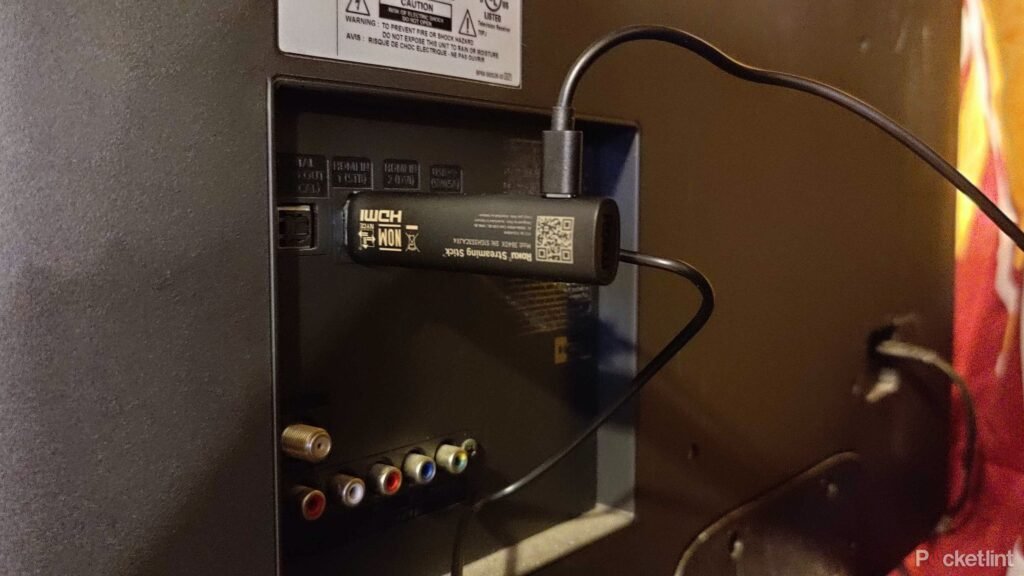
- These ports are low-powered, but they can be useful for trickle charging peripherals, connecting flash drives, or powering streaming sticks.
- There are certain USB devices that you most certainly don’t want to plug into your TV, however, and here are three examples.
While the utility of traditional USB Type-A ports on a desktop or laptop computer might seem fairly obvious, the same can’t be said about those same USB ports tucked behind the flat-screen television set in your living room.
You might be wondering what you’d want USB ports on a TV for — or you might not even realize your TV has these ports to begin with. Well, as it turns out, there are a variety of useful purposes that these ports can serve, including charging peripherals, powering streaming sticks, and connecting external storage drives to the big screen.
However, there are also several devices and peripherals that you most certainly should not plug into a TV’s USB ports. In some cases, this is purely for pragmatic reasons, while in other cases, it’s for safety purposes.
Here are four things in particular that I’d advise against connecting to your flat-screen TV via its built-in USB-A ports.
1
An external PC disk drive
Stick with a dedicated model designed with TVs in mind
Once a relatively common peripheral within the computer space, external CD, DVD, and Blu-ray drives have nearly gone extinct. With the move to streaming services and cloud-based storage solutions, optical media has declined in relevancy, to the point where even Apple silently discontinued its SuperDrive last year.
If you have an old USB-based external optical drive lying around, it might be tempting to give it a new lease on life within your living room TV setup. Unfortunately, it’s not that simple. While the USB-A connector will fit into your TV from a physical perspective, the TV’s operating system is unlikely to be able to communicate with the peripheral for the purposes of playing back media.
Instead, you’ll have to stick with a purpose-built DVD or Blu-ray player — one which connects to your TV via HDMI, and that requires a power outlet to function. Thankfully, there are still several excellent options available on the market to choose from.
2
Anything that’s designed to produce heat
A high-power, high-heat disaster in the making

The USB ports found on modern flat-screen TVs aren’t particularly capable on the power output front, owing to limitations in USB Type-A’s design and pin configuration. With that being the case, I’d caution against connecting any USB-powered accessories or appliances that generate heat directly to your TV. Heat generation requires a lot of power, and the ensuing struggle to pull said power from the TV’s USB port might just pose a risk of fire, however slight the risk might be.
Whether we’re talking about heating pads, portable heat guns, or anything else of that nature, stick with a dedicated power outlet, and pair it with a high-quality A/C adapter from a reputable brand.
3
A USB Killer
Remember this endearing piece of tech?

A few years ago, a new device hit the market and instantly went viral. Known as the USB Killer, the device is designed to send surges of power to any USB device it plugs into, causing overvoltage. Today, the USB Killer is still around and kicking, now in its fourth major iteration. The product serves the purpose of stress testing hardware, and it certainly does create a stressful condition. It goes without saying, but if you happen to stumble upon a USB Killer device of any kind, avoid plugging it into your TV’s USB port like the plague.
4
A laptop
USB-A just ain’t gonna cut it

As mentioned, USB-A is limited in terms of its power delivery potential. As a result, while the ports on your TV are more than serviceable for topping up the battery of peripherals and smaller gadgets, they aren’t suitable for higher-powered laptops, desktops, and gaming machines. In some cases, you might be able to get away with a slow trickle charge on a laptop while idle, but as soon as you attempt to get some work done, expect the battery to plummet despite it being connected to your TV.
HDMI connections work perfectly well for video throughput, which is nice, but they don’t carry a significant amount of power, either. Hopefully, USB-C-based TVs with far more capable power delivery will hit the mainstream in the near future, much in the same vein as USB-C computer monitors.
About this article: GeekBlog covers U.S. technology news, AI, phones, smartwatches and gaming. Every story is written and checked under our Editorial Policy. Spotted a mistake or have a story tip? Contact our editors.
