Close Menu
GeekBlog

    Subscribe to Updates

    Get the latest creative news from FooBar about art, design and business.

    What's Hot

    A Toddler Needed a $20,000 Wheelchair. A High School Robotics Team Built Him One Instead.

    August 5, 2026

    AI’s Memory Boom Is Quietly Crushing the Budget Smartphone

    August 5, 2026

    Scientists Didn’t Say Earth Is Becoming Uninhabitable. Here’s What the “Hothouse Earth” Study Actually Says

    August 5, 2026
    Facebook X (Twitter) Instagram Threads
    GeekBlog
    • Home
    • Mobile
    • Tech News
    • Blog
    • How-To Guides
    • AI & Software
    Facebook
    GeekBlog
    Home»Uncategorized»Android phone feeling slow? How I changed one setting to instantly double the speed
    Uncategorized

    Android phone feeling slow? How I changed one setting to instantly double the speed

    Michael ComaousBy Michael ComaousAugust 8, 20253 Mins Read
    Share Facebook Twitter Pinterest LinkedIn Tumblr Email Copy Link
    Android phone feeling slow? How I changed one setting to instantly double the speed
    Share
    Facebook Twitter LinkedIn Pinterest Email Copy Link

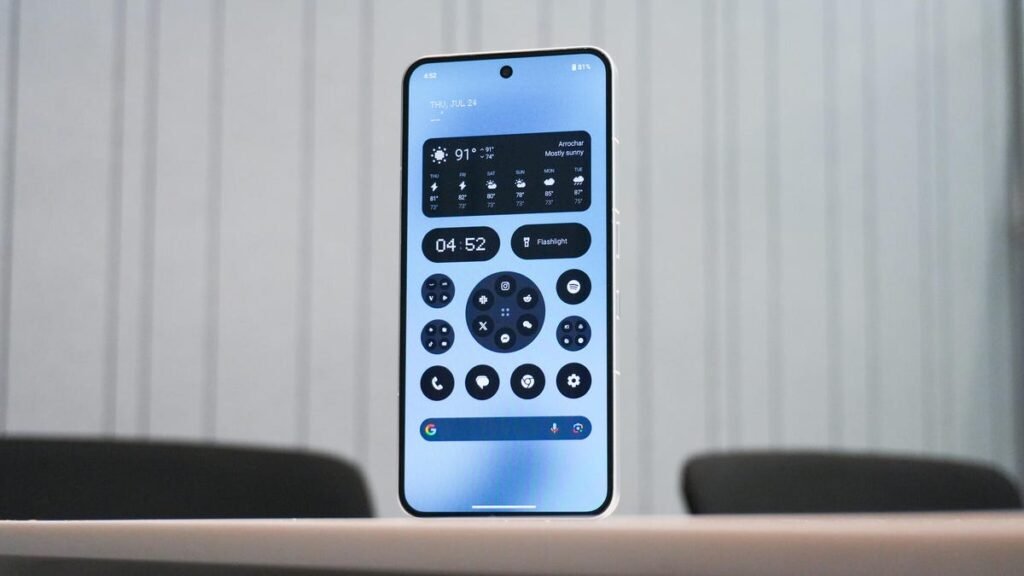
    Kerry Wan/ZDNET

    As a full-time smartphone reviewer, I spend most of my year testing Android phones.

    By habit, I’ve picked up several shortcuts, tips, and tricks for setting up handsets, tweaking them so that they perform as best as possible when the verdicts are due.

    Also: How to clear your Android phone cache (and why it’s the easiest way to speed it up)

    One tip I always give to family members, friends, and passersby when asked, “How can I make my phone faster?” is straightforward yet typically hidden: Adjusting the animation speed.

    The method of doing so is quick, simple, and absolutely free. As a bonus, you’ll feel like the “guy behind the computer” in action movies. Here are the steps.

    How to change your animation speed

    What you’ll need: An Android device and your lock screen password/pin/pattern to enable Developer Options.

    Recommended for you:

    Best instant cameras for 2025
    Uncategorized·Aug 8, 2025

    Best instant cameras for 2025

    To access the animation speed settings, you’ll first need to enable Developer options. Developer options contain a list of performance and UI-specific settings that are typically hidden by default as they’re intended for, drum roll, developers!

    Also: Own a Samsung phone? 10 settings I always change first for the best user experience

    To enable it, open up your Settings > scroll down to About phone > tap on Software information > and then tap your Build number seven times. If this is your first time doing so, your phone should display a ticker telling you how many more times you need to tap the text.

    If done successfully, Developer options will now be enabled, which you can access by going back to your default settings page and navigating to the bottom of the list.


    Show more

    Accessing Developer options on an Android device

    Kerry Wan/ZDNET

    Now that you’ve cracked the code to get into the Developer options, you’ll be presented with a long list of settings, toggles, and switches. Don’t be intimidated; we’re only here for one thing, and that’s the “Drawing” section. Scroll down the list until you find it.

    From there, you’ll see three animation scale settings:

    1. Window animation scale: The speed of apps and window pop-ups.
    2. Transition animation scale: The speed of moving between home screen panels and within apps.
    3. Animator duration scale: The speed of general UI animations, such as opening and closing apps, unlocking the phone, etc.

    Also: Google is building a Linux terminal app for native Android development – here’s why that’s huge

    Tap on each one and change the scale rating from 1x (default) down to .5x. The lower the number, the faster the time it takes for the animation to perform. 

    If you don’t want any animations on your phone at all, you can also set the value to “off”.


    Show more

    At this point, swipe around your phone, do your usual activities, and see if you notice a change in speed. If you follow the steps above, your phone should feel snappier and more responsive; none of that is a placebo.

    Get the biggest stories in tech every Friday with ZDNET’s Week in Review newsletter.

    Recommended for you:

    Arc’s sister browser Dia launches paid plan for unlimited AI access
    Uncategorized·Aug 8, 2025

    Arc’s sister browser Dia launches paid plan for unlimited AI access

    Android
    Share. Facebook Twitter Pinterest LinkedIn Tumblr Telegram Email Copy Link
    Previous Article9 Excellent Built-in Windows 11 Apps and Tools You’re Ignoring—but Shouldn’t
    Next Article Is Google Messages crashing for you? You’re not alone.
    Michael Comaous
    • Website

    Michael Comaous is a dedicated professional with a passion for technology, innovation, and creative problem-solving. Over the years, he has built experience across multiple industries, combining strategic thinking with hands-on expertise to deliver meaningful results. Michael is known for his curiosity, attention to detail, and ability to explain complex topics in a clear and approachable way. Whether he’s working on new projects, writing, or collaborating with others, he brings energy and a forward-thinking mindset to everything he does.

    Related Posts

    6 Mins Read

    MakuluLinux’s New AI-OS Wants to Run Your Whole Desktop, Not Just Answer Questions

    7 Mins Read

    The Light Flip Wants to Sell You a Phone That Does Less

    8 Mins Read

    Made by Google 2026: Everything to Expect From the Pixel 11 Launch on August 12

    6 Mins Read

    The iPhone 18 Pro Just Leaked Through a Breach at One of Apple’s Own Suppliers

    6 Mins Read

    Anthropic Is Reportedly Building Its Own AI Chip, and Samsung Wants In

    6 Mins Read

    Samsung Killed Its $2,899 TriFold Phone After Just 3 Months. Here Is Why.

    Top Posts

    Best Stores for Buying MP3 and Digital Music You Can Keep Forever (2026)

    August 2, 202530 Views

    Every iPhone Camera Ranked in 2026 (Best to Worst)

    July 6, 202613 Views

    How to Fix PS5 Controller Stick Drift (2026): 7 Working Methods

    July 10, 20268 Views
    Stay In Touch
    • Facebook

    Subscribe to Updates

    Get the latest tech news from FooBar about tech, design and biz.

    Most Popular

    Best Stores for Buying MP3 and Digital Music You Can Keep Forever (2026)

    August 2, 2025930 Views

    Discord will require a face scan or ID for full access next month

    February 9, 2026770 Views

    Trade in your old phone and get up to $1,100 off a new iPhone 17 at AT&T – here’s how

    September 10, 2025383 Views
    Our Picks

    A Toddler Needed a $20,000 Wheelchair. A High School Robotics Team Built Him One Instead.

    August 5, 2026

    AI’s Memory Boom Is Quietly Crushing the Budget Smartphone

    August 5, 2026

    Scientists Didn’t Say Earth Is Becoming Uninhabitable. Here’s What the “Hothouse Earth” Study Actually Says

    August 5, 2026

    Subscribe to Updates

    Get the latest creative news from FooBar about art, design and business.

    Facebook
    • About Us
    • Contact us
    • Privacy Policy
    • Disclaimer
    • Terms and Conditions
    © 2026 GeekBlog

    Type above and press Enter to search. Press Esc to cancel.