

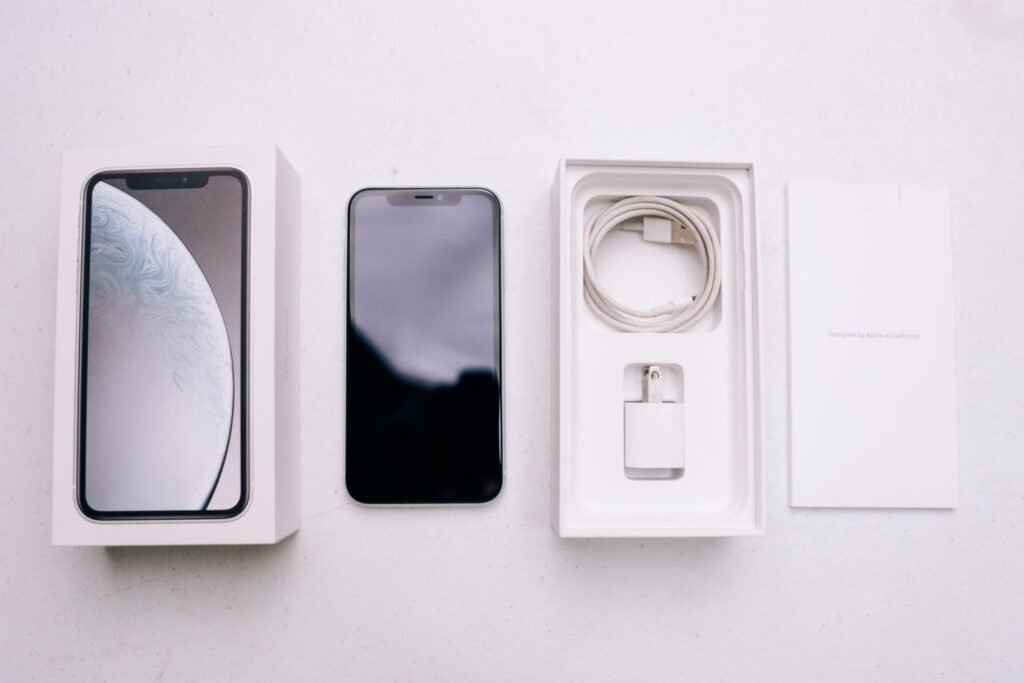
AT&T’s iPhone trade-in promotion is one of the most aggressive in the carrier market right now — but the headline "up to $1,100 off" hides a lot of fine print. Here’s exactly how much your old iPhone is worth, which phones qualify, and the conditions you have to meet to squeeze out the maximum value in 2026. Get one detail wrong — the plan, the shipping window, the condition of your trade-in — and that four-figure discount can shrink to a fraction of what you expected.
Quick Answer
AT&T gives up to $1,100 off an iPhone 17 Pro or 17 Pro Max, or up to $700 off an iPhone 17, 17 Pro, or iPhone Air, when you trade in a qualifying smartphone and activate or keep an eligible unlimited plan (Extra 2.0, Premium 2.0, or Elite 2.0). The discount is not cash — it arrives as monthly bill credits spread over 36 months, and it only fully pays out if you keep the line and the device for the entire term.
How much is your iPhone trade-in worth at AT&T?
AT&T runs two main trade-in tiers, and which one you land in depends on the phone you buy and the plan you activate:
- Up to $1,100 off (paid as roughly $30.56/mo over 36 months) when you trade in a smartphone valued at $290 or more after condition assessment, and buy an iPhone 17 Pro or 17 Pro Max on an AT&T Extra 2.0, Premium 2.0, or Elite 2.0 plan (or a qualifying legacy unlimited plan).
- Up to $700 off (paid as roughly $19.45/mo over 36 months) when you trade in a smartphone valued at $130 or more and buy an iPhone Air, iPhone 17, 17 Pro, or 17 Pro Max on Extra 2.0, Premium 2.0, or a qualifying legacy unlimited plan.
The single most important thing to understand: the discount is not cash and it’s not instant. AT&T spreads it across 36 months of bill credits. If you cancel the line or pay off the device early, you forfeit the remaining credits. That’s the fundamental trade-off with every carrier promo — you’re accepting a three-year commitment in exchange for the biggest sticker discount.
| New iPhone you buy | Max credit | Min. trade-in value | Required plan |
|---|---|---|---|
| iPhone 17 Pro / 17 Pro Max | Up to $1,100 | $290+ | Extra, Premium, or Elite 2.0 |
| iPhone 17 | Up to $700 | $130+ | Extra or Premium 2.0 |
| iPhone Air | Up to $700 | $130+ | Extra or Premium 2.0 |
Figures reflect AT&T’s published 2026 promo tiers; your actual credit depends on your specific trade-in appraisal and plan. Always confirm live terms at checkout.
The catch with "trade-in value"
There are really two numbers in play, and people constantly confuse them:
- Your phone’s appraised trade-in value — what your specific device is actually worth based on model and condition. This is the number that has to clear AT&T’s minimum threshold ($130 or $290).
- The promotional credit — the up-to-$700 or up-to-$1,100 figure, which AT&T applies on top of qualifying, as long as your appraised value meets the minimum.
So a clean iPhone 13 that appraises at $300 can unlock the full promo on a Pro model — even though $300 is nowhere near $1,100. The promo credit makes up the difference. A cracked screen or failed power-on, on the other hand, can drop your appraisal below the threshold and disqualify you entirely. Bear in mind that AT&T’s final, post-inspection appraisal can come in below the online estimate, so treat the initial quote as a ceiling rather than a guarantee.
Trade-in values by iPhone model
Exact appraisals change month to month, but as a rough guide for what older iPhones tend to clear at AT&T in 2026:
- iPhone 13 / 13 Pro — typically appraises well above the $290 Pro-tier threshold in good condition, making it one of the best phones to trade for a 17 Pro.
- iPhone 12 / 12 Pro — usually clears the $130 threshold comfortably, and often the $290 tier in clean condition.
- iPhone 11 — generally clears the $130 minimum but rarely the $290 tier.
- iPhone X / XR / XS — increasingly borderline; may or may not clear the $130 floor depending on condition and storage.
Always check your device’s live appraisal in the AT&T trade-in flow before counting on a tier — condition assessment is the deciding factor. It’s worth noting that any qualifying smartphone can unlock the promo, not just iPhones; a high-value flagship Android in good shape can clear the $290 threshold just as easily.
How AT&T bill credits actually work
This is where most of the confusion (and disappointment) happens, so it’s worth slowing down. When you take the deal, AT&T puts the full retail price of the new iPhone on a 36-month installment plan — you’re financing the phone. The promotional discount then comes back to you as a monthly bill credit that offsets each installment payment.
Here’s the sequence in practice:
- Your new iPhone shows up on your bill as an equipment installment (for example, roughly $30/mo for 36 months on a $1,100 device).
- Once AT&T verifies your trade-in and eligible plan, a matching monthly credit appears — typically within 1 to 3 billing cycles.
- The credit runs for the full 36 months in equal amounts. Miss any of the requirements along the way and the credit can pause or stop.
The key takeaway: for the first month or two you may pay the full installment with no credit yet applied. That’s normal — the credits are retroactive-feeling but they don’t always start on day one. And because the value is delivered over three years, the "$1,100 off" is really $1,100 spread thin, not a check in your pocket.
Key Takeaways
- The top $1,100 tier requires an iPhone 17 Pro/Pro Max and a $290+ trade-in on a premium unlimited plan.
- The discount is 36 months of bill credits, not upfront cash — leave early and you forfeit the rest.
- Your appraised trade-in value only needs to clear the minimum threshold; the promo credit does the heavy lifting.
- Budget-tier plans like AT&T Value Plus and 55+ do not qualify.
- Verizon and T-Mobile often match or beat AT&T’s $700 tier on the standard iPhone 17 — shop all three.
Eligible phones and plans (what actually qualifies)
Two lists matter here, and mixing them up is the most common way people get denied.
Eligible new devices: The promo only applies to the current lineup — iPhone 17, iPhone 17 Pro, iPhone 17 Pro Max, and iPhone Air. The $1,100 tier is reserved specifically for the two Pro models.
Eligible plans: You need an eligible postpaid unlimited plan — Extra 2.0, Premium 2.0, or Elite 2.0. Lower-cost plans including AT&T Value Plus, Value Plus VL, and the 55+ plan are not eligible for the top credits. If you’re on an older Mobile Share or limited-data plan, you’ll likely have to move up to an unlimited plan, which can add $15–$25 a month — a real cost that eats into the headline savings over 36 months.
Both new lines and upgrades on existing lines can qualify, but the eligibility details differ, so confirm your specific situation before checkout. If you’re still deciding between models, our iPhone Air vs iPhone 17 Pro buying guide breaks down which one is the smarter buy before you lock into a plan.
How to trade in your iPhone at AT&T (step by step)
- Back up and erase your old iPhone. Sign out of iCloud (Settings → your name → Sign Out) and Find My, then factory reset. AT&T won’t accept a device that’s still locked to your Apple Account.
- Pick your new iPhone and a qualifying plan. The promo only triggers on Extra 2.0, Premium 2.0, Elite 2.0, or a qualifying legacy unlimited plan.
- Choose trade-in at checkout (online, in the AT&T app, or in store) and enter your old device details for an appraisal.
- Send in or hand over the device. If you ordered online, you’ll get a prepaid kit — ship it within the window AT&T specifies or you risk losing the promo.
- Watch your bill. Credits start within 1–3 billing cycles and continue monthly for 36 months. Keep the line active to keep the credits flowing.
A practical tip: photograph your phone (front, back, and screen powered on) before you ship it, and keep the tracking number. If there’s ever a dispute about condition or whether the device arrived, that record is your best protection.
Common pitfalls to avoid
Most trade-in horror stories trace back to a handful of avoidable mistakes:
- Missing the shipping deadline. The prepaid kit has a return window. Ship late and AT&T can void the entire promo, leaving you paying full price for the new phone.
- Not disabling Find My / erasing the device. A phone that’s still signed in gets rejected on inspection.
- Downgrading your plan mid-term. If you drop to a cheaper plan during the installment period, credits can be reduced or stop entirely.
- Overestimating condition. Cracks, water damage, or a battery that won’t hold a charge can knock your appraisal below the threshold and disqualify you.
- Assuming the discount is upfront. It isn’t — plan your budget around paying installments that credits offset over time, not an instant price cut.
AT&T vs Verizon and T-Mobile: how the deal stacks up
AT&T is competitive at the top of the range, but it isn’t automatically the best deal for every buyer. In 2026, T-Mobile and Verizon have both pushed up to $1,100 off the iPhone 17 series — and in some cases they’ll knock an iPhone 17 Pro down to effectively free with a trade-in and a new line on an eligible unlimited plan. On the standard, non-Pro iPhone 17, AT&T’s promo tops out around $700, while its rivals sometimes go higher.
The catch is that all three carriers use the same basic mechanic: 24-to-36 months of bill credits, an eligible unlimited plan, and a long commitment. The differences come down to which exact model you want, whether you need a new line, and how each carrier appraises your specific trade-in. Before you commit, price out the identical phone-plus-plan combo on all three — the "best" deal often flips depending on the model and your trade-in condition.
Should you trade in or sell privately?
If your iPhone appraises near AT&T’s minimum, the carrier promo almost always wins — the bill credits far exceed what you’d get on the open market. But if you have a high-value, mint-condition recent iPhone, selling it privately for cash and paying down the new device yourself can sometimes net more, and it doesn’t lock you into 36 months on one carrier. Run both numbers before you commit. And once you’ve upgraded, make sure you’re charging at full speed with our iPhone 17 Pro charging guide.
The Bottom Line
AT&T’s up-to-$1,100 iPhone 17 Pro trade-in is a genuinely strong deal — but only if you already want an eligible unlimited plan and are comfortable staying put for 36 months. Treat it as a discount you earn over three years, not cash in hand, confirm your trade-in clears the threshold, and compare the exact same phone-and-plan combo at Verizon and T-Mobile before you sign. Do that, and you’ll walk away with the maximum credit instead of a nasty surprise on your bill.
Frequently Asked Questions
Do I get the $1,100 as a discount up front?
No. It’s applied as monthly bill credits over 36 months. You pay the device off over time and the credits offset it, so the full value only lands if you keep the line and device for the entire term.
What happens if I leave AT&T before 36 months?
You lose any remaining bill credits and become responsible for the rest of the device balance. The same applies if you pay off the phone early.
Does my iPhone need to be in perfect condition?
It needs to power on, hold a charge, and have no cracks to pass condition assessment and clear the value threshold. Minor wear is usually fine, but damage can lower your appraisal below the minimum and disqualify you.
Can I trade in a non-iPhone?
Yes — any qualifying smartphone that meets the value threshold can unlock the promo. The eligible new device list is what’s restricted to iPhone 17-series and iPhone Air.
Which AT&T plans qualify for the top trade-in credits?
Eligible unlimited plans — Extra 2.0, Premium 2.0, and Elite 2.0. Budget options like Value Plus and the 55+ plan are not eligible for the highest credits.
How long until the bill credits start?
Typically within 1 to 3 billing cycles after AT&T verifies your trade-in and plan. Don’t panic if your first bill shows the full installment with no credit yet — it usually catches up.
Deciding between an iPhone Air and an iPhone 17 Pro before you trade in? Read our iPhone Air vs iPhone 17 Pro buying guide. Already upgraded? Make sure you’re charging at full speed with our iPhone 17 Pro charging guide.
Promotional values and plan names are accurate as of 2026 and set by AT&T; always confirm current terms on AT&T’s official trade-in page before purchasing.
About this article: GeekBlog covers U.S. technology news, AI, phones, smartwatches and gaming. Every story is written and checked under our Editorial Policy. Spotted a mistake or have a story tip? Contact our editors.
