Close Menu
GeekBlog

    Subscribe to Updates

    Get the latest creative news from FooBar about art, design and business.

    What's Hot

    DuckDuckGo Installs Surge as Users Flee Google’s AI Search Overhaul

    June 17, 2026

    Android 17 Is Here: Everything New in Google’s June 2026 Pixel Drop

    June 17, 2026

    Google’s Gemini Spark Is Making Standalone Apps Obsolete

    June 16, 2026
    Facebook X (Twitter) Instagram Threads
    GeekBlog
    • Home
    • Mobile
    • Tech News
    • Blog
    • How-To Guides
    • AI & Software
    Facebook
    GeekBlog
    Home»Uncategorized»I plugged a USB fan into an iPhone, Kindle and 4 other dumb things
    Uncategorized

    I plugged a USB fan into an iPhone, Kindle and 4 other dumb things

    Michael ComaousBy Michael ComaousAugust 6, 20254 Mins Read
    Share Facebook Twitter Pinterest LinkedIn Tumblr Email Copy Link
    I plugged a USB fan into an iPhone, Kindle and 4 other dumb things
    Share
    Facebook Twitter LinkedIn Pinterest Email Copy Link

    Summary

    • iPhone 16: The USB fan works, providing strong wind.
    • 58-inch Hisense Roku TV: The USB fan works but produces weak wind.
    • Kindle (base model): USB fan does not work, no wind.

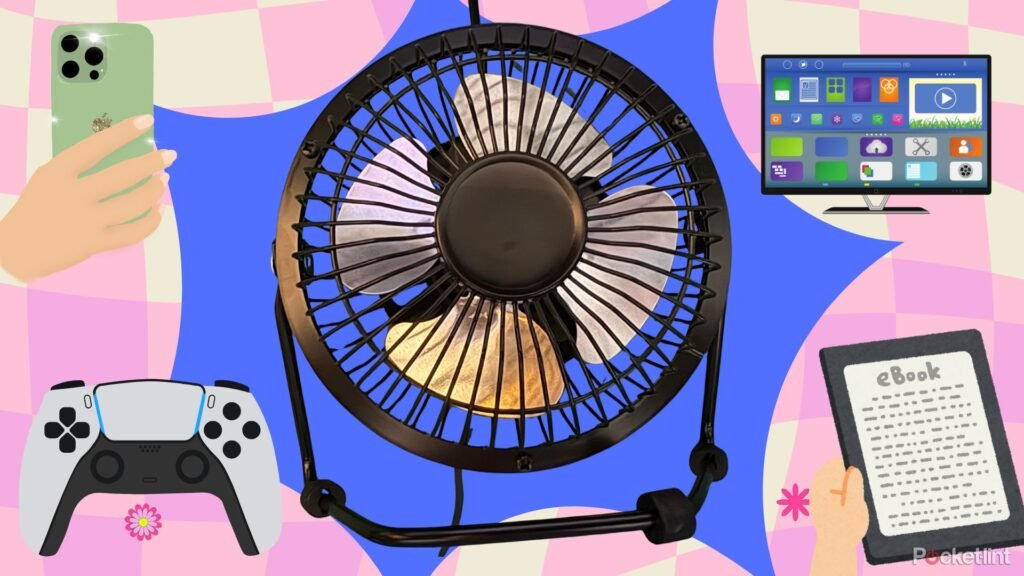
    There’s a lot of talk in the publishing world about the future of our industry when it comes to AI. Will ChatGPT replace us? Does the use of AI overviews in Google mean no one will click on anything in the search results ever again? These are all important questions for folks who are paid more than me to ponder, but riddle me this Batman: Can ChatGPT tell you what happens when you plug a USB fan into every single electronic device in your home with a USB port? No, it cannot and that is how we humans win the AI war.

    So without further ado, here’s what happens when you plug a USB fan into an iPhone, a Kindle, 3 different game consoles and your TV. You’re welcome, Internet.

    You probably shouldn’t try this at home. I’m just a random weirdo on the Internet. But if you do plug a USB fan into something stupid, the least you could do would be to leave a comment down below telling me about it.

    1

    iPhone 16

    It works

    Truthfully, I wasn’t going to do this article if my fan didn’t work with an iPhone 16. And confidently, I plugged the fan into my phone’s USB-C port with a handy little USB-A to USB-C adapter, confident that it would not work, and this article would not happen. But as you’ve probably guessed by now, it worked, and it produced some very strong wind too. Which, if you’ll read on, doesn’t always happen.

    2

    58-inch Hisense Roku TV

    It works, sort of

    IMG_2298

    My Roku TV has a USB-A port on the back that I was able to ditch the adapter for and plug the USB fan directly into. And it technically worked but the fan only produced weak wind and sputtered occasionally. So maybe don’t use your Roku TV to keep cool in the summer.

    3

    Lenovo Legion Go S

    It works

    IMG_2304

    Look, when you get really into the game it can be a sweaty situation. But fortunately if you plug a USB fan into this handheld game console (with a USB-A to USB-C adapter once again) you can enjoy a nice cool breeze while stressing out over your next move in Metaphor: Refantazio.

    4

    PlayStation 5

    It works

    IMG_2306

    When I first plugged the fan into my PlayStation 5, it kind of sputtered and turned off after only a few rotations. I was ready to call this a failure before I realized that my PlayStation 5 was in power save mode. Once I actually turned it on, the fan blew normally. So chalk this up as another win for sweaty gamers.

    5

    Nintendo Switch 2

    It works

    IMG_2307

    While docked I plugged my USB fan with its handy adapter into my Nintendo Switch 2’s top USB-C port and it instantly sprang to life, blowing strong wind. Three for three on the USB fans and game consoles

    6

    Kindle (base model)

    It does not work

    IMG_2305

    Gamers stay cool but readers stay sweaty I guess because when I plugged the fan in to a base model Kindle, nothing happened at all. Not even one turn of the fan. So I guess keep that in mind the next time you go to the beach.

    All in all I was surprised by how many devices my USB fan worked with inside my house. So you know,if you ever need some extra whimsy in your life, plug a USB fan into something you shouldn’t. You never know what might happen. You might just get an unexpected breeze.

    iPhone
    Share. Facebook Twitter Pinterest LinkedIn Tumblr Telegram Email Copy Link
    Previous ArticleGoogle’s New AI Agents Will Make Cloud Apps Smarter And Faster
    Next Article GPT-5 Is Coming. Here’s What OpenAI Has Said So Far
    Michael Comaous
    • Website

    Michael Comaous is a dedicated professional with a passion for technology, innovation, and creative problem-solving. Over the years, he has built experience across multiple industries, combining strategic thinking with hands-on expertise to deliver meaningful results. Michael is known for his curiosity, attention to detail, and ability to explain complex topics in a clear and approachable way. Whether he’s working on new projects, writing, or collaborating with others, he brings energy and a forward-thinking mindset to everything he does.

    Related Posts

    4 Mins Read

    iPhone 17 Pro Charging: Charger Type & Speeds Explained

    5 Mins Read

    iPhone Air vs iPhone 17 Pro: Which Should You Buy?

    4 Mins Read

    uBlock Origin on Brave: Do You Need It? (2026 Setup Guide)

    4 Mins Read

    How to Block Twitch Ads with uBlock Origin (2026 Guide)

    5 Mins Read

    AT&T iPhone Trade-In Values 2026: How to Get Up to $1,100 Off

    3 Mins Read

    Apple Is Testing Features That Will Put Siri All Over Your iPhone Experience

    Top Posts

    The Mesh Router Placement Strategy That Finally Gave Me Full Home Coverage

    August 4, 20251,111 Views

    Discord will require a face scan or ID for full access next month

    February 9, 2026769 Views

    Best Stores for Buying MP3 and Digital Music You Can Keep Forever

    August 2, 2025561 Views
    Stay In Touch
    • Facebook

    Subscribe to Updates

    Get the latest tech news from FooBar about tech, design and biz.

    Most Popular

    The Mesh Router Placement Strategy That Finally Gave Me Full Home Coverage

    August 4, 20251,111 Views

    Discord will require a face scan or ID for full access next month

    February 9, 2026769 Views

    Best Stores for Buying MP3 and Digital Music You Can Keep Forever

    August 2, 2025561 Views
    Our Picks

    DuckDuckGo Installs Surge as Users Flee Google’s AI Search Overhaul

    June 17, 2026

    Android 17 Is Here: Everything New in Google’s June 2026 Pixel Drop

    June 17, 2026

    Google’s Gemini Spark Is Making Standalone Apps Obsolete

    June 16, 2026

    Subscribe to Updates

    Get the latest creative news from FooBar about art, design and business.

    Facebook
    • About Us
    • Contact us
    • Privacy Policy
    • Disclaimer
    • Terms and Conditions
    © 2026 GeekBlog

    Type above and press Enter to search. Press Esc to cancel.

    Ad Blocker Enabled!
    Ad Blocker Enabled!
    Our website is made possible by displaying online advertisements to our visitors. Please support us by disabling your Ad Blocker.