


With the summer rolling on, it’s that time of year again: time for students to start considering what they need when they go back to school or college. Apple devices are a popular choice, but with so many to choose from – including some very pricey options – you might struggle to understand which is right for you.
If that sounds like the kind of situation you find yourself in, you’re in luck, as we’ve put together this guide to help identify the best Apple phones, tablets, and best student laptops this year. Read on, and you’ll soon know which products you should be taking on your studies, and which have some catching up to do.
Phone: iPhone 16e (with some caveats)
If you’re working on a tight budget, the iPhone 16e is probably your best bet. It has pretty much everything a student would need from a phone: plenty of storage, a high-performance chip, and tons of great apps via the App Store. Even its price is accessible enough. If you have modest needs, it should be your first port of call.
But there are times when you might want to upgrade for one reason or another. If you’re studying anything involving photography or filmography, for example, you could benefit from the better cameras on the iPhone 16 or the iPhone 16 Pro. Both come with extra lenses, while the iPhone 16 Pro has support for ProRes footage and log video recording, which might come in handy if you’re going to do a lot of filming.
The iPhone 16 Pro also includes a LiDAR scanner, and that might be needed if you’re going to be studying something like architecture, where accurate measurements and room plans are important. That said, be sure to check with your college regarding whether they provide their own equipment for this, as that could save you a bunch of cash.
Laptop: MacBook Air (M4, 2025)

A computer is going to be one of the most essential pieces of equipment in your studies, and almost any course you take will require some work on one. If you’re looking at getting a Mac, your best choice here is probably the 13-inch M4 MacBook Air.
There are a few reasons for this. Firstly, being a laptop means you can use it both at home and at your lectures. And since the MacBook Air is Apple’s most lightweight laptop, it’s easy to carry around in a backpack or take with you on public transport. It also comes with Apple’s latest M4 chip, which offers plenty of power for most student tasks.
That said, the MacBook Pro might also be worth considering, especially if you’re going to be doing more intensive work, like anything involving artificial intelligence (AI), scientific number crunching, or video editing. In cases like that, the active cooling and more powerful chips in the MacBook Pro will propel it above the MacBook Air.
Tablet: 11-inch iPad

An iPad is a great tool for students, as it’s equally adept at assisting with your studies (helping you research and take notes) and letting you enjoy some downtime in the form of movies and games. And given its portable size, it’s easy to carry around with you to lectures and classes.
Here, our pick would be the entry-level 11-inch iPad, and it offers a great balance of features and price. It’s Apple’s most affordable tablet, yet it still manages to pack in a spacious display and powerful performance thanks to its A16 chip. It also works with the Apple Pencil and various keyboard cases, making it very flexible for a range of different uses.
If you’re studying a creative course – one touching on design or art, for example – you might want to think about getting an iPad Air instead of the 11-inch iPad. That’s because it works with the Apple Pencil Pro, something the 11-inch iPad is not compatible with. This version of the Apple Pencil includes extra features like pressure sensitivity, haptic feedback, and a “barrel roll” control, all of which bring extra functionality that artists can take advantage of.
Accessories
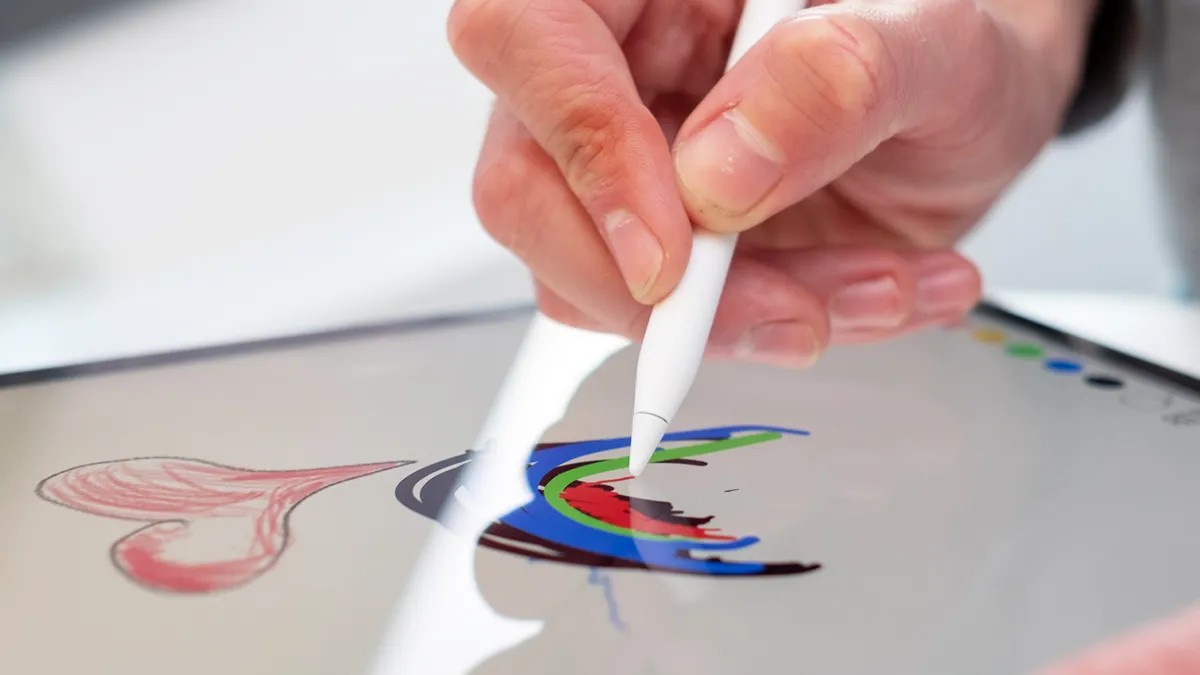
Speaking of the Apple Pencil, there are a few accessories that can complement Apple devices and elevate the experience for students. As we’ve touched on, the Apple Pencil is one of these, but it’s not just great for creatives – it’s also an excellent way to take notes by hand during classes.
Elsewhere, it would be a good idea to stock up on cases for your devices. An iPhone is very easy to drop, and considering you’ll be carrying it most places you go, it’s not too unlikely that that’ll happen one day. When it does, you want to make sure you don’t need a costly replacement, and getting one of the best iPhone cases can help prevent that.
Your iPad, too, should be guarded by a case, as these are some of the best iPad accessories you can buy. But iPad cases don’t just offer protection against drops and dents – they bring extra functionality, too. Many top iPad cases come with built-in keyboards and trackpads, which can turn your tablet into a laptop for on-the-go working. If that suits your needs, you might not need to get a MacBook at all.
And when it comes to MacBooks, it might be worth considering a laptop stand and even an external mouse and keyboard. These allow you to prop your MacBook up at a comfortable angle – after all, with so much time studying, you can quickly develop back pain from hunching over your device all day and all night (I know because this happened to me personally when I was in college). Getting one of the best monitors can also help here, and it doesn’t have to break the bank.
How to score an Apple discount

We’ve talked a lot about the best Apple devices for your studies, but what about saving some cash on your purchases? That’s often of paramount importance when you’re a student, and the good news is you have plenty of options here.
First, there’s Apple’s education store. This includes a range of offers for students, such as $100 off any MacBook or $50 off the iPad Air. Not everything is eligible – you won’t get any money off an iPhone, for instance – but Apple often sweetens the deal with free accessories (like a pair of AirPods or an Apple Pencil) with certain purchases.
Another great option is Apple’s refurbished store, which sells returned items that have been cleaned, fixed up, and discounted by Apple. Anything purchased here gets guaranteed genuine parts, a new box, and original cables, plus a one-year warranty. The savings are often better than those you’ll find at the company’s education store, too.
And if you can, it’s often worth waiting until Apple’s product refreshes in September. That’s when the new iPhones and Apple Watches launch, and we might see a new iPad Pro, too. When that happens, you could pick up the new devices for the same price as the current crop of Apple products. Alternatively, you might find a great deal on a previous-generation device at a third-party retailer that’s trying to clear out old stock.
Unfortunately, most of the devices we’ve recommended here aren’t expecting an update until next year, so if you need something for the start of the September semester, you’ll be out of luck. But there are still plenty of other ways to score a great discount on an Apple device that you can take with you for your studies.
You might also like
About this article: GeekBlog covers U.S. technology news, AI, phones, smartwatches and gaming. Every story is written and checked under our Editorial Policy. Spotted a mistake or have a story tip? Contact our editors.
