

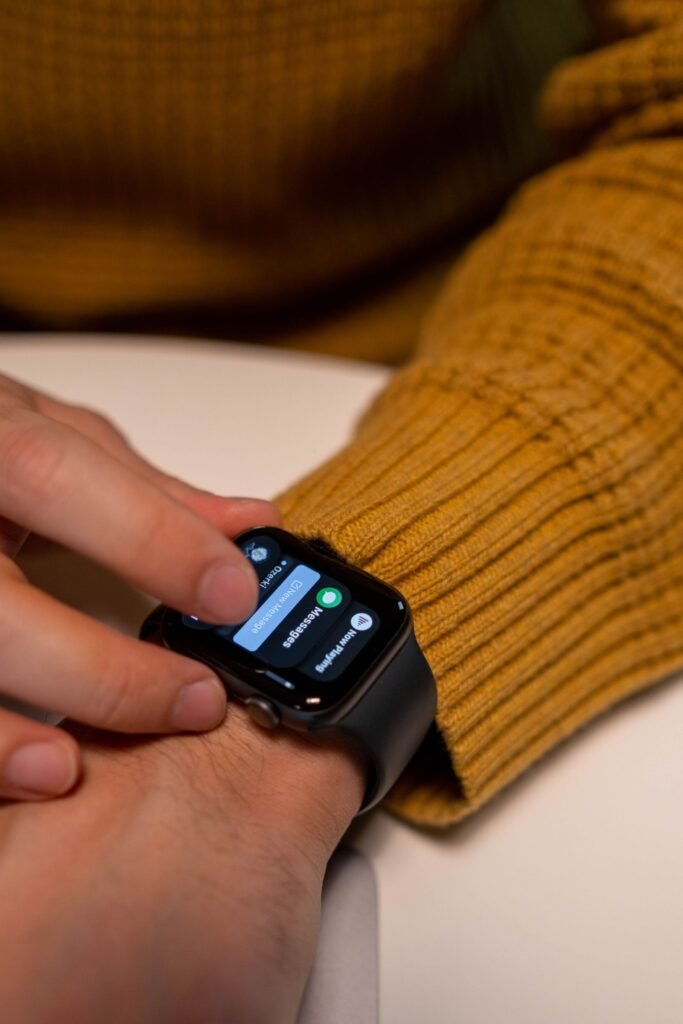
The Apple Watch and Whoop are two of the most talked-about wearables in 2026, yet they could hardly be more different. One is a full-featured smartwatch with a bright screen, apps and notifications on your wrist. The other is a screenless fabric band that hides on your arm and quietly funnels everything into a subscription app. Choosing between them is less about which is “better” and more about what you actually want a wearable to do.
If you are weighing the two, it helps to understand what each was built for before you look at the spec sheet. Here is how they stack up across the things that matter.
Quick Answer
Buy the Apple Watch Series 11 (from around $399, often near $299 on sale) if you want one do-everything device with a screen, instant health readouts and no mandatory subscription. Choose Whoop 5.0 (membership from about $199 a year) if you want screenless 24/7 recovery, strain and sleep coaching with multi-day battery, and you are comfortable paying an ongoing fee. They are less rivals than tools built for different jobs.
Two very different philosophies
The Apple Watch is a wrist computer first and a health tracker second. The Series 11, which launched in late 2025 starting at around $399, gives you a vivid always-on display, 5G cellular options, Apple Pay, music, maps, third-party apps and a deep set of health sensors including ECG, blood oxygen and, newer for this generation, notifications for signs of chronic high blood pressure. It tracks workouts, heart rate, sleep and now offers a sleep score. It is a device you look at constantly, and that is precisely the point.
Whoop is the opposite. It has no screen at all. The Whoop 5.0 band sits on your wrist, bicep or in compatible apparel and measures heart rate, heart rate variability, respiratory rate, skin temperature and sleep continuously. There is nothing to glance at and nothing to tap. Instead, everything lives in the Whoop app, which distills your data into three core numbers: recovery, strain and sleep. The entire product is built around the idea that you should not be staring at your wrist, you should be acting on guidance. Where the Apple Watch wants your attention many times a day, Whoop wants it once each morning.
Apple Watch vs Whoop: the spec comparison
Before we dig into the details, here is the head-to-head at a glance. Prices and figures reflect US listings in mid-2026 and can shift with sales and promotions, so treat them as a snapshot rather than gospel.
| Feature | Apple Watch Series 11 | Whoop 5.0 / MG |
|---|---|---|
| Upfront price | From ~$399 (aluminum); ~$699+ titanium; often ~$299 on sale | Band bundled into membership; no separate hardware cost |
| Subscription | None required; optional Fitness+ | Required: One ~$199/yr, Peak ~$239/yr, Life ~$359/yr |
| Battery life | ~24 hrs normal use (~38 hrs low power); daily charging | 14+ days; slide-on PowerPack charges without removal |
| Screen | Always-on Retina display | None; data lives in the app |
| Key metrics | ECG, blood oxygen, hypertension notifications, sleep score, GPS workouts | Recovery, strain, HRV, sleep coaching; ECG/AFib/BP on MG (Life) |
| Extras | Calls, texts, Apple Pay, maps, apps, fall detection | Screenless, wearable in apparel, no notifications |
| Best for | All-rounders who want one versatile device | Athletes focused on recovery, strain and sleep |
The price structures are not comparable on paper
This is where the two diverge most sharply. With an Apple Watch you pay once for the hardware. A Series 11 starts at around $399 for the smaller aluminum model, with the titanium versions running closer to $699 and up, and there is no mandatory subscription to use the core health and fitness features. Apple does sell a Fitness+ subscription, but you can ignore it entirely and still get sleep tracking, workouts, ECG and the rest. Retail discounts frequently drag the aluminum model down toward $299, which sharpens its value story considerably.
Whoop flips that model. The hardware is effectively bundled into a membership, and you cannot use the band without an active subscription. In 2026 Whoop offers three tiers: Whoop One at around $199 a year, Whoop Peak at around $239 a year, and Whoop Life at around $359 a year. The higher tiers add hardware and features, with Life including the Whoop MG device and medical-grade tools like ECG, AFib detection and blood pressure insights. Peak sits in the middle and unlocks platform extras such as Healthspan, a Health Monitor and a real-time Stress Monitor. The catch is obvious: stop paying and the band stops working.
Subscription math: what each really costs over time
Because Whoop bundles hardware into a recurring fee, the honest comparison is not sticker price, it is total cost of ownership over several years. That is where the gap becomes clear.
Say you keep either device for three years. An Apple Watch Series 11 bought at $399 costs you roughly $399 total, since the essential health features carry no fee. Buy it on sale at $299 and it is cheaper still. A Whoop One membership at about $199 a year runs closer to $600 over the same period; Peak lands near $720; and Whoop Life, at roughly $359 a year, tops $1,000 across three years. Even the cheapest Whoop tier can quietly overtake an Apple Watch you never pay another cent for.
That does not automatically make Whoop overpriced. The membership keeps the hardware current, since Whoop has historically upgraded existing members to new bands, and it funds a coaching platform that keeps evolving. But if you are comparing pure dollars over the long haul, budget for the recurring cost rather than being seduced by the low entry number. As one widely shared take put it, you could almost buy a brand-new Apple Watch every year for less than a top-tier Whoop subscription.
Key Takeaways
- Apple Watch is a one-time purchase (~$399, often ~$299 on sale) with no required subscription; Whoop bundles hardware into a membership from ~$199/yr.
- Over three-plus years, Whoop usually costs more than an Apple Watch despite the lower upfront number.
- Whoop wins on battery, running 14+ days versus roughly a day for the Apple Watch, with a slide-on pack so you never take it off.
- Apple Watch offers instant on-wrist readouts, ECG, hypertension notifications and full smartwatch features; Whoop offers screenless recovery and strain coaching.
- Both are strong on sleep and heart rate; wrist-based accuracy during hard exercise is imperfect on either.
Battery life and wearability
Battery is one area where Whoop wins decisively. The Apple Watch Series 11 is rated for around 24 hours of normal use, stretching to roughly 38 hours in low power mode. In practice that means charging daily or near-daily, which is awkward if you also want to wear it to bed for sleep tracking. A quick top-up helps, as five minutes on the charger buys enough for a night of sleep tracking, but you still have to plan around it. Whoop, by contrast, runs 14 or more days on a charge, and its waterproof battery pack slides onto the band so you can top it up without ever taking it off. For uninterrupted 24/7 tracking, especially sleep, that is a genuine advantage.
The screenless design also makes Whoop far less intrusive. It disappears under a sleeve, survives the gym, the pool and the shower, and never buzzes at you. If you find a glowing smartwatch distracting, that minimalism is the whole appeal. The flip side is that you get nothing back at a glance. No time, no notifications, no quick workout start. You have to open your phone. Whether that is freeing or frustrating depends entirely on your relationship with your wrist.
What they each measure well
Both devices are strong on the fundamentals of heart rate and sleep, but they emphasize different things. The Apple Watch is the more complete clinical-leaning device thanks to its on-demand ECG, blood oxygen readings and the new hypertension notifications, all of which it can show you instantly on the wrist. It is also a far better workout companion in the moment, with GPS, on-screen metrics, and a huge library of third-party training apps.
Whoop is built for recovery and strain coaching rather than instant readouts. Its strength is the way it interprets data over time. The recovery score each morning tells you how ready your body is to train, strain tracks how hard you are pushing across the day, and the sleep coach nudges you toward a consistent schedule. Serious athletes and people focused on training load often find this framing more actionable than a screen full of raw numbers. It is less of a gadget and more of a coach. If you are also cross-shopping smart rings, our Apple Watch vs Oura comparison covers a similar screenless-versus-smartwatch trade-off.
Accuracy in real-world use
Neither device is a lab-grade instrument, but both have earned respect on the fundamentals. In independent and clinical-style testing, the Apple Watch Series 11 has been among the best consumer wearables for sleep, closely matching lab-measured sleep duration and staging and standing out for detecting time spent awake. Its on-wrist ECG and heart rate readings are widely regarded as dependable for a consumer device.
Whoop’s newer algorithm also tracks sleep well, holding its own against the Oura Ring for REM and light sleep, though testers note it can lag on awake-time detection. The bigger caveat is wrist-based heart rate during intense exercise: reviewers have flagged inconsistencies on the 5.0 band, and accuracy improves noticeably when the sensor is worn on the bicep, where it can rival a chest strap. Since Whoop’s recovery and strain scores are all derived from heart-rate data, that variability matters more than it would on a device you mainly check at rest. The practical takeaway: both are trustworthy for sleep and resting metrics, and both benefit from a chest strap if you want gold-standard workout heart rate.
Which one is right for you
Choose the Apple Watch if you want one device that does almost everything: messages, calls, payments, maps, music, fall detection and a robust set of health sensors you can read instantly. It is the better all-rounder and the better value over time because there is no recurring fee for the essentials. For most people asking whether a wearable is worth it, the Apple Watch is the safer default. We dug into that question in more detail in our look at whether the Apple Watch is worth it in 2026.
Choose Whoop if you are specifically focused on recovery, training load and sleep, you do not want another screen in your life, and you value multi-day battery and a band that disappears. It excels for athletes, shift workers and anyone optimizing performance who will genuinely use the daily recovery guidance. Just go in clear-eyed about the subscription: it is an ongoing cost, not a one-time purchase.
The honest answer is that these two are not really rivals so much as tools for different jobs. Plenty of dedicated users even wear both, an Apple Watch for everyday life and a Whoop for training. If you only buy one, let your priority decide: convenience and versatility point to Apple, while focused recovery coaching points to Whoop. If neither feels quite right, it is worth browsing our roundup of the best Apple Watch alternatives in 2026 before you commit.
The Bottom Line
The Apple Watch Series 11 is the smarter buy for almost everyone: it does more, costs nothing extra after purchase, and reads out your health on the spot. Whoop earns its keep for a narrower crowd, athletes and optimizers who want screenless, multi-day recovery coaching and will actually use the daily guidance. Pick Apple for versatility and value, Whoop for focused training insight, and know that the subscription is the real long-term cost.
Frequently Asked Questions
Is Whoop more accurate than the Apple Watch?
Not clearly. Both are strong for sleep and resting heart rate, and testing puts the Apple Watch Series 11 among the best consumer devices for sleep staging. Whoop’s wrist heart rate can be inconsistent during hard exercise but improves when worn on the bicep. For gold-standard workout heart rate, pair either with a chest strap.
Do you have to pay a subscription for the Apple Watch?
No. The Apple Watch Series 11’s core health and fitness features, including sleep tracking, workouts, ECG and heart rate, work with no recurring fee. Apple Fitness+ is optional. Whoop, by contrast, requires an active membership, and the band stops working if you cancel.
How much does Whoop cost in 2026?
Whoop membership runs roughly $199 a year for One, about $239 a year for Peak, and around $359 a year for Life, which ships with the medical-grade Whoop MG. The hardware is bundled into the plan, so there is no separate device purchase. Seasonal promotions occasionally trim these prices.
Which has better battery life?
Whoop, by a wide margin. It lasts 14 or more days per charge and uses a slide-on battery pack so you never remove the band. The Apple Watch Series 11 lasts around 24 hours (up to 38 in low power mode), so it needs near-daily charging.
Can I wear both an Apple Watch and a Whoop?
Yes, and plenty of people do. A common setup is an Apple Watch for everyday life, notifications and instant readouts, plus a Whoop for 24/7 recovery and strain coaching. It is more expensive, but the two overlap less than you might think.
Which should a beginner buy first?
For most beginners, the Apple Watch is the safer first wearable. It is a one-time purchase, shows your data instantly, and doubles as a smartwatch. Whoop makes more sense once you know you want structured recovery and training-load coaching and will use it daily.
Featured image: cottonbro studio on Pexels.
About this article: GeekBlog covers U.S. technology news, AI, phones, smartwatches and gaming. Every story is written and checked under our Editorial Policy. Spotted a mistake or have a story tip? Contact our editors.
