

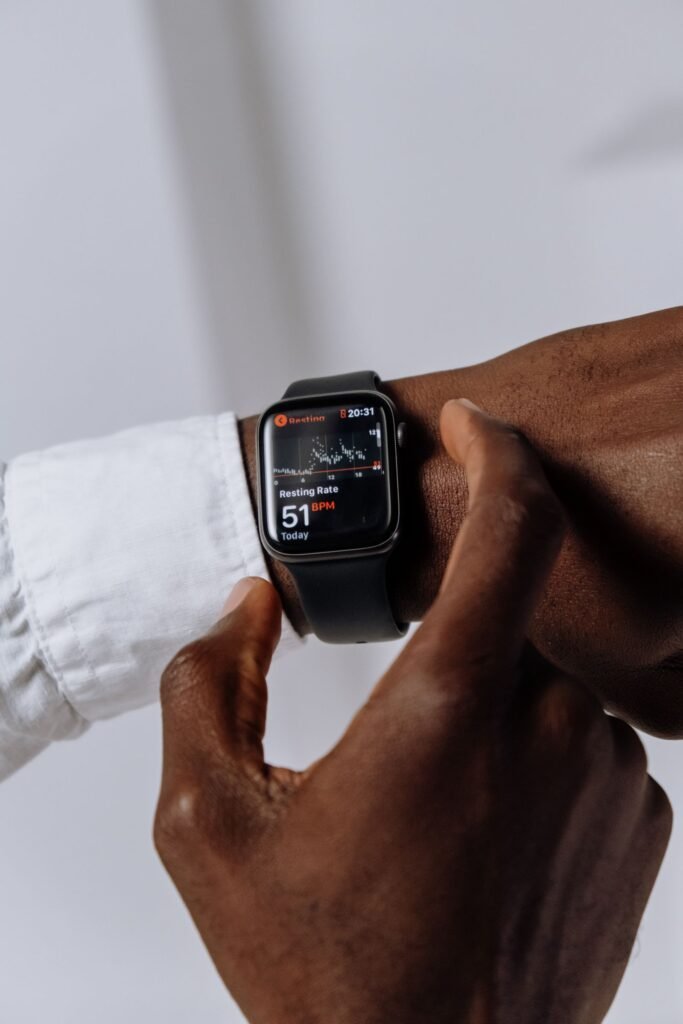
Few wearable questions come up as often as Fitbit vs Apple Watch. They are the two names most people recognise, they sit at the top of nearly every shopping list, and yet they are built around very different ideas about what a device on your wrist should do. One is a focused health and fitness tracker that quietly runs for a week at a time. The other is a wrist-worn computer that happens to be excellent at fitness. Choosing between them in 2026 is less about which is “better” and more about which trade-offs suit your life.
This guide walks through the practical differences that actually matter: price, battery life, health and safety features, the subscriptions lurking behind each ecosystem, and the single biggest deciding factor for many buyers, which phone you carry. By the end you should know exactly which wrist device fits your budget, your habits and your priorities.
Quick Answer
Buy a Fitbit if you want up to a week of battery life, simple and reliable health tracking, a lower price (bands start around $99), or if you carry an Android phone. Buy an Apple Watch if you own an iPhone and want a full smartwatch with calls, apps, class-leading safety features and advanced health tools like hypertension notifications, accepting a higher price and daily charging.
Price: a genuine gap, not a small one
The cost difference is the first thing that separates these two brands, and it is substantial. Fitbit’s current line is built for affordability. The screen-free Fitbit Air launched in 2026 at around $99, the Fitbit Charge 6 starts at around $159 and is frequently discounted closer to $120 to $130, and the entry-level Inspire 3 band sits at around $99, often dipping lower during sales. These are devices you can buy without much agonising.
Apple’s pricing starts higher across the board. The Apple Watch SE 3 begins at around $249, the mainstream Series 11 at around $399, and the rugged Ultra 3 climbs to roughly $799. Even Apple’s cheapest current watch costs more than Fitbit’s flagship band. If your budget is the deciding factor, the conversation can end here, but for most people the price gap reflects a real difference in capability rather than a simple markup. You are not just paying for a fitness tracker with Apple, you are paying for a small computer that lives on your wrist.
Battery life: Fitbit’s clearest win
If you dislike charging gadgets, Fitbit has a commanding advantage. The Charge 6 and the new Fitbit Air both run for up to about seven days on a charge, which means you can wear them through the night for sleep tracking and only top up roughly once a week. That endurance is the quiet reason so many people stick with Fitbit for years, and it is arguably the single feature Apple cannot match.
Apple Watch battery life is improving but still operates on a daily cycle. The Series 11 is rated for up to around 24 hours of normal use, stretching to roughly 38 hours in Low Power Mode, while the SE 3 manages up to about 18 hours. The Ultra 3 lasts considerably longer, but it is also the most expensive option. Apple offsets this with fast charging, the Series 11 can reach a high percentage in around half an hour, so a quick session while you shower can be enough to get through the day and still capture sleep data. Still, it is a daily habit you have to maintain, where Fitbit lets you mostly forget about it.
Key Takeaways
- Price: Fitbit bands start near $99; Apple Watches start at $249 and rise to $799.
- Battery: Fitbit lasts up to a week; Apple Watch needs charging roughly every day.
- Phone: Apple Watch is iPhone-only. Fitbit works with both iPhone and Android.
- Safety: Only Apple offers fall detection, crash detection and Emergency SOS.
- Subscriptions: Fitbit locks its deepest insights behind Google Health Premium (about $9.99/month); Apple’s core tracking is subscription-free.
Health and safety features
Both brands cover the modern health basics well. The Fitbit Charge 6 is a surprisingly complete tracker for its size, offering built-in GPS, an ECG app, heart-rate monitoring, blood oxygen readings, skin temperature trends, stress tools and more than 40 exercise modes. Fitbit’s reputation for excellent, easy-to-read sleep tracking remains one of its strongest selling points, and the band form factor is light enough to wear comfortably to bed night after night.
The Apple Watch matches those health sensors and then extends past them. Alongside ECG and blood oxygen, the Series 11 adds newer tools such as hypertension notifications, which analyse how your blood vessels respond over roughly a month to flag possible chronic high blood pressure, and a refined Sleep Score that grades your night on duration, consistency and time in each stage. It also layers on safety features that Fitbit’s bands do not, most notably fall detection, crash detection and Emergency SOS, which can call for help automatically if something goes wrong. Apple tends to lead on GPS accuracy for outdoor workouts and offers a far deeper catalogue of third-party health and fitness apps. For runners, cyclists and anyone who wants their watch to double as a safety net, those extras carry real weight. Our wider look at the best health apps for Apple Watch in 2026 shows just how far that ecosystem reaches.
Phone compatibility: the real dealbreaker
For a large share of buyers, this single point settles the debate. The Apple Watch only works with an iPhone. There is no Android support and no workaround, so if you carry a Samsung, Pixel or any other Android phone, the Apple Watch is simply off the table. It is not a matter of reduced functionality, the two will not pair at all.
Fitbit, now owned by Google, works with both iOS and Android. That makes it the natural pick for Android users and one of the few high-quality options that pairs cleanly with a Pixel. It is worth noting the relationship runs deeper on Android, with tighter integration into Google services such as Maps and Wallet, but iPhone owners can still use Fitbit perfectly well if they prefer its style and battery life over Apple’s. In other words, an iPhone owner gets to choose between the two brands, while an Android owner effectively has one clear answer.
The subscription question
Neither device forces you to pay a monthly fee to use it, but Fitbit puts more of its insight behind one. In 2026 the old Fitbit Premium tier was folded into Google Health Premium, which costs around $9.99 a month or roughly $99 a year and unlocks the most detailed trends, the Sleep Profile, readiness-style analysis and the newer AI-driven coaching features. The free experience is still genuinely useful for steps, heart rate and basic sleep, but Fitbit clearly nudges you toward the subscription to unlock the device’s full potential. Google Health Premium is also bundled into some of Google’s broader AI plans, so heavy Google users may already have access.
Apple takes a different approach. Core health tracking, workout metrics, hypertension notifications and safety features all work without any subscription. Apple Fitness+ exists for guided workout classes at a monthly fee, but it is genuinely optional and separate from the watch’s main functions. If you resent recurring charges, Apple’s model is the more honest fit, though its higher upfront price is effectively where you pay instead. Over three or four years of ownership, a Fitbit plus Premium can quietly close some of that initial price gap.
Fitbit vs Apple Watch: the specs side by side
| Feature | Fitbit | Apple Watch |
|---|---|---|
| Starting price | ~$99 (Air / Inspire 3), $159 (Charge 6) | $249 (SE 3), ~$399 (Series 11), ~$799 (Ultra 3) |
| Battery life | Up to ~7 days | ~18-24 hours (up to 38h Low Power) |
| Subscription | Google Health Premium ~$9.99/mo for full insights | None required; Fitness+ optional |
| Phone compatibility | iPhone and Android | iPhone only |
| Health metrics | GPS, ECG, SpO2, skin temp, stress, sleep, 40+ modes | ECG, SpO2, hypertension alerts, Sleep Score, deep app library |
| Safety features | Limited | Fall detection, crash detection, Emergency SOS |
| Best for | Budget buyers, Android users, all-week battery | iPhone owners wanting a full smartwatch |
Who each one is best for
Buy a Fitbit if you want long battery life, simple and reliable health tracking, a lighter band on your wrist, a lower price, or if you use an Android phone. The Charge 6 in particular remains one of the best value trackers you can buy, and the cheaper Air covers the essentials for people who just want steps, heart rate and sleep without fuss. Fitbit is also the friendlier choice for anyone easing into fitness tracking who does not want another screen buzzing for their attention all day. You can browse more wearable comparisons in our mobile section if you are still narrowing the field.
Buy an Apple Watch if you own an iPhone and want a true smartwatch: notifications, calls, a vast app library, class-leading safety features and tighter integration with the rest of Apple’s world. You will pay more upfront and charge it more often, but you get a device that does far more than track your body. If you are still weighing whether the premium is justified, our piece on whether the Apple Watch is worth it in 2026 digs into that question in detail.
There is no universally correct answer here, only the right answer for your phone, your budget and how often you are willing to reach for a charger. Match those three things honestly and the choice between Fitbit and Apple Watch becomes a lot clearer.
The Bottom Line
If you carry an Android phone, or you value a full week of battery and a lower price, Fitbit is the easy pick. If you own an iPhone and want a genuine smartwatch with the deepest health and safety features on the market, the Apple Watch justifies its higher price and daily charging. Let your phone and your budget lead, and the winner sorts itself out.
Frequently Asked Questions
Does a Fitbit work with an iPhone?
Yes. Fitbit works with both iPhone and Android through the Fitbit and Google Health apps, so iPhone owners can happily choose a Fitbit if they prefer its battery life or price. The Apple Watch, by contrast, only works with an iPhone.
Do you have to pay a subscription to use a Fitbit or Apple Watch?
No, both work out of the box without a subscription. Fitbit reserves its most detailed trends and coaching for Google Health Premium at around $9.99 a month, while Apple keeps core tracking and safety features free and only charges for the optional Fitness+ workout service.
Which has better battery life, Fitbit or Apple Watch?
Fitbit wins clearly. Models like the Charge 6 and Fitbit Air last up to about seven days per charge, whereas the Apple Watch Series 11 lasts around 24 hours and the SE 3 about 18 hours, meaning most people charge an Apple Watch daily.
Is the Apple Watch better for health tracking than a Fitbit?
The Apple Watch offers more advanced tools, including hypertension notifications, fall and crash detection and a larger app ecosystem. Fitbit covers the core metrics well and is praised for clear, approachable sleep tracking, so “better” depends on whether you want depth or simplicity.
What is the cheapest way into each ecosystem?
For Fitbit, the screen-free Fitbit Air or the Inspire 3 band start at around $99. For Apple, the Apple Watch SE 3 is the entry point at around $249, still more than Fitbit’s flagship Charge 6.
Featured image: cottonbro studio on Pexels.
About this article: GeekBlog covers U.S. technology news, AI, phones, smartwatches and gaming. Every story is written and checked under our Editorial Policy. Spotted a mistake or have a story tip? Contact our editors.
