

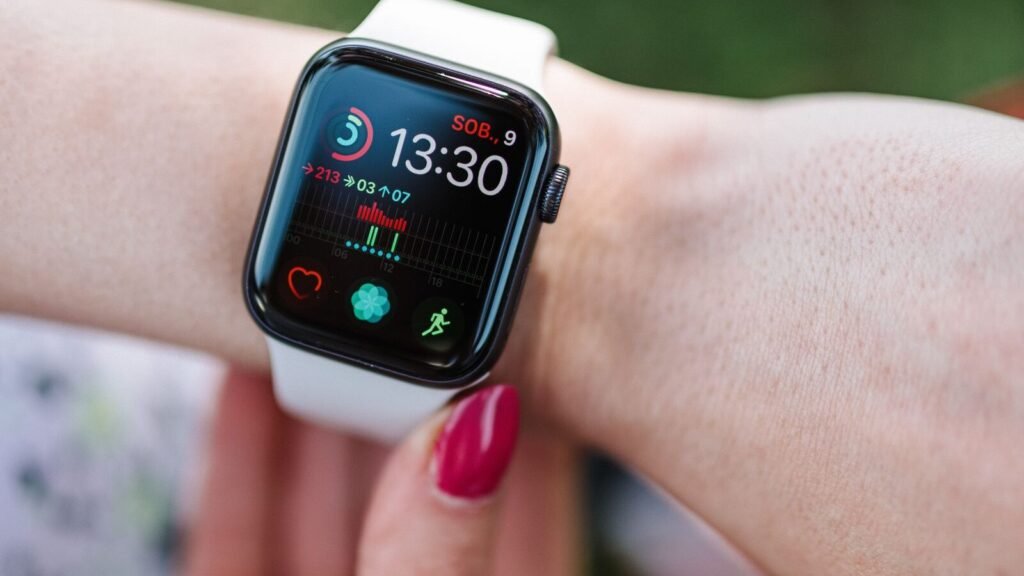
Apple Watch Series 12 and Ultra 4 have been on wrists for two days now, and most of the attention has gone where it usually does: the redesigned heart sensor, the new ceramic finish, whether the Readiness score is worth the hype. Buried underneath that coverage is a detail that changes who actually benefits from watchOS 27’s flashiest new tools, and it has nothing to do with which Watch you own.
Apple calls the new suite Audio Intelligence. It includes Sound Recognition, Live Rewind, Siri Recap and automatic Shazam music tagging, and Apple’s own support documentation is blunt about who gets it: Series 12 or Ultra 4, paired with an iPhone 16 or newer. Everyone else, including people who bought a brand new Apple Watch this week, is locked out until they also replace their phone.
Quick answer
Audio Intelligence (Sound Recognition, Live Rewind, Siri Recap and Shazam music tagging) only runs on Apple Watch Series 12 or Ultra 4, and only when paired with an iPhone 16 or newer. Owning the new Watch is not enough on its own. Two of the four features, Live Rewind and Siri Recap, are also still in beta and will not actually ship until later this year, and only in English at launch.
What Audio Intelligence Actually Does
The name covers four separate features, and they are easy to confuse with the broader Siri AI rebuild that shipped across watchOS 27 more generally. That wider rollout, which we covered when Apple rebuilt Siri from scratch on Google’s Gemini models, reaches Series 9 and later on most recent iPhones. Audio Intelligence is a narrower, newer layer that sits on top of it and depends entirely on the S11 chip inside Series 12 and Ultra 4.
- Sound Recognition. Listens for sirens, alarms, doorbells and similar sounds and sends a notification even when your iPhone is not nearby, which is genuinely useful for anyone who is deaf or hard of hearing.
- Live Rewind. Double press the Digital Crown and your Watch shows a text snippet of whatever was said in roughly the last 15 seconds, so you can catch a sentence you missed without asking someone to repeat themselves.
- Siri Recap. Quietly takes notes on conversations through the day and turns them into short, Apple Intelligence generated summaries you can check later. Summaries you do not save are deleted automatically after seven days.
- Music Recognition with Shazam. Tags whatever song is playing in the background and shows the title and artist in the Smart Stack, without you needing to tap anything.
Why It’s Locked to Series 12 and Ultra 4
Apple’s explanation comes down to on-device processing. Live Rewind and Siri Recap both work by listening continuously in the background, which means the audio has to be processed and, in Apple’s words, immediately discarded without ever leaving the Watch. That requires dedicated silicon Apple has not put in a Watch before, and it is the same S11 chip our full review of Series 12 and Ultra 4 already flagged as the quiet headline of this generation, the one enabling the every-5-second heart rate sensor as well.
Put plainly, Apple is not being stingy for the sake of it. Continuous audio processing that stays entirely on-device is expensive to run, and older chips were not built with the headroom for it. The tradeoff is that a Series 11 bought last week, running the exact same watchOS 27 software, simply cannot run these four features no matter how new the paired iPhone is.
The iPhone 16 Requirement Nobody Expected
The Watch-side restriction was easy to guess, since Apple has gated new features to new hardware for years. The part that has caught more people off guard is that owning a Series 12 or Ultra 4 is still not enough by itself. Apple’s own support page for Audio Intelligence requires an iPhone 16 or newer as the paired phone, a full generation stricter than the iPhone 15 Pro threshold that unlocks the broader Siri AI conversational rebuild on older Watches.
That creates an odd situation for anyone who upgraded their Watch this week but is still carrying an iPhone 14 or 15 out of habit or contract timing. The new Watch on their wrist is fully capable. The phone in their pocket is the thing standing in the way.
Who Actually Qualifies, Feature by Feature
| Feature | Requires Watch | Requires iPhone | Availability |
|---|---|---|---|
| Sound Recognition | Series 12 or Ultra 4 | iPhone 16 or newer | Available now |
| Music Recognition (Shazam) | Series 12 or Ultra 4 | iPhone 16 or newer | Available now |
| Live Rewind | Series 12 or Ultra 4 | iPhone 16 or newer | Beta, later this year |
| Siri Recap | Series 12 or Ultra 4 | iPhone 16 or newer | Beta, later this year |
| Broader Siri AI (conversational) | Series 9 and later, Ultra 2 and later, SE 3 | iPhone 15 Pro or newer | Rolling out now |
Based on Apple’s published support documentation for watchOS 27 and Audio Intelligence.
Two Different Upgrades, Two Different Bars to Clear
It helps to think of watchOS 27 as shipping two separate AI stories rather than one. The broader Siri AI rebuild reaches a wide slice of the existing lineup, Series 9 through 11, both current Ultra models and the third generation SE, provided the paired iPhone is at least an iPhone 15 Pro. Audio Intelligence is a smaller, stricter tier sitting on top of that, reserved for the two newest Watches and gated behind an iPhone that is one generation newer still.
Every filter narrows the pool further. Owning the new Watch clears one bar, not both.
The narrower tier is also where Apple’s device support list draws a harder line than usual. Plenty of watchOS 27 features, including the redesigned Dynamic App Grid and the cycle tracking updates that now flag perimenopause and menopause symptoms, work across the full range of supported Watches without any chip-specific restriction. It is really only the always-listening features under the Audio Intelligence name that carve out a two-device exception, and that is a narrower carve-out than Apple has drawn for a headline software feature in recent memory. For a full breakdown of which older Watches did not make the watchOS 27 cut at all, our look at which Apple Watches just lost watchOS 27 entirely covers the hardware side of that same cutoff line.
What This Means If You Are Not Buying a New iPhone
- Bought Series 12 or Ultra 4 with an older iPhone? Nothing is wrong with your Watch. You will get everything else in watchOS 27, including the redesigned health sensors and Readiness score, just not the four Audio Intelligence features until you also update your phone.
- Own an older Watch with a brand new iPhone 16 or later? The phone is not the bottleneck for you, the Watch is. Audio Intelligence will not arrive on a Series 11 no matter how new your iPhone gets.
- Mainly want the conversational Siri rebuild, not Audio Intelligence specifically? That is the more widely available upgrade, reaching Series 9 and later with an iPhone 15 Pro or newer, a bar most recent Watch owners already clear.
- Waiting on Live Rewind or Siri Recap specifically? Both are still in beta and limited to English at launch, so even qualifying hardware will not see them until later this year.
Frequently Asked Questions
Does Apple Watch Series 12 work with any iPhone?
Yes, Series 12 pairs with any iPhone that supports watchOS 27 and the current version of iOS. The iPhone 16 requirement is specific to the Audio Intelligence features, Sound Recognition, Live Rewind, Siri Recap and Shazam music tagging, not to basic Watch functionality.
Can an Apple Watch Series 11 ever get Audio Intelligence?
Not based on anything Apple has said so far. The features depend on the S11 chip’s on-device audio processing, which is exclusive to Series 12 and Ultra 4. There is no indication a future software update will extend it to earlier hardware.
Is Audio Intelligence different from the Siri AI rebuild in watchOS 27?
Yes. Siri AI is the broader conversational rebuild that reaches Series 9 and later with an iPhone 15 Pro or newer. Audio Intelligence is a narrower set of four features layered on top of that, limited to Series 12 and Ultra 4 with an iPhone 16 or newer.
When do Live Rewind and Siri Recap actually launch?
Both remain in beta as of this week and are expected later this year, starting with English only. Sound Recognition and Shazam music tagging are already available now on qualifying hardware.
The Bottom Line
Audio Intelligence is a genuinely useful set of features, and the privacy approach behind it, on-device processing with summaries that auto-delete after a week, is the kind of design choice worth applauding. But the requirement list is stricter than most people assumed. Buying the newest Watch gets you halfway there. Getting the rest of the way requires a phone most Series 12 and Ultra 4 buyers were not necessarily planning to replace this year. If Audio Intelligence is the reason you upgraded, check your iPhone before you assume your new Watch is doing everything it is capable of.
Sources and further reading
- Apple Support: About Audio Intelligence features on Apple Watch Series 12 and Ultra 4
- MacRumors: Three new Audio Intelligence features
About this article: GeekBlog covers U.S. technology news, AI, phones, smartwatches and gaming. Every story is written and checked under our Editorial Policy. Spotted a mistake or have a story tip? Contact our editors.
