

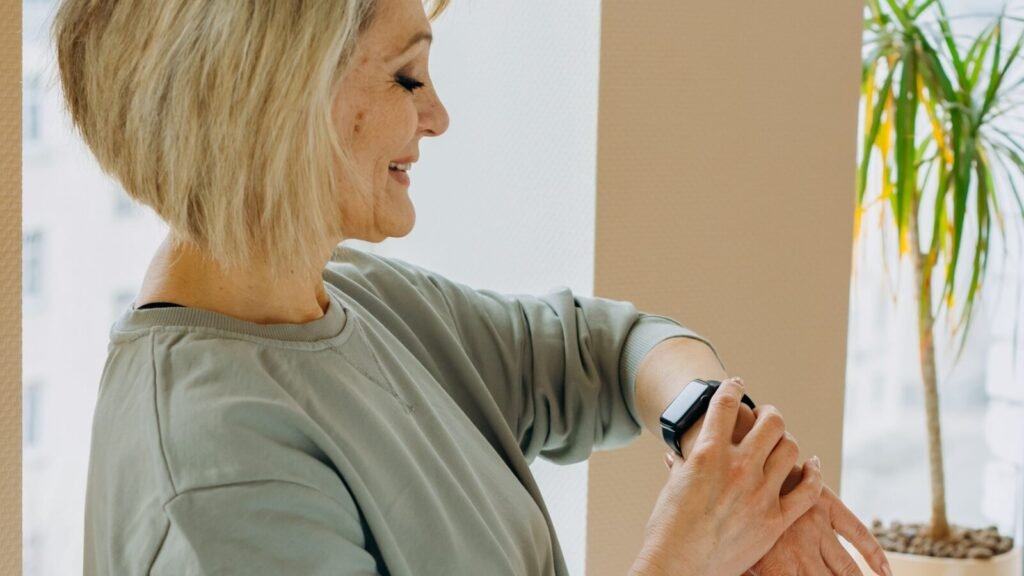
A hard fall is the moment a lot of families start thinking seriously about a smartwatch. Not the step count, not the sleep score, but the simple question of what happens if someone living alone goes down on the kitchen floor and cannot reach a phone. Fall detection is the feature built specifically to answer that question, and in 2026 it has moved from a niche Apple Watch trick into a standard feature across Apple, Samsung, Google and a whole category of dedicated medical alert watches.
This guide focuses on that one feature in detail: how the sensors and software actually decide a fall happened, which devices handle it best, where the technology still falls short, and how a smartwatch for seniors with fall detection compares to a professionally monitored medical alert watch. If you want the full picture on screens, battery and day to day usability too, our full guide to the best smartwatch for seniors covers that broader decision.
Quick answer
Fall detection works by watching for the sharp impact and sudden stillness of a hard fall, then giving the wearer about a minute to cancel before it calls for help on its own. The Apple Watch SE 3 and Series 11 and the Samsung Galaxy Watch 8 both include it for free with no subscription, calling 911 and your saved contacts. If you want a live person answering instead, a monitored device like the Medical Guardian MGMove or UnaliWear Kanega Watch adds a monthly fee, usually $30 to $50, in exchange for a 24/7 monitoring agent.
Why Fall Detection Is the Feature Worth Taking Seriously
The numbers behind senior falls explain why this one feature gets so much attention. According to the CDC, more than one in four adults age 65 and older falls at least once a year, and fewer than half ever mention it to a doctor. Falling once roughly doubles the odds of falling again, and for adults 85 and older, nearly half report a fall every year. The consequences are not minor either: falls send around 3 million older adults to the emergency room and cause about 1 million hospitalizations annually, and in 2024 alone, 43,020 people 65 and older died from a fall-related injury.
Source: CDC, Older Adult Fall Prevention data and facts, 2026.
Those numbers are also why the time between a fall and getting help matters so much. Lying on a floor for an hour after a hard fall is what often turns a bruise into a hospital stay, since the longer someone waits, the higher the risk of dehydration, pressure injuries and complications on top of the original injury. A watch that can call for help automatically, without the wearer needing to press anything, closes that gap.
How Smartwatch Fall Detection Actually Works
Fall detection is not magic and it is not a camera watching for you to trip. It runs entirely on motion data from sensors already built into the watch, combined with an algorithm trained to recognize the specific pattern a hard fall creates.
- Accelerometer. Measures the speed and direction of the wrist’s movement. A fall produces a distinctive signature: a period of relatively normal motion, a sudden sharp spike as the body accelerates downward, then an abrupt stop on impact.
- Gyroscope. Tracks rotation, which helps the watch tell the difference between an arm swinging normally and a body twisting and losing balance on the way down.
- Wrist trajectory and impact force. The software combines both readings against a threshold built from millions of recorded falls, so it can separate a hard fall from things like dropping into a chair too fast or setting the watch down on a table.
Once the algorithm flags a likely hard fall, the sequence is largely the same across brands, even though the exact wording differs:
- The watch vibrates and sounds an alert, showing an on-screen prompt asking if the wearer is okay.
- If the wearer taps to dismiss it, nothing else happens. This is the built-in cancel window for false alarms.
- If there is no response, usually within about 60 seconds, and the watch detects the wearer is still motionless, it automatically starts an emergency call.
- The call goes to emergency services (or, on monitored devices, to a live response agent), and the watch shares the wearer’s GPS location along with a recorded audio message and, where supported, saved emergency contacts and medical details.

That basic sequence is shared by nearly every device on the market. What actually varies between brands and models is what happens next: whether the countdown is 20 seconds or 60, whether the call reaches a trained human or dials straight to 911, and whether using the feature costs anything at all. For the wider set of health sensors packed into today’s watches, from ECG to blood pressure trends, our guide to what each smartwatch actually tracks breaks down everything else these devices are doing alongside fall detection.
Smartwatches and Medical Alert Watches With Fall Detection, Compared
Here is how the main options stack up on the details that matter most for fall detection specifically, rather than the full spec sheet.
| Device | Fall Detection Type | Who It Calls | Monthly Fee | Starting Price |
|---|---|---|---|---|
| Apple Watch SE 3 / Series 11 | Automatic, on by default | 911 and saved contacts | None | From $249 |
| Samsung Galaxy Watch 8 | Automatic, must be enabled manually | 911 and saved contacts | None | From $299 |
| Google Pixel Watch 4 | Automatic, on by default | Emergency services and contacts | None | From $349 |
| Medical Guardian MGMove | Automatic plus help button | Live 24/7 monitoring agent | ~$39 to $43 | ~$200 device |
| Bay Alarm Medical SOS Smartwatch | AI-assisted, optional add-on | Live 24/7 monitoring agent | ~$40, ~$50 with fall detection | ~$199 device |
| UnaliWear Kanega Watch | Automatic, included in base plan | Live 24/7 monitoring agent | Bundled into monitoring fee | Device plus monthly plan |
Prices are approximate US figures for 2026 and shift with promotions; confirm current pricing before buying.
The pattern in that table is the real story: mainstream smartwatches give you free, automatic fall detection that dials 911 directly, while dedicated medical alert watches trade a monthly fee for a trained person on the other end of the call. Neither approach is wrong, it depends on what kind of reassurance the family actually wants.
Consumer Smartwatches
Apple Watch, Galaxy Watch, Pixel Watch
- ✓ Automatic fall detection
- ✓ No monthly fee
- ✕ No live agent, calls 911 or contacts directly
- ~ Needs charging roughly every 1 to 2 days
Dedicated Medical Alert Watches
Medical Guardian, Bay Alarm, UnaliWear
- ✓ Automatic detection plus a manual help button
- ✕ Monthly fee, typically $30 to $50
- ✓ Live 24/7 monitoring agent talks to the wearer
- ✓ Simpler, single-purpose design built for one job
What Fall Detection Actually Misses
Read this before relying on it completely
No fall detection system, on any brand, catches every fall. The technology is tuned for a hard, fast impact, so a slow slide out of a chair or a gentle slump to the floor may never generate enough force to trigger it. The reverse problem shows up too: energetic activity like clapping, gardening or a bumpy car ride can occasionally trigger a false alarm, which is exactly why every system builds in a short window to cancel it. Treat fall detection as a strong safety net layered on top of good habits, not a replacement for a manual help button, a scheduled check-in call, or a home that has been fall-proofed with better lighting and grab bars.
Smartwatch or Dedicated Medical Alert Watch: Which One Fits
This is really the only decision that matters once fall detection is the priority. A mainstream smartwatch like the Apple Watch or Galaxy Watch makes the most sense for a senior who is still active, comfortable with a touchscreen, and has family members nearby who can respond to a direct call. It costs more upfront but nothing every month, and it doubles as a genuinely capable everyday watch.
A dedicated medical alert watch is the better choice when independence is more limited, when there is no family member who could realistically answer an emergency call at 3 a.m., or when the wearer would struggle with a full smartwatch interface. Paying a monthly fee buys a trained agent who can talk the wearer through what happened, decide whether to dispatch paramedics, and contact family, which is a meaningfully different experience than an automated 911 call with no one on the line to explain the situation. If ease of use is the deciding factor rather than fall detection specifically, our roundup of picks built around safety and simplicity goes deeper on the devices that are easiest to operate day to day.
Setting Up Fall Detection So It Actually Works
- Turn it on and confirm it stayed on. Apple enables it by default for users over 55 during setup, but Samsung requires you to switch it on manually in the Galaxy Wearable app, and it is worth checking every few months since software updates occasionally reset settings.
- Fill in emergency contacts and medical ID. The watch can only notify the people you have actually added, and medical conditions or allergies listed in advance save precious time for responders.
- Get the fit right. A loose watch that slides around the wrist generates noisier motion data and is more prone to both missed falls and false alarms.
- Add cellular service if the wearer goes out alone. A GPS-only watch needs a paired phone nearby to place a call. An LTE model, usually around $10 a month added to an existing plan, can call for help even if the phone is left on the kitchen counter.
- Practice the cancel gesture together. Walking through what the alert screen looks like once, calmly, means it will not be confusing the first time it actually goes off.
Frequently Asked Questions
Do I need to enable fall detection myself, or is it automatic?
It depends on the brand. Apple Watch turns fall detection on by default for users who enter an age over 55 during setup. Samsung’s Galaxy Watch requires manually enabling hard fall detection inside the Galaxy Wearable app, so it is worth checking this setting right after setup rather than assuming it is already running.
Does fall detection cost anything on a regular smartwatch?
No. Apple, Samsung and Google all include fall detection as a free feature with no subscription required. The monthly fees you see in this space come from dedicated medical alert watches that add live, 24/7 human monitoring on top of the automatic detection.
What happens if I fall but the watch does not call anyone?
Every device also includes a manual way to call for help, usually by pressing and holding a side button, which is why setting up emergency contacts matters even for watches with automatic detection. Fall detection is a backup for when someone cannot press a button themselves, not the only way to get help.
Can exercise trigger a false fall alert?
Yes, occasionally. Vigorous activities like a fast workout, clapping hard, or a rough car ride can sometimes mimic the motion signature of a fall. Every system gives you a short window, typically around a minute, to dismiss the alert before it calls for help, which is enough time to cancel a false alarm in most cases.
Is a smartwatch as reliable as a dedicated medical alert device?
For automatic detection itself, both categories rely on similar motion-sensor technology. The real difference is what happens after a fall is detected. A smartwatch calls 911 or your contacts directly with no one to explain the situation, while a monitored medical alert watch connects to a trained agent who can assess what happened and decide how to respond. Neither is more accurate at catching the fall itself.
Final Verdict
The Bottom Line
Fall detection has quietly become one of the most useful safety features a senior can carry, and in 2026 you no longer have to pay a monthly fee to get it. The Apple Watch SE 3 or Series 11 and the Samsung Galaxy Watch 8 both handle automatic detection for free, calling 911 and your saved contacts when a hard fall goes unanswered. For families who want a trained person on the line instead, a monitored device like the Medical Guardian MGMove or UnaliWear Kanega Watch is worth the ongoing cost. Whichever route you choose, set it up properly, add real emergency contacts, and remember that no sensor replaces a scheduled check-in call.
Featured image: Mikhail Nilov on Pexels. Additional photo: Pexels.
