

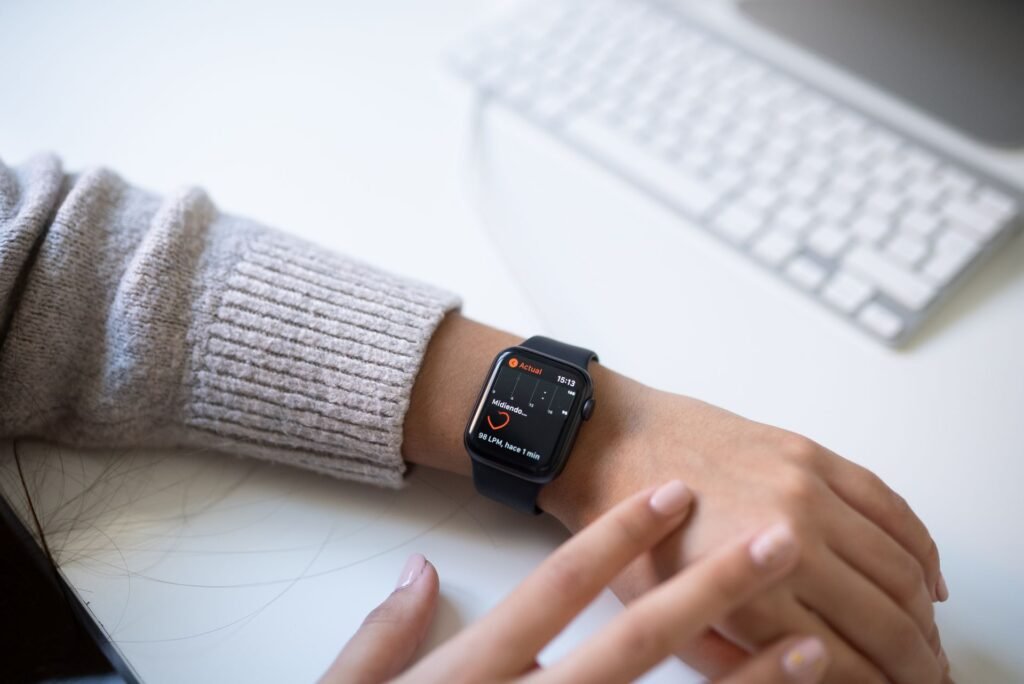
A smartwatch is one of the few gadgets that speaks to you through touch. Instead of a ringtone you might miss, it taps your wrist when a message lands, a timer ends or someone rings the doorbell. For people who are deaf or hard of hearing, that quiet tap can be the difference between catching an alert and missing it.
But not every watch is equally helpful, and none of them replaces a proper smoke alarm or a bed shaker. This guide compares what the Apple Watch, Google Pixel Watch and Samsung Galaxy Watch offer for hearing loss, where each one falls short, and how to set one up so it actually works. Feature details come from Apple, Google and Samsung support pages, plus statistics from the National Institute on Deafness and Other Communication Disorders (NIDCD). I have not tested these watches with a hearing loss myself, so treat the picks as a feature based comparison and check your exact model before you buy.
Quick answer
If you use an iPhone, the Apple Watch has the most complete set of hearing related tools, including strong haptic alerts, a Prominent Haptic option and a remote for Live Listen with captions. On Android, the Pixel Watch and Galaxy Watch both vibrate for phone notifications and can pass along Android’s sound alerts. Whatever you pick, pair it with a bed shaker or vibrating alarm for the night, because most people take the watch off to charge it.
Why a Wrist Alert Matters
Hearing loss is common, and it climbs steeply with age. NIDCD reports that about 15% of American adults, or 37.5 million people, say they have some trouble hearing. Disabling hearing loss affects about 5% of adults aged 45 to 54, 10% of those aged 55 to 64, 22% of those aged 65 to 74 and 55% of those aged 75 and older.
Many of the people in the older groups are also the ones shopping for a simple, safe watch. If that is you or a parent, our guide to the best smartwatch for seniors covers ease of use and safety features in more depth. This article focuses on the hearing side.
What a Smartwatch Can and Cannot Do for Hearing Loss
Think of a smartwatch as a messenger, not a hearing aid. It does not amplify sound or treat hearing loss. What it does well is move information from your phone and your home to a place you always feel: your wrist.
A smartwatch is good at
- ✓ Silent, private vibration alerts
- ✓ Reading texts and calls at a glance
- ✓ Passing on phone based sound alerts
- ✓ Vibrating alarms and timers
A smartwatch cannot
- ✗ Replace a hearing aid
- ✗ Work while charging on a nightstand
- ✗ Replace a strobe or bed shaker smoke alarm
- ~ Hear sounds on its own, as most rely on the phone
Hearing Features Compared: Apple, Google and Samsung
All three platforms vibrate for notifications, and all let you change how strong or distinct that vibration feels. The differences show up in the extras, such as captions, sound alerts and audio controls.
| Feature | Apple Watch | Pixel Watch | Galaxy Watch |
|---|---|---|---|
| Vibration alerts | Yes, with Prominent Haptic for a stronger pre alert tap | Yes, adjustable in sound and vibration settings | Yes, adjustable in sound and vibration settings |
| Environmental sound alerts | Sound Recognition runs on the iPhone and alerts can reach the watch | Android Sound Notifications can be mirrored to Wear OS | Reported to mirror Android Sound Notifications, so verify on your model |
| Live captions | Remote control for Live Listen and Live Listen Captions | Live Transcribe runs on the Android phone | Live Transcribe runs on the Android phone |
| Audio controls | Mono audio and balance on the phone | Set through Wear OS and the phone | Hearing enhancements: mute sounds, mono audio, left and right balance (Watch5 series) |
| Hearing aid link | Live Listen needs AirPods or MFi compatible hearing aids | Depends on the hearing aid brand | Depends on the hearing aid brand |
| Phone needed | iPhone | Android | Android |
Sources: Apple Support, Google Android accessibility help, Samsung Support and hearing health vendor guides. Menu names change with software updates, and some Galaxy and Pixel details were hard to confirm from official pages, so check your exact model.
Apple Watch: The Strongest Set of Haptic Tools
The Apple Watch is the easiest recommendation for iPhone owners. Its Taptic Engine produces clearly distinct taps, and the Prominent Haptic setting adds an extra tap before an alert so it is harder to miss. You find it under Sounds and Haptics in the watch settings, and it is worth turning on for anyone who relies on touch.
Apple also lets the watch act as a remote for Live Listen. With AirPods or compatible Made for iPhone hearing aids connected, the iPhone becomes a microphone, and you can start, stop and view live captions from your wrist. Apple notes that captions can be wrong and should not be trusted in emergencies. Sound Recognition, which listens for sounds like smoke alarms, doorbells and a baby crying, is a feature of the iPhone, so the watch is only useful if the phone is nearby and listening.
- Best for: iPhone users who want strong, customizable haptics and hearing aid integration.
- Watch out for: the best hearing features depend on the iPhone and, for Live Listen, compatible earbuds or hearing aids.
Pixel Watch: Clean Android Integration
The Pixel Watch runs Wear OS and sits closest to Google’s own accessibility tools. Android’s Sound Notifications can detect sounds such as smoke alarms, sirens and doorbells, and reports from hearing health sources say the alerts can reach a Wear OS watch as a vibration. Live Transcribe turns speech into text on your phone screen. It is a captioning tool and not an alert system, so it does not replace the watch’s vibration.
- Best for: Android users who want sound alerts and captions from one ecosystem.
- Watch out for: the exact setup steps vary by phone and software version, so test a real doorbell or alarm sound once it is set up.
Galaxy Watch: Useful Audio Controls
Samsung’s accessibility menu includes a Hearing enhancements section. It can mute all watch sounds, switch Bluetooth audio from stereo to mono, and on the Galaxy Watch5 series adjust the left and right balance. Samsung lets you change vibration strength through its sound and vibration settings, and SmartThings can send notifications to the watch for things like a doorbell ring or a finished laundry cycle. Samsung does not document a built in sound detector on the watch itself in the pages I read, so assume the phone does the listening.
- Best for: Samsung phone owners who also use SmartThings around the house.
- Watch out for: hearing features depend on the watch generation, so check the model before buying.
The Hearing Aid Gap, and Why Alerts Still Matter
Even among people who could benefit from hearing aids, many do not use them. NIDCD says about 28.8 million U.S. adults could benefit, yet fewer than 1 in 3 adults aged 70 and older with hearing loss who could benefit has ever used them. For adults aged 20 to 69, it is about 16%. For everyone in that gap, a vibrating wrist alert is an affordable way to stay aware of the world.
How to Set Up Your Watch for Hearing Loss
- Turn the vibration up. On Apple Watch, enable Prominent Haptic. On Pixel and Galaxy, raise vibration strength in the sound and vibration settings.
- Allow the right notifications. Doorbell cameras, baby monitors and home apps need permission to push alerts to your phone, and from there to your watch.
- Turn on phone sound alerts. Switch on Sound Recognition on iPhone or Sound Notifications on Android, then test with a real doorbell.
- Keep the watch connected. Leave Bluetooth on and keep the phone within range or on the same Wi-Fi network.
- Set vibrating alarms and timers. Use the watch for the morning alarm and kitchen timers instead of audio.
- Plan for the night. Charge the watch while you are awake, for example during a shower, so you can wear it overnight.
Tips Before You Buy
- Match the phone first. Apple Watch needs an iPhone, and Pixel and Galaxy watches need an Android phone.
- Do not rely on a watch for fire safety. Use smoke and carbon monoxide alarms made for deaf and hard of hearing people, which flash a strobe or shake the bed.
- Battery life matters. A watch that lasts two or three days is easier to wear around the clock than one you must charge every night.
- Choose a comfortable band. Haptics work best when the watch sits snug against the skin without being tight.
- Add safety features. Fall detection and emergency SOS help if you live alone. Our explainer on smartwatch fall detection for seniors shows what to expect.
- Think about other needs. If you also have low vision, our guide to the best smartwatch for the visually impaired covers screen readers and zoom.
Frequently Asked Questions
What is the best smartwatch for deaf people?
For iPhone owners, the Apple Watch has the most complete haptic and hearing tools. For Android, the Pixel Watch and Galaxy Watch both vibrate for notifications and can pass on Android sound alerts. The best choice depends on your phone.
Can a smartwatch alert me to a doorbell or smoke alarm?
Often yes, but through the phone. Sound Recognition on iPhone and Sound Notifications on Android listen for sounds and send alerts that can reach your watch. A smart doorbell app can also push a notification. A smartwatch should not be your only fire alarm.
Does a smartwatch work with hearing aids?
It can. Apple Watch can control Live Listen with AirPods or compatible Made for iPhone hearing aids. Other combinations depend on the hearing aid brand, so check with your audiologist.
Will a smartwatch wake me up at night?
A vibrating alarm on a watch worn overnight can wake you. Many people take the watch off to charge it, though, so a dedicated bed shaker or vibrating alarm clock is a safer backup.
Can a smartwatch caption conversations?
Not on its own. Live Transcribe on Android and Live Listen Captions on iPhone run on the phone, and the watch can act as a remote or alert screen. Accuracy varies, so do not rely on captions in high risk situations.
Final Verdict
The Bottom Line
A smartwatch will not fix hearing loss, but it makes everyday life quieter and safer by turning sounds into taps. Pick the watch that matches your phone, turn the vibration up, set up sound alerts on the phone, and keep a bed shaker or flashing alarm as your overnight backup.
This article is for general information and is not medical advice. Talk to an audiologist about hearing aids and safety devices, and check the manufacturer’s support page for your model because features change with software updates.
Featured image: Pexels.
About this article: GeekBlog covers U.S. technology news, AI, phones, smartwatches and gaming. Every story is written and checked under our Editorial Policy. Spotted a mistake or have a story tip? Contact our editors.
