

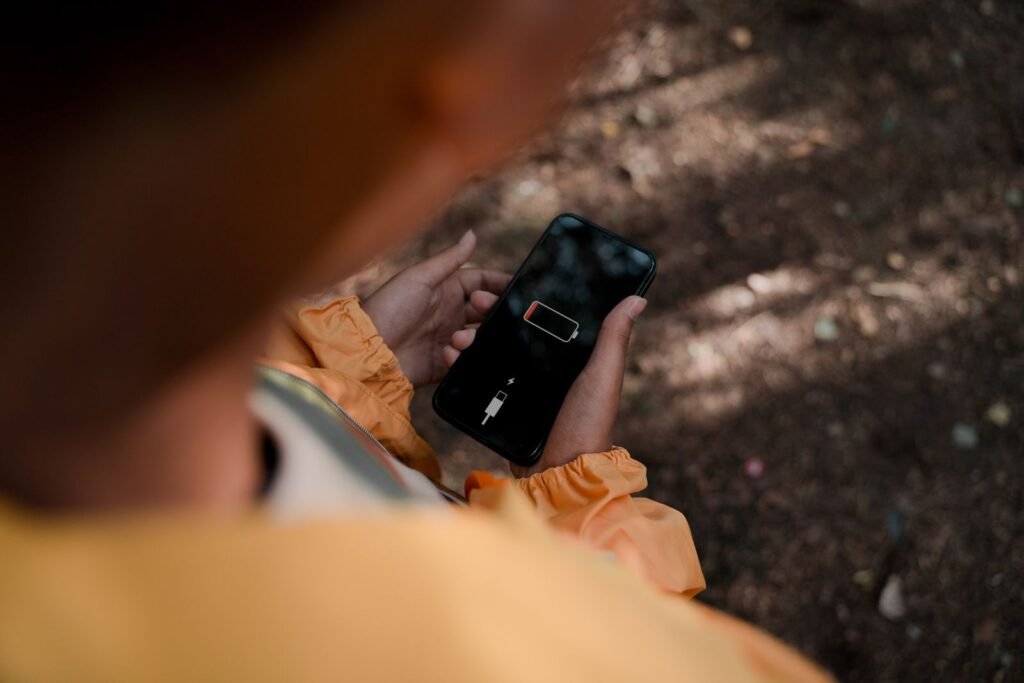
There is a particular kind of software change that causes trouble precisely because it looks like housekeeping. Apple took a setting that had lived in the Cellular menu for a decade, gave it a new name, and moved it to the bottom of the Wi-Fi screen. Nothing about that reads as dangerous. Then iOS 27 landed on millions of phones and people started posting that their batteries were lasting half as long as they used to.
The setting is called Connectivity Assist. If you have never heard of it, that is the point.
The short version, if your battery has tanked since updating
- Where it is: Settings, then Wi-Fi, then scroll all the way to the bottom. Connectivity Assist is the last item
- Turn it off in two places: the master toggle at the bottom of that screen, and again on each individual network via the small info icon
- What people are reporting: screen-on time going from roughly 3 to 4 hours back up to 7 or more
- What Apple has said: nothing about battery drain. The company documents only that the feature can increase your cellular data use
- Before you blame it: some drain in the first few days after any major update is normal and goes away on its own
What Connectivity Assist actually does
This feature is not new. It is Wi-Fi Assist with a different badge on it. Apple introduced Wi-Fi Assist back in iOS 9, and the job was always the same: when the Wi-Fi network you are joined to gets too weak or too congested to be useful, the phone quietly pulls in cellular data to keep things moving rather than letting a page hang.
In practice that is genuinely useful. It is the difference between a map that keeps loading as you walk out of range of the cafe Wi-Fi and a map that freezes halfway down the street. Apple’s own framing is that the phone should be able to use cellular data alongside Wi-Fi to deliver a more stable internet connection, and in iOS 27 the company extended that idea into smoother handoffs during navigation and FaceTime calls.
Two things changed with iOS 27, and both of them matter more than they sound.
First, the rename. Anyone who had deliberately switched Wi-Fi Assist off in previous years went looking for it in Cellular settings, did not find it, and in a lot of cases assumed it had been retired. It had not. It had been relocated, and on a fresh install it is on by default.
Second, and this is the part Apple has not addressed publicly, a number of beta testers came away convinced the feature behaves more aggressively than it used to, reaching for the cellular radio on signal conditions that would previously have been left alone. Apple has confirmed the rename. It has said nothing about whether the underlying logic changed, which leaves everyone reading tea leaves.
Why a connectivity feature would cost you battery
The mechanism people have landed on is straightforward, and it does not require anything to be broken. A phone is cheapest to run when it is using one radio. Connectivity Assist is a feature whose entire purpose is to use two.
Worse, it does so under exactly the conditions where the cellular modem is most expensive to operate. Weak Wi-Fi and weak cellular tend to arrive together, because both usually mean you are far from something. A modem straining for a distant tower draws considerably more power than one sitting comfortably on a strong signal. So the feature kicks in when the Wi-Fi is bad, and the help it provides is the most power-hungry version of that help.
One Reddit user put the practical effect about as plainly as it can be put:
“15 Pro Max. 89% battery health. I was getting only 3-4 hours SOT after iOS 27 update. Turned off connectivity assist and I get 7 now. You have to turn it off in two places, WiFi settings and in each network you connect to. It was keeping my cellular antennas constantly active even on WiFi, destroying my battery life.”
An iPhone 15 Pro Max owner, posting to Reddit after the iOS 27 update
That post is the one most of the coverage has been built on, and it is worth being clear about what it is: one person’s experience, self-reported, with no instrumentation behind it. What makes it interesting is not the post itself but the replies, which arrived in volume and with a suspiciously consistent shape.
Note the two grey rows. They are the reason this article is not headlined as a fix. A meaningful number of people switched Connectivity Assist off and saw nothing change, which tells you the setting is one candidate among several rather than a single universal culprit.
How to turn it off properly
The two-places detail is the bit almost everyone gets wrong, and getting it wrong is indistinguishable from the fix not working.
- Open Settings, then Wi-Fi. Not Cellular. This is the change that threw long-time users
- Scroll to the very bottom. Past the list of nearby networks, past Ask to Join Networks and Auto-Join Hotspot. Connectivity Assist sits at the end. Switch it off
- Now handle each saved network. Tap the circled info icon next to your home network. There is a per-network Connectivity Assist toggle in there too. Switch that off as well
- Repeat for every network you actually use. Work, a partner’s flat, the gym. The per-network setting is stored per network, so clearing one does not clear the others
- Give it a full day before judging. Battery comparisons over two hours are noise. You want a like-for-like day of normal use
| Toggle | Where you find it | What it covers |
|---|---|---|
| Master switch | Settings, Wi-Fi, bottom of the screen | The global default for networks you have not individually configured |
| Per-network switch | Settings, Wi-Fi, info icon beside a network name | That one network only, and it can override the global default |
| Low Data Mode | Same info panel, under the network name | A blunter instrument that also suppresses background refresh on that network |
| Airplane mode plus Wi-Fi | Control Centre, then switch Wi-Fi back on | The nuclear test. Kills cellular entirely, so it isolates whether the modem is the cause |
That last row is the honest diagnostic. If you spend an evening on airplane mode with Wi-Fi enabled and the battery behaves normally, the cellular radio was involved. If it drains anyway, Connectivity Assist was never your problem and you can stop fiddling with it.
The quieter issue: data and ad blockers
Battery is what went viral, but it is not the only consequence, and the other one is better documented. Apple states outright that Connectivity Assist can increase how much cellular data you use. On a metered plan that is a real cost, and it is invisible, because the phone shows a Wi-Fi icon the entire time it is spending your allowance.
There is also a privacy wrinkle that deserves more attention than it has had. If you run a content blocker or a custom DNS profile that works by filtering requests on your home network, Connectivity Assist can route traffic over cellular that your filter never sees. One detailed writeup documented requests that should have been blocked leaving the device over the cellular interface while the phone sat on Wi-Fi. Apple’s own guidance suggests turning the feature off if you rely on an ad blocker, which is a quiet acknowledgement that the interaction is real.
Check the actual culprit before you change anything. Settings, then Battery, then switch the graph to the last 10 days. Look for the day the drop begins. If it lines up exactly with your update, and the per-app list is topped by something vague like Home & Lock Screen or no app at all, you are probably looking at radio or background indexing activity rather than a misbehaving app. That is the pattern worth chasing. If a single app is eating 40% of your battery, Connectivity Assist is not your story.
It might also just be the update
The unglamorous explanation deserves equal billing, because it is right more often than any single setting. Every major iOS release triggers days of heavy background work: the photo library gets re-indexed for search, Spotlight rebuilds, apps update and re-cache, and machine learning models get rebuilt on device. All of that is expensive, all of it runs whether you are looking or not, and all of it stops after a few days.
Which means a chunk of the people who turned Connectivity Assist off and declared victory would have recovered that battery life anyway, simply by waiting. That is not a reason to leave the setting on if you do not want it. It is a reason to be sceptical of any single-toggle miracle story, including this one.
If your battery was already marginal before the update, the update has only exposed that. The health percentage in Settings is the number that matters there, and once it drifts under about 80% the phone starts making compromises on your behalf. It is worth knowing what a battery replacement actually costs across the range, and where Apple’s price sits against an independent shop, before you spend a week chasing software fixes for a hardware problem.
A pattern worth noticing
Three stories in as many weeks have now turned on the same thing: the cellular radio doing something the owner did not ask for and could not see. Apple has confirmed a hardware fault where some iPhone 18 Pro Max handsets on one carrier lose cellular service permanently, with no software fix available. Now a connectivity feature is being blamed for keeping that same radio awake when it has no obvious reason to be. The modem is the least visible and most power-hungry component in the phone, and it has become the place where a surprising share of real-world problems live.
The broader habit this should encourage is less dramatic and more useful: go and read your own settings after a major update. iOS ships with genuinely valuable things switched off and occasionally expensive things switched on, and the only way to know which is which on your phone is to look. The eye tracking that has quietly shipped on every recent iPhone is the flip side of this, a feature nobody finds because nobody goes looking.
What to watch next
- Whether Apple says anything at all. So far the company has acknowledged the rename and the data implications, and nothing about battery. A support document update would settle most of this
- Whether a point release changes the behaviour. If the logic really did get more aggressive in iOS 27, the tell will be a quiet tuning change in 27.1 with no release note
- Properly controlled testing. What nobody has published yet is an instrumented before-and-after on identical hardware. Until someone does, every number in circulation is anecdote
- The default on fresh installs. If Apple ships it off by default in a future release, that will tell you more than any statement
The bottom line
Connectivity Assist is not a bug and it is not malicious. It is a feature doing exactly what it says, which is spending battery and cellular data to keep your connection stable. The problem is that Apple renamed it, moved it, and left it on, so a large number of people are now paying for a trade-off they never knowingly agreed to.
If your iPhone has been running warm and dying by mid-afternoon since you updated, switching it off costs you thirty seconds and nothing else. Do it in both places, give it a day, and compare honestly. It might double your screen-on time. It might do nothing, in which case you have learned something useful and you can go back to reading your battery graph. What you should not do is leave a setting you have never heard of making that decision for you.
Sources and further reading
- MacRumors: iOS 27’s Wi-Fi settings include the rebranded Connectivity Assist feature
- iDrop News: the sneaky iOS 27 setting that could drain your battery and your data
- The Mac Observer: Apple renames Wi-Fi Assist to Connectivity Assist in iOS 27
- BGR on what the Wi-Fi and cellular assist feature is actually for
- A detailed writeup of blocked traffic leaving over cellular while the phone is on Wi-Fi
- UNILAD Tech: why iPhone users should turn off connectivity assist in iOS 27
About this article: GeekBlog covers U.S. technology news, AI, phones, smartwatches and gaming. Every story is written and checked under our Editorial Policy. Spotted a mistake or have a story tip? Contact our editors.
