

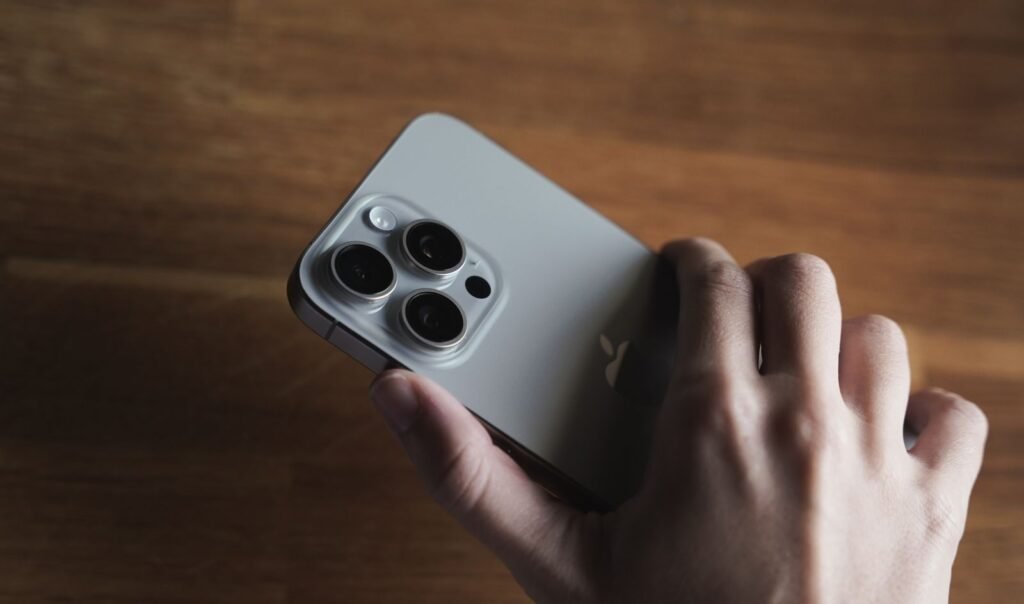
iOS 27 arrived on Monday, and the update prompt does not care how old your phone is. If Apple supports the model, the badge appears, and the badge looks the same on an iPhone 17 Pro as it does on an iPhone 12 that has been through four battery winters.
Tyler Morgan, a tech creator with around two million followers who has previously worked for Apple, posted a recommendation this week that has been circulating since: install it, unless you are on an iPhone 13 or older.
“The new Apple update’s out and I do recommend it for speed on every device,” he said. “First the positives: faster AirDrop, faster speeds in general. That said, I would not upgrade to this if you have a 13 or lower. It’s just gonna irritate your phone more than it’s already irritated.”
That is a good rule of thumb with a real caveat attached, and the caveat is the part worth reading before you act on it.
The short version
- iOS 27 supports the same phones as iOS 26: iPhone 11 and newer
- Siri AI and the wider Apple Intelligence set need an iPhone 15 Pro, 15 Pro Max, or any iPhone 16 and later
- The most demanding on-device features want an iPhone 17 Pro, 17 Pro Max or iPhone Air
- On an iPhone 11 through 14, plus the standard 15 and the SE, you get the update but not the AI
- Reported wins across the board: faster AirDrop and general responsiveness
- Liquid Glass still has no full off switch, only a reduced transparency setting
- Battery drain after updating is widely reported and usually temporary, settling within a few days
- Holding back has a cost: you also hold back security patches
What you actually get, by model
The confusion around this release comes from a gap that has widened every year: the list of phones that can install iOS 27 and the list of phones that can run its headline features are not the same list, and they are not close.
| Your iPhone | Can install iOS 27 | Siri AI and Apple Intelligence | Worth updating? |
|---|---|---|---|
| iPhone 17 Pro, 17 Pro Max, Air | Yes | Yes, including the most demanding features | Yes |
| iPhone 16 series, 16e, 17, 15 Pro, 15 Pro Max | Yes | Yes, standard feature set | Yes |
| iPhone 14, 15 (standard) | Yes | No | Yes, for the non-AI improvements |
| iPhone 13, 12, 11, SE | Yes | No | Judgment call. See below |
Apple Intelligence requirements are set by on-device silicon and memory, not by software policy.
If you are on an iPhone 13, the pitch for iOS 27 is not the AI. You are not getting the AI. What you are getting is a faster AirDrop, some interface changes and a general performance pass, weighed against a longer-term risk that a newer OS asks more of a battery that has already been through several hundred charge cycles.
That is a much closer call than the marketing suggests, and it is basically the call Morgan is making.
The Siri situation, which is its own mess
Worth flagging, because a lot of people updating this week are doing it specifically for Siri and will not find what they expected.
Morgan was positive about the new assistant. “It can pull information directly from your phone, it’s impressive,” he said, calling it substantially better. Apple describes it as able to take actions inside apps, including third-party ones, with a dedicated app for revisiting past conversations.
The catch is availability. Installing iOS 27 does not automatically hand you the new Siri, because the rebuilt assistant is sitting behind a waitlist rather than switching on for everyone at once. And if you are in Europe, there is a further wrinkle, since the Google-powered version of Siri launched without the EU on the list.
So the sequence for a lot of people is: update, hunt for the new Siri, discover it is queued or unavailable in their country, and then sit with the battery drain anyway.
Liquid Glass, still not optional
The interface style Apple introduced in 2025, where surfaces refract and move like real glass, carries over. It remains divisive and it still cannot be fully turned off.
“I know people that love Liquid Glass and I know people that really hate Liquid Glass,” Morgan said. “It would be nice to have a completely off option.”
His preference was the opposite extreme of what shipped: the near-total transparency of the first iOS 26 beta rather than the tuned version Apple settled on. There is a reduced transparency accessibility setting that takes the edge off, which is what most people bothered by it end up using, but it is a mitigation rather than a switch.
He was more lukewarm on the new photo tools, which can expand and reframe an image. “That’s very cool that it’s able to do that, but I will never use it and I don’t think many people will either.” There is also a new option to save a frame from a video as a photo.
The battery drain, and why it happens
This is the complaint filling up forums this week, and it is almost always the same phenomenon.
After a major release, the phone has a queue of work to get through. It rebuilds the Spotlight search index across your photos, messages and files. It re-optimizes installed apps for the new system. It re-syncs iCloud. On supported hardware it also prepares on-device data for the AI features.
All of that runs in the background, much of it when the screen is off, which is exactly when people notice their battery falling and assume the update broke something. It is also why the phone runs warm for a day or two.
The practical advice is boring and effective: leave the phone plugged in on Wi-Fi overnight after updating and let it finish. Then give it a few days before forming an opinion. If battery life is still clearly worse a week later, that is a genuine problem worth chasing. Before then, you are mostly measuring cleanup work.
The argument against waiting
Skipping a major iOS release is not free. Apple ships security fixes inside these updates, and an older phone running an older OS eventually stops receiving them. On an iPhone 11 or 12, that clock is the more serious consideration, and it does not care how the interface feels.
A reasonable middle path on older hardware: wait for the first point release, which typically arrives within a few weeks and cleans up launch issues, then update. You skip the roughest window without stranding yourself on an unpatched system.
A quick pre-update checklist
- Check your battery health first. Settings, Battery, Battery Health and Charging. Below about 80 percent maximum capacity, any new OS will feel worse, and that is the battery talking rather than the software
- Make sure you have free storage. A cramped device handles the update and the reindexing badly
- Back up before you start. Rolling back an iOS version is awkward at best and is not a supported path for most people
- Update overnight on Wi-Fi and power. This is the single change that removes most of the pain
- Give it a week. Judging battery life on day one tells you almost nothing
So should you install it?
On an iPhone 15 Pro or newer, yes, without much thought. That is the hardware the release was designed around and where the feature set is actually complete.
On an iPhone 14 or the standard 15, yes, with expectations set correctly. You are getting the speed improvements and the interface work. You are not getting Siri AI, and no amount of updating will change that, because the limit is the chip and the memory rather than a setting.
On an iPhone 13 or older, Morgan’s caution is reasonable. You get the least upside of any group and carry the most risk of the update landing badly on an aging battery. Waiting for the first point release is a sensible compromise, and there are other iOS 27 changes worth understanding before you commit, including the new Find My setting that lets you hide your location.
What has not changed is the basic pattern of these releases. Every year the compatibility list stays generous and the feature list quietly splits into tiers underneath it. Your phone can run iOS 27. What it can run once iOS 27 is on there is a different question, and it is the one worth answering before you tap install.
Sources and further reading
- Apple Support: iPhone models compatible with iOS 27
- MacRumors: iOS 27 is compatible with these iPhone models
- MacRumors: which iPhones support every iOS 27 feature
About this article: GeekBlog covers U.S. technology news, AI, phones, smartwatches and gaming. Every story is written and checked under our Editorial Policy. Spotted a mistake or have a story tip? Contact our editors.
