

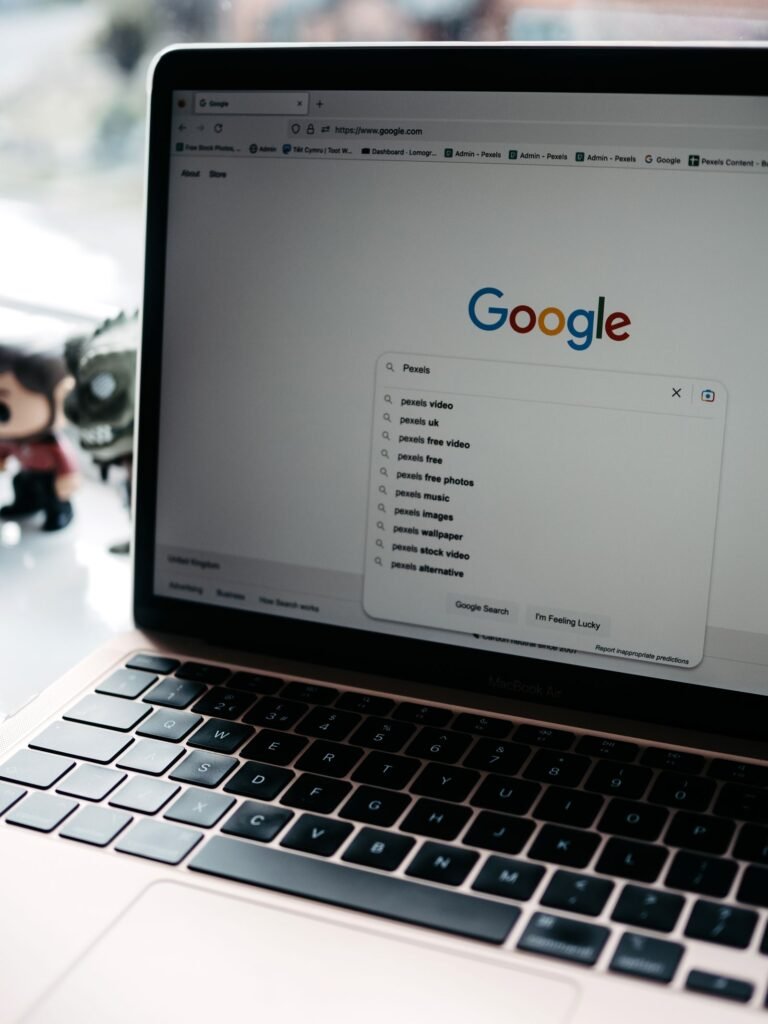
Yes. There are more genuine alternatives to Google in 2026 than at any point in the search engine’s history, and several are good enough to become your everyday default. The right pick depends on what you want most: airtight privacy, an independent index that does not lean on Big Tech, ad-free results you pay for, or an AI answer engine that replies in full sentences instead of ten blue links.
Below is a practical, up-to-date guide to the best Google alternatives in 2026 — not just for search, but for the whole Google ecosystem, from Chrome and Gmail to Maps and Drive. We will explain what each option is good at, where it falls short, and how to switch without friction.
Why look for a Google alternative in 2026?
Google still dominates. It handles roughly 90% of the world’s search queries, and a U.S. federal court found in 2025 that it accounts for about 90% of U.S. searches. But three things have made alternatives far more appealing than they were even two years ago.
First, Google Search has gone AI-first. AI Overviews and AI Mode now sit on top of most results, pushing traditional links further down the page. Google says its AI search experience reaches around a billion users. Many people like it; many others want a plain list of sources, or a chat-style answer engine that is honest about being one.
Second, privacy expectations have shifted. Google’s business is advertising, which means your searches feed a profile. A generation of alternatives now competes specifically on not doing that.
Third, the antitrust picture changed the incentives. In September 2025, a federal court ordered behavioral remedies in the U.S. v. Google search case: Google can no longer strike exclusive default-search deals, and it must make some of its search index and click data available to qualified rivals. The court stopped short of a breakup, and appeals are ongoing into 2026 — but the ruling gives smaller engines a real shot at competing on quality. In Europe, Ecosia and Qwant went further and launched their own independent search index, called Staan, reducing their dependence on Microsoft and Google entirely.
The best Google search alternatives at a glance
Here is how the leading options compare on the things that actually matter — where their results come from, what they cost, and who each one is for.
| Engine | Results come from | Price | Best for |
|---|---|---|---|
| DuckDuckGo | Own crawler + Bing | Free | Easiest private switch |
| Brave Search | Own independent index | Free (Pro option) | Independence + privacy |
| Kagi | Own index + partners | From $5/mo | Ad-free premium results |
| Perplexity | AI over live web | Free / $20 mo | AI answers with citations |
| Startpage | Google, anonymized | Free | Google results, no tracking |
| Ecosia | Own EU index (Staan) + partners | Free | Planet-friendly search |
| Mojeek | Own independent index | Free | Truly independent, no tracking |
| Bing | Own index | Free | Closest mainstream rival + Copilot |
DuckDuckGo — best for most people
Mini-verdict: The friendliest way to leave Google. Private by default, genuinely free, and available everywhere.
DuckDuckGo remains the default recommendation for anyone who wants to stop being tracked without changing how they search. It does not build a profile on you, does not store your search history in a way tied to your identity, and strips the personalization that makes Google feel like it is reading your mind. Results are assembled from its own crawler alongside Microsoft’s Bing index, so quality is solid for everyday queries.
Beyond the search box, DuckDuckGo has grown into a small privacy suite: a browser for iOS, Android, Mac, and Windows with built-in tracker blocking, email protection that strips trackers from your messages, and an optional paid privacy bundle with a VPN. For a free switch that your less-technical friends can also make, nothing is easier.
Where it falls short: because it leans on Bing, it is not fully independent, and hyper-local or very fresh queries can trail Google.
Brave Search — best independent index
Mini-verdict: Privacy plus genuine independence. Brave built its own index from scratch, so it is not just reselling Google or Bing.
Brave Search is the strongest free option if you care about diversifying the web and not just hiding from it. It runs on Brave’s own index, which means its results are independent of the Google/Bing duopoly. It is private by default, and its optional AI answer feature summarizes results without the ad load. It pairs naturally with the Brave browser but works in any browser you like.
For a broader look at private browsers that work well with engines like this, see our guide to the best browser for Android in 2026.
Where it falls short: an independent index is a huge undertaking, so on obscure long-tail queries you may occasionally notice thinner results than Google’s.
Kagi — best premium, ad-free search
Mini-verdict: You pay, and in return you get fast, clean, ad-free results with power-user controls. The paid model is the point.
Kagi flips the search business model on its head. There are no ads, because you are the customer rather than the product. Plans start around $5 a month for a limited number of searches (roughly 300), with an unlimited Professional tier near $10 a month and a family plan around $14. Higher tiers add more of the Kagi Assistant, which can tap into large language models from OpenAI, Anthropic, Google, and others.
What makes Kagi special is control: you can raise or lower (“pin” or “block”) specific domains so content farms never appear again, use Lenses to focus a search on, say, forums or academic sources, and get quick AI summaries on demand. Longtime users consistently describe it as the first search tool in years that feels like it is working for them.
Where it falls short: it costs money, and the free trial is limited. For heavy searchers, though, many find the time saved worth the subscription.
Perplexity — best AI answer engine
Mini-verdict: When you want a direct answer with sources rather than a page of links, this is the one to use.
Perplexity is the standout “answer engine.” Ask a real question and it searches the live web, writes a concise answer, and — crucially — cites the sources inline so you can verify each claim. A free tier covers casual use; Perplexity Pro (around $20 a month) unlocks more powerful models, deeper research modes, and higher limits. It is the tool to reach for when you would otherwise open five tabs and read them yourself.
Perplexity is not a like-for-like Google replacement — you would not use it to find a store’s hours or a specific login page as quickly — but for research, comparisons, and “explain this to me” queries, it is excellent. If you mainly want an assistant on your phone, our roundup of the best AI app for iPhone compares Perplexity with ChatGPT, Claude, and Gemini.
Startpage, Ecosia, Mojeek, and Bing — strong situational picks
Startpage — Google results without the tracking
If you actually like Google’s result quality but not its data collection, Startpage is the clever compromise. It serves Google’s results while stripping out the tracking, acting as a privacy middleman. You get the familiarity of Google with far less surveillance.
Ecosia — search that funds the planet
Ecosia is a nonprofit-minded engine that uses its ad profit to plant trees and fund climate projects, and it has planted well over 200 million trees to date. In 2025 it partnered with Qwant to launch Staan, an independent European search index, so its results increasingly stand on their own rather than relying on Big Tech. It is the easy pick if you want your searches to do a little good.
Mojeek — the truly independent underdog
Mojeek runs its own crawler and index, keeps no tracking, and is about as independent as search gets. Its index is smaller than Google’s, so it is best as a secondary engine or for people who prize independence above all. It is also a favorite building block for privacy metasearch tools.
Bing — the closest mainstream rival
Microsoft Bing is the largest non-Google engine and the one most likely to feel “complete” out of the box, with its own full index, strong image search, and Copilot AI baked in. Its share is small next to Google’s, but for a no-setup mainstream alternative with deep AI integration, it is the obvious choice — and it quietly powers several of the engines above.
Beyond search: alternatives to the rest of Google
For many people, “an alternative to Google” really means escaping the whole ecosystem — Chrome, Gmail, Drive, Maps, and the rest. The good news is that every major Google product now has a credible, privacy-friendly rival.
| Google product | Best alternatives | Why switch |
|---|---|---|
| Chrome (browser) | Brave, Firefox, DuckDuckGo | Less tracking, faster with built-in ad blocking |
| Gmail (email) | Proton Mail, Tuta | End-to-end encryption, no ad scanning |
| Google Drive (storage) | Proton Drive, pCloud, Sync.com | Encrypted files you control |
| Google Docs | Proton Docs, CryptPad, LibreOffice | Private collaboration |
| Google Maps | Apple Maps, Organic Maps, Magic Earth | Less location tracking; offline options |
| Google Photos | Proton Drive, Ente Photos, Immich | Encrypted or self-hosted photo backup |
| Google Analytics | Plausible, Fathom, Matomo | Privacy-first, cookie-free web stats |
| Android | GrapheneOS, /e/OS (or iPhone) | De-Googled mobile operating systems |
You do not have to move everything at once. Most people who “de-Google” start with the two touchpoints that leak the most data — search and the browser — and add email and storage later.
How to switch your default search engine
Changing engines takes about a minute, and you can switch back anytime. The steps are similar across browsers.
- On desktop (Chrome, Edge, Firefox, Brave, Safari): open Settings, find the “Search engine” section, and choose your new default from the list. If it is not listed, visit the engine’s site once and it will usually appear, or add it manually.
- On Android: open your browser’s settings, tap “Search engine,” and select the alternative. Many private engines also offer their own browser app that sets everything up for you.
- On iPhone: go to Settings, choose your browser (Safari or a third-party one), tap “Search Engine,” and pick the alternative. In iOS, Safari now lists several privacy engines directly.
- Add the widget or extension (optional) so your new engine is one tap away, and set it as your browser’s new-tab search too.
!g in DuckDuckGo (or just hop to Google) for that one search. Most people find they need Google far less than they expected.Frequently asked questions
What is the best free alternative to Google?
For most people it is DuckDuckGo, which is private, familiar, and available on every device. If you specifically want results from an independent index rather than a Bing-based one, Brave Search is the best free pick.
Is there a Google alternative that does not track you at all?
Yes. DuckDuckGo, Brave Search, Startpage, and Mojeek are all built around not tracking you or building an advertising profile. Kagi goes further by charging a subscription so it has no incentive to sell ads against your queries.
Which alternative gives the most Google-like results?
Startpage, because it serves Google’s own results while stripping the tracking. Bing and DuckDuckGo are also close in everyday quality.
What is the best AI alternative to Google Search?
Perplexity is the leading AI answer engine, giving cited, written answers. ChatGPT’s search mode and Microsoft Copilot (in Bing) are strong alternatives if you already use those assistants.
Is it worth paying for search with Kagi?
If you search a lot and value clean, ad-free results with domain controls and AI summaries, many users say yes. Casual searchers are usually well served by a free option like DuckDuckGo or Brave.
The verdict
There is no longer a single “Google killer,” and there does not need to be. The smarter move in 2026 is to match the tool to the task: DuckDuckGo or Brave for private everyday search, Kagi when you want an ad-free experience worth paying for, and Perplexity when you want an answer instead of a list. Add a de-Googled browser and email over time, and you will find that Google’s grip loosens one small switch at a time — without giving up the quality you are used to.
About this article: GeekBlog covers U.S. technology news, AI, phones, smartwatches and gaming. Every story is written and checked under our Editorial Policy. Spotted a mistake or have a story tip? Contact our editors.
