

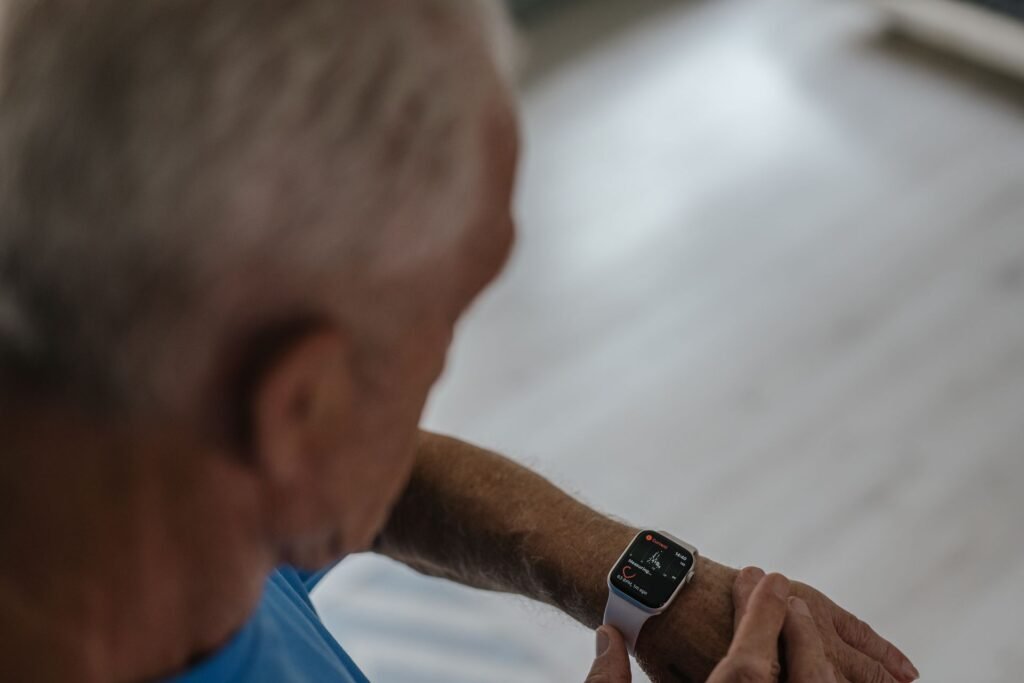
Most smartwatch guides quietly assume one thing: the wearer already owns a phone. That assumption breaks down fast when the person you are shopping for is a parent or grandparent who never made the switch to a smartphone, or who simply does not want to carry one. The good news is that a smartwatch for seniors without a smartphone is entirely possible in 2026. The catch is that only certain watches can do it, and a few of them hide setup requirements that trip people up at the checkout.
Quick answer
There are three workable routes. Apple Watch with Family Setup (a cellular model that a family member sets up from their own iPhone) is the cheapest and the most capable. A dedicated medical alert watch such as the Medical Guardian MGMove or Bay Alarm SOS Smartwatch needs no phone at all and connects to a live monitoring agent, but costs roughly $40 a month. A Galaxy Watch or Pixel Watch with LTE can run on its own day to day, yet still needs an Android phone to get set up in the first place.
Why This Question Comes Up More Than You Would Think
It is easy to assume everyone over 65 has a smartphone by now. Most do, but a meaningful minority does not. According to Pew Research Center, 78% of US adults age 65 and older owned a smartphone in 2025, compared with 97% of adults under 50. That leaves roughly one in five older adults with no phone to pair a watch with.
Some of those people never wanted a phone. Others have one and find it stressful. Either way, a watch that works on its own can be a gentler way into technology, and it can quietly cover the one thing families worry about most: being able to call for help.
The Rule That Decides Everything: Who Does the Setup?
Before comparing products, understand this. Almost every smartwatch needs a phone at least once, during setup. What differs is whose phone it is and whether the senior ever needs to touch it again.
- Apple Watch can be set up by a family member on their own iPhone through Family Setup. The senior never needs an iPhone.
- Galaxy Watch and Pixel Watch require an Android phone for setup. After that, an LTE model can place calls and send texts without the phone nearby, but there is no supported way to set one up without any phone at all.
- Medical alert watches arrive pre-activated or are activated by a phone call to the company. No phone, app or account is needed from the wearer.
Route 1: Apple Watch With Family Setup
This is the option most families end up choosing, and for good reason. Family Setup lets a relative pair a cellular Apple Watch to their own iPhone, then hand it to the senior, who uses it independently. It needs a cellular model (Apple Watch SE or a newer Series watch with cellular) and an active watch plan from a carrier.
On the carrier side, expect to pay roughly $10 to $15 a month per watch. AT&T lists about $10, T-Mobile about $12 and Verizon about $15, before taxes and fees. Budget carriers can come in lower.
What works on a Family Setup watch
- ✓ Calls and messages from the wrist
- ✓ Emergency SOS and fall detection (wearer 18 or older)
- ✓ Location sharing with family
- ✓ High and low heart rate notifications
What does not work
- ✕ ECG readings
- ✕ Irregular rhythm notifications
- ✕ Sleep tracking
- ✕ A watch without cellular (it will not work independently)
The missing ECG and irregular rhythm alerts matter, because those are exactly the features many families want for an older relative. If heart rhythm monitoring is the priority, the watch needs to be paired to an iPhone the senior owns. Our guide to how smartwatch fall detection really works for seniors explains what the safety side of an Apple Watch can and cannot catch.
Route 2: A Dedicated Medical Alert Watch
If the senior would struggle with any touchscreen, or if no relative can realistically answer an emergency call at 3 a.m., a purpose built alert watch is the more honest answer. These devices run on their own cellular connection, show the time, and do one job well: press the button and a trained agent answers.
| Watch | Upfront Cost | Monthly Fee | Network | Worth Knowing |
|---|---|---|---|---|
| Medical Guardian MGMove | $199.95 | $39.95, plus $10 for fall detection | Cellular, no phone needed | Reviewers report about 20 hours of battery |
| Bay Alarm Medical SOS Smartwatch | $199 | $39.95, or $49.95 with fall detection | AT&T LTE | Looks like a regular smartwatch; short battery, plan on daily charging |
| SafeLynk SmartWatch | $49.99 on sale | $29.99 after the first month | AT&T and Verizon 4G LTE | Seller claims up to 5 days of battery; verify before buying |
Prices are approximate US figures for 2026 and change with promotions. Battery figures come from reviews and manufacturer claims, not our own testing.
The monthly fee is the part to take seriously. For a deeper look at what these plans really cost over time, including contract terms and add-ons, see our breakdown of medical alert watch costs for seniors.
Route 3: Galaxy Watch or Pixel Watch With LTE
Samsung sells LTE versions across its range, from the Galaxy Watch FE LTE at about $249 up to the Watch Ultra at about $649. Once configured, these watches can call, text and navigate on their own. The limitation is the setup: a Galaxy Watch needs an Android phone during pairing. That makes it a good fit when a relative has a spare Android phone to do the initial setup, and a poor fit when the senior has nothing at all. Carrier add-on lines typically run $5 to $15 a month, depending on the plan.
What It Really Costs Over Three Years
Sticker price misleads here, because the monthly fee does most of the damage. The chart below adds the device price to 36 months of service.
The Apple Watch route costs well under half as much, but it also gives you no human on the other end of an emergency call. That trade is the real decision, not the hardware.
Check coverage before you buy
Every watch in this guide depends on a cellular signal. A watch that works perfectly in a city can fail in a rural home with weak coverage on one carrier. Ask where the senior spends time, check that carrier’s coverage map for that address, and test the emergency button in the first week.
Which Route Fits Which Person
| Situation | Best Fit |
|---|---|
| Active, comfortable with a touchscreen, family nearby | Apple Watch with Family Setup |
| Lives alone, wants a live person to answer | Medical Guardian MGMove or Bay Alarm SOS Smartwatch |
| Tight budget, fine with a simple device | SafeLynk, after checking reviews and coverage |
| Relative has a spare Android phone for setup | Galaxy Watch with LTE |
If the senior is comfortable with technology and simply needs a watch that is not confusing, our roundup of the easiest smartwatches for seniors to use covers the screens, buttons and menus that matter.
Setting It Up So It Works on Day One
- Do the setup together. Fill in emergency contacts and medical details while the senior is sitting next to you.
- Choose a larger watch face. Big numbers and fewer complications make the screen readable at a glance.
- Test the emergency button once. Press it on purpose, with the monitoring company or a family member warned in advance, so the first real use is not the first use.
- Agree on a charging habit. A watch that sits dead in a drawer protects no one. Pick a daily spot, like the nightstand.
- Confirm the plan is active. A cellular watch with no active plan quietly turns into an expensive wristwatch.
Frequently Asked Questions
Can a senior use an Apple Watch without owning an iPhone?
Yes, with Family Setup. A family member pairs a cellular Apple Watch to their own iPhone, and the senior then uses it independently. The watch needs an active cellular plan, and some health features such as ECG and irregular rhythm notifications are not available.
Do medical alert watches need a smartphone?
No. Devices like the Medical Guardian MGMove and the Bay Alarm Medical SOS Smartwatch use their own cellular connection and call a monitoring center directly. The wearer does not need a phone, an app or an account.
What is the cheapest way to get a watch that calls for help?
Over three years, a cellular Apple Watch SE on Family Setup is usually the cheapest at roughly $660 including service. Monitored alert watches cost closer to $1,100 to $1,640 over the same period, in exchange for a live agent.
Will fall detection work without a phone nearby?
Only on a watch with its own cellular connection and an active plan. A GPS only or Bluetooth only watch needs the paired phone close by to place a call.
Is a Galaxy Watch usable by someone with no smartphone?
Only after someone sets it up on an Android phone. Once configured, an LTE model can work independently, but the setup phone is a hard requirement.
Final Verdict
The Bottom Line
A missing smartphone does not rule out a smartwatch. For a capable senior with family close by, a cellular Apple Watch on Family Setup is the best value. For someone living alone who needs a real person on the line, a monitored watch like the Medical Guardian MGMove or Bay Alarm SOS Smartwatch is worth the monthly fee. Whichever you pick, check coverage at the senior’s address first, and test the emergency button before you need it.
Featured image: SHVETS production on Pexels.
About this article: GeekBlog covers U.S. technology news, AI, phones, smartwatches and gaming. Every story is written and checked under our Editorial Policy. Spotted a mistake or have a story tip? Contact our editors.
