

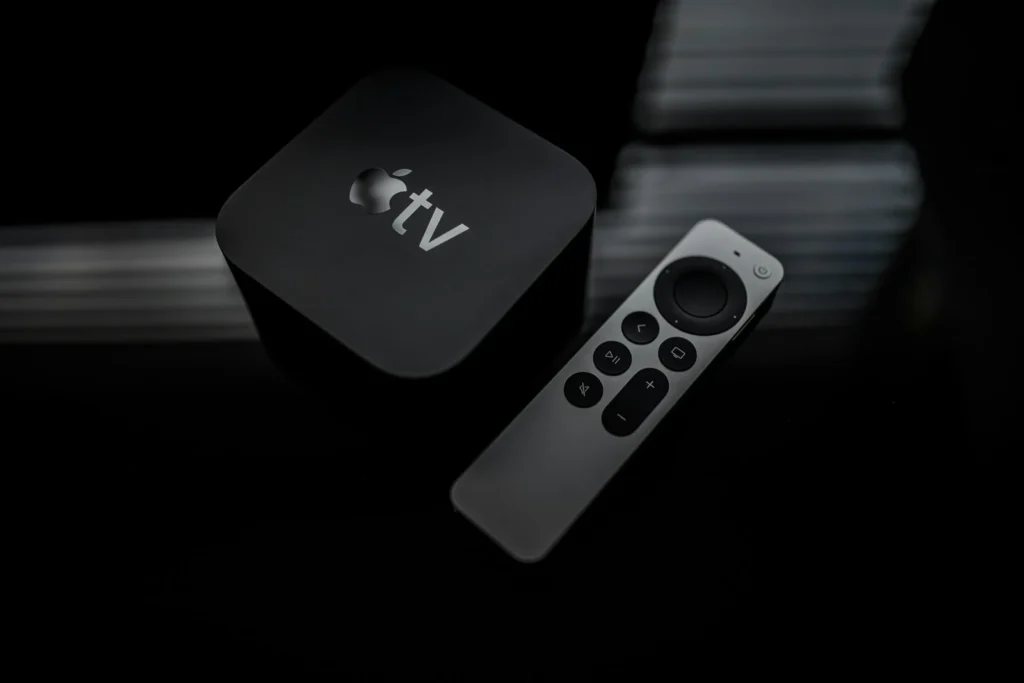
Lost the Siri Remote in the couch again, or just carry an Android phone instead of an iPhone? You can still run your Apple TV from that phone. Apple does not make a remote app for Android, so the job falls to a third party remote app, your TV’s own phone app, or an old school infrared trick. Here is what actually works in October 2026 and how to set each option up.
Why there is no official option for Android
Apple’s own phone remote lives inside Control Center on the iPhone and iPad. There is no Android version of it. The Apple TV app that Apple released on Google Play in February 2025 is a streaming app for watching Apple’s shows and movies on your phone, tablet or Google TV device. It does not include any controls for an Apple TV box.
The remote inside the Google TV app will not help either. It is built for Google TV and Android TV devices, so it will not find an Apple TV on your network. That leaves three practical routes, compared below.
| Method | What you need | Best for |
|---|---|---|
| Third party remote app | Android phone and Apple TV on the same WiFi | Full navigation, playback and often text entry |
| TV maker’s phone app plus HDMI CEC | A smart TV with a companion app and CEC turned on | People who prefer official apps only |
| Infrared remote app | A phone with a built in IR blaster | Basic arrows and play or pause without WiFi pairing |
Option 1: Use a third party remote app
Search Google Play for Apple TV remote and you will find several apps that talk to the box over your home network, the same way an iPhone does. Listings typically name support for Apple TV 4K and Apple TV HD. Most are free with ads, and some charge to remove ads or unlock extras. Setup is similar across them:
- Connect your Android phone to the same WiFi network as the Apple TV. Guest networks and separate mesh bands that isolate devices can block discovery.
- Turn on the Apple TV and open the remote app. It should list your Apple TV by name.
- Tap your Apple TV. A pairing code appears on the TV screen.
- Type that code into the app. The app saves the pairing, so you only do this once.
- Use the touchpad or arrow pad to navigate, and the dedicated buttons for Home, Back, Play and Pause.
Better apps add a text field so you can type passwords and search terms with your phone keyboard, which is much faster than hunting letters on screen. Some also let you launch installed apps directly. Volume buttons in these apps usually work only when your TV or receiver volume is already linked to the Apple TV.
Option 2: Let your TV remote app do the work
If your TV supports HDMI CEC, Apple says the Apple TV can be controlled by your TV or receiver remote over the HDMI cable. Many smart TV brands offer an official phone app with a virtual remote, such as Samsung SmartThings, LG ThinQ or the Roku app for Roku TVs. When the Apple TV input is active, the arrow and select buttons in those apps are often passed through to the Apple TV, just like presses on the physical TV remote.
- Turn on CEC in your TV menu. Brands use their own names, for example Anynet+ on Samsung, SimpLink on LG and BRAVIA Sync on Sony.
- Plug the Apple TV into an HDMI port that supports CEC. Your TV manual lists which ones do.
- Open the TV maker’s app on your phone, connect it to the TV, switch to the Apple TV input and test the arrows.
This route is limited to basic navigation, and how well it works depends on your TV brand. It is a good fallback when you do not want to install an unofficial app.
Option 3: Use an infrared blaster
A few Android phones still ship with an IR blaster, mostly from Xiaomi and its Redmi and Poco lines. With an IR remote app, you can pick an Apple TV profile or teach the box a custom remote. Apple TV supports learned infrared remotes: on the Apple TV, open Settings, then Remotes and Devices, choose Learn Remote and follow the prompts. You must point the phone at the box, and IR gives you only basic buttons, but it needs no network pairing at all.
FAQ
Does the Apple TV app for Android work as a remote?
No. It only streams Apple’s video service on your phone or tablet. It cannot control an Apple TV box.
Can the Google TV app control an Apple TV?
Not directly. Its remote works with Google TV and Android TV devices. If your TV itself runs Google TV and supports CEC, the app may pass basic arrow presses to the Apple TV through the TV.
Why does the remote app not find my Apple TV?
Your phone and the Apple TV are probably on different networks or bands with device isolation. Put both on the same main WiFi network, restart the app and make sure the Apple TV is awake.
Can I use Siri from an Android phone?
No. Voice search with Siri needs the Siri Remote or an Apple device. Use the text input in a remote app to search instead.
The verdict
For most Android owners, a well reviewed third party remote app on the same WiFi network is the closest thing to Apple’s own iPhone remote. If you want to stay with official software, your TV maker’s app plus HDMI CEC handles basic navigation, and phones with an IR blaster can act as a classic remote in a pinch.
Updated October 2026: rewritten with every working way to control an Apple TV from Android, including remote apps, HDMI CEC and infrared.
Featured photo: Omar Rodriguez on Unsplash.
About this article: GeekBlog covers U.S. technology news, AI, phones, smartwatches and gaming. Every story is written and checked under our Editorial Policy. Spotted a mistake or have a story tip? Contact our editors.
