

Smart rings have spent the last couple of years chipping away at the smartwatch’s dominance, and Ultrahuman has carved out a niche with a clever pitch: a capable health-tracking ring with no subscription attached. In 2026 the Ultrahuman Ring AIR has become one of the most recommended alternatives to a wrist-worn tracker, which raises an obvious question for anyone shopping for a new wearable. Should you buy an Apple Watch, or slip on an Ultrahuman ring and never look at your wrist again?
As with most wearable comparisons, the answer depends on what you actually want from the device. These two are built for very different relationships with your data, and the right pick has less to do with which is objectively “better” and more to do with how you live, sleep and train.
Quick Answer
Buy the Apple Watch Series 11 (from around $399) if you want a full smartwatch with a screen, GPS-tracked workouts, ECG, hypertension screening and safety features. Buy the Ultrahuman Ring AIR ($349, no subscription) if you mainly care about sleep, recovery and 24/7 comfort in a featherweight package. Both avoid recurring fees, so many people happily wear a watch by day and a ring at night.
A watch you read versus a ring you forget
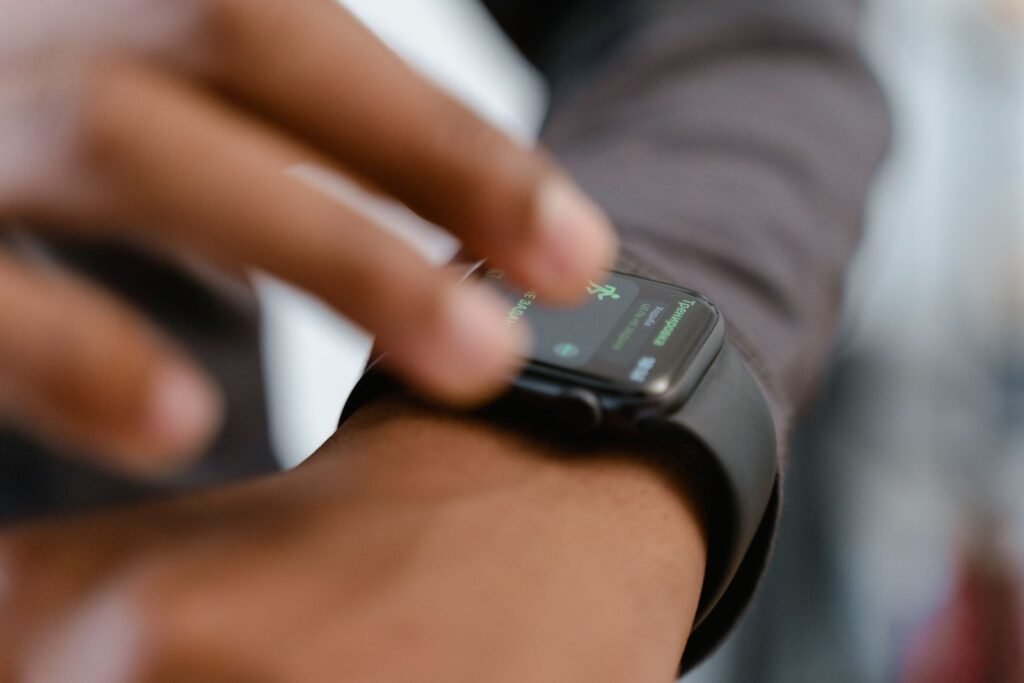
The Apple Watch Series 11, starting at around $399, is a full smartwatch. It has a bright always-on screen, runs apps, handles calls and payments, shows notifications and gives you live workout metrics. It is a device you engage with constantly throughout the day, and that interactivity is a big part of its appeal. The Series 11 also adds a more scratch-resistant front crystal, faster 5G connectivity on cellular models and up to 24 hours of battery, so it is the most refined mainstream Apple Watch to date.
The Ultrahuman Ring AIR takes the opposite approach. It is a featherweight band, weighing only a couple of grams, that packs skin-temperature, optical heart-rate and motion sensors into a ring you wear on your finger. It is machined from aerospace-grade titanium and comes in six finishes, from Raw Titanium and Aster Black to Brushed Rose Gold, so it can read more like jewelry than gadgetry. There is no screen and nothing to tap. Everything is read back through the free Ultrahuman app, which surfaces a Sleep Score, Dynamic Recovery and a Stress Rhythm view. The whole experience is designed to be passive: you wear it, forget it, and check your trends when you feel like it.
Price and the subscription question
This is Ultrahuman’s headline advantage and the reason it gets recommended so often. Unlike Oura, which charges a monthly membership to unlock most of its insights, the Ring AIR is a one-time purchase. You buy the hardware, currently priced at around $349, and the core app features are included with no recurring fee. Ultrahuman is explicit that this buys you lifelong access to both the ring and your personal data. There are some optional paid add-ons, branded PowerPlugs, for things like AFib detection and cycle tracking, but the everyday sleep, recovery and activity data does not sit behind a paywall.
The Apple Watch is similar in this respect. Its essential health and fitness features work without any subscription, so on the recurring-cost front the two are evenly matched. Both let you avoid the ongoing fees that come with rivals like Whoop and Oura, which makes them appealing if you dislike the idea of renting access to your own health data. If subscription-free tracking is your priority, you can pair the Ring AIR with a watch or use it on its own without ever paying more.
It is worth flagging that Ultrahuman now also sells a step-up Ring PRO, with a much longer battery and a charging case, at a higher price point. But for a straight subscription-free comparison against the Series 11, the $349 Ring AIR remains the model most shoppers are weighing up.
Key Takeaways
- Neither locks data behind a subscription the everyday sleep, recovery and health metrics are included with the hardware.
- The Ring AIR wins on battery and comfort, lasting roughly 4-6 days and weighing about two grams.
- The Apple Watch wins on breadth, with a screen, GPS workouts, ECG, blood oxygen and hypertension screening.
- Fit is everything for the ring the free sizing kit exists because accuracy depends on getting the size right.
- Running both is a legitimate strategy: watch for training, ring for sleep.
Apple Watch vs Ultrahuman Ring AIR at a glance
| Feature | Apple Watch Series 11 | Ultrahuman Ring AIR |
|---|---|---|
| Price | From ~$399 | ~$349 (one-time) |
| Subscription | None required | None (optional PowerPlug add-ons) |
| Battery life | ~24 hrs (up to 38 in Low Power) | ~4-6 days (3-4 in real use) |
| Form factor | Wrist watch with touchscreen | ~2g titanium ring, no screen |
| Key metrics | ECG, SpO2, hypertension notifications, sleep, GPS workouts | Sleep stages, HRV, recovery, stress, skin temperature |
| Best for | Active exercisers, safety, all-in-one users | Sleep optimizers, minimalists, all-day comfort |
Battery life and comfort
The Ring AIR wins comfortably on endurance. It runs for roughly four to six days on a charge, so it can stay on your finger around the clock, including overnight, with only occasional trips to its charger. In everyday use many owners see closer to three or four days, especially with more frequent syncing, and a battery-saving mode can stretch that further. Either way, that continuous wear is ideal for sleep tracking. The Apple Watch Series 11, rated at about 24 hours and up to 38 in low power mode, needs charging roughly every day, which forces you to carve out a charging window, often awkwardly competing with the hours you would otherwise be sleeping. Fast charging softens the blow, taking the watch from empty to about 80 percent in roughly half an hour, but it still demands a daily habit the ring simply does not.
Comfort is another point in the ring’s favor. A two-gram titanium band is far less intrusive than a watch on your wrist, especially in bed or during weightlifting, where a watch case can dig in. It is worth being honest about the trade-offs, though: the Ring AIR’s finish can pick up micro-scratches over time, and some long-term owners have reported battery degradation after heavy use. It is a sleek device, but not an indestructible one, and because it has no screen you are trusting the app to be your only window into the data.
Getting the fit right: the sizing kit matters
One thing watch buyers never think about is finger sizing, and it turns out to be central to how well a smart ring performs. Ultrahuman ships a free plastic sizing kit before your actual ring, with sizers spanning roughly sizes 5 through 14. The company recommends wearing your chosen sizer for at least 24 hours, including overnight, because fingers swell and shrink with temperature, hydration and time of day. That extra step exists for a reason: the sensors sit against your skin, and a ring that is even slightly loose can compromise heart-rate and sleep readings. Reviewers repeatedly note that fit is the single biggest determinant of data accuracy on the Ring AIR. With an Apple Watch you simply pick a case size and adjust the band, so it is a more forgiving out-of-the-box experience, but the ring’s sizing ritual pays off in cleaner overnight data.
Sleep and recovery accuracy
Both devices are genuinely capable sleep trackers, but they approach the job from different angles. The Ring AIR breaks your night into REM, deep, light and awake stages, then rolls skin temperature, resting heart rate, HRV and movement into a morning Sleep Score and a Dynamic Recovery reading that tells you how ready your body is for the day. Because it lives on your finger and never needs to come off for charging, it captures a more complete picture night after night, which is exactly why sleep-focused users gravitate toward rings.
The Apple Watch Series 11 has closed much of the gap here. It now generates a nightly Sleep Score of its own, tracks sleep stages, and can watch for breathing disturbances that may signal sleep apnea over time. The catch is battery: unless you commit to charging the watch before bed each night, you will occasionally wake up to a dead device and a gap in your data. For pure, uninterrupted sleep and recovery tracking, the ring’s form factor still has the structural edge. For people who want sleep tracking as one feature among many, the watch is more than good enough.
Where the Apple Watch pulls ahead
For active exercise, the Apple Watch is clearly the stronger tool. It has built-in GPS for accurate route mapping, live heart-rate and pace readouts on the screen during a workout, and an enormous library of third-party training apps. The Ring AIR can log activity, but without GPS or a display its workout analytics genuinely lag behind a watch. If you are a runner, cyclist or gym-goer who wants detailed, real-time exercise data, the ring will frustrate you.
The Apple Watch also leads on health and safety breadth. It offers an on-demand ECG, blood oxygen readings, the notifications for signs of chronic high blood pressure introduced with the Series 11, which analyze how your blood vessels respond over 30-day windows, plus fall detection, crash detection and emergency SOS. The Ring AIR focuses tightly on sleep, recovery and stress rather than trying to be a medical-grade or safety device. For many people that focus is a feature, not a flaw, but it is a real difference in capability, and it is the main reason the watch remains the safer choice for older users or anyone managing a health condition.
Who each one is really for
Choose the Apple Watch if you want a do-everything device with a screen, strong workout tracking, safety features and instant access to your data and notifications. It is the better pick for active exercisers, people who want on-wrist alerts and calls, and anyone who wants one gadget that covers fitness, health and everyday smart features. If you are still deciding whether a full smartwatch earns its place on your wrist, our look at whether the Apple Watch is worth it in 2026 digs into that question in more detail.
Choose the Ultrahuman Ring AIR if your focus is sleep, recovery and all-day comfort, you want subscription-free tracking in the smallest possible package, and you do not need another screen or daily charging. It is an excellent option for sleep optimizers and minimalists, provided you accept the softer workout data and the cosmetic and battery caveats. It also makes sense for people who already carry a phone everywhere and simply want quiet, background health data rather than a wrist computer.
The good news is that, unlike the subscription-heavy competition, neither device locks your data behind a recurring fee, so the decision really comes down to form factor and use case. Plenty of people even run both, a watch for workouts and a ring for sleep. If you want to weigh more options before committing, our roundup of the best Apple Watch alternatives in 2026 and our take on whether the Apple Watch is worth it in 2026 are both worth reading first.
The Bottom Line
These are not really rivals so much as tools for different jobs. The Apple Watch Series 11 is the all-rounder: workouts, safety, notifications and the deepest health toolkit on your wrist. The Ultrahuman Ring AIR is the specialist: near-invisible, multi-day battery, subscription-free sleep and recovery data. If you exercise hard or want safety features, pick the watch. If you want effortless sleep tracking and comfort, pick the ring. If your budget allows, wearing both is the quiet power move.
Frequently Asked Questions
Does the Ultrahuman Ring AIR require a subscription?
No. The Ring AIR is a one-time purchase at around $349, and the core sleep, recovery, stress and activity features are included with no recurring fee. Only certain optional add-ons, called PowerPlugs, cost extra.
How long does each device’s battery last?
The Ring AIR lasts roughly four to six days per charge, though many users see closer to three or four in daily use. The Apple Watch Series 11 is rated at about 24 hours, or up to 38 hours in Low Power Mode, so it needs charging roughly every day.
Which is more accurate for sleep tracking?
Both track sleep stages well. The ring’s advantage is that it stays on all night without needing to charge, so it captures more consistent data. The Series 11 now offers its own Sleep Score and sleep-stage tracking, but its shorter battery can interrupt overnight logging if you forget to charge it.
Can the Ultrahuman Ring AIR track workouts like an Apple Watch?
Not to the same level. The ring can log activity and heart rate, but it has no GPS and no screen, so it cannot match the watch’s live pace, route mapping and real-time exercise metrics. Serious runners and cyclists will prefer the Apple Watch.
Do I need a sizing kit for the Ring AIR?
Yes, and you should use it properly. Ultrahuman sends a free plastic sizing kit first, and wearing your chosen sizer for at least 24 hours (including overnight) helps you land the right fit. A well-fitted ring produces noticeably more accurate heart-rate and sleep data.
Can I wear both a smart ring and an Apple Watch?
Absolutely. Many people wear the Apple Watch for daytime workouts and notifications and switch to the ring for sleep, since it is far more comfortable in bed. Because neither charges a subscription, running both only costs you the upfront hardware.
Featured image: MART PRODUCTION on Pexels.
About this article: GeekBlog covers U.S. technology news, AI, phones, smartwatches and gaming. Every story is written and checked under our Editorial Policy. Spotted a mistake or have a story tip? Contact our editors.
